
Usable as a payment card, thin on the details that matter
 Available in US
AstroCard is a card you load from the AstroPay wallet and spend like an ordinary payment card. That is genuinely useful if your problem is that ordinary bank cards are hard to get where you live. It is much less useful if you are choosing between crypto cards on price and features, because the pages that matter — what coins you can deposit, over which networks, what the card currency is, how the verification levels differ — mostly do not say. I scored it 5.3 out of 10. It works, it is cheap to start, and the everyday mechanics are sound. What holds it back is silence on the things you would need before committing money, plus a purchase-fee schedule that runs from free locally to 4 percent on some cards.
Conditions here are current as of October 28, 2026.
Verdict: 5.3 / 10, built for wallet users in the Americas
The single strongest thing about AstroCard is that it does the boring part well. Virtual cards arrive in minutes, Apple Pay and Google Pay are supported, cash withdrawal works at 1.5 percent, and the Infinite tier quietly pays 4.75 percent annual cashback on the USD balance. If you already hold a balance in AstroPay, this is a competent card for spending it, and the free virtual card means there is no reason not to try it before committing anything.
The weak side is arithmetic and opacity. International purchases cost 2.5 percent in Brazil, Colombia and Mexico, 3.5 percent on the Argentina LOCAL card and 4 percent on the Argentina GLOBAL card — which charges on *every* purchase, not only foreign ones. Add the exchange rate at the point of sale and you are paying two layers of cost on exactly the spending a crypto card is meant to make cheap. And the public pages never list which coins and networks you can deposit, what the card currency is per country, or what the verification levels actually change.
| Criterion | Mark | Why |
|---|---|---|
| Who can get it | 6 / 10 | Ten countries in the selector — Argentina, Australia, Brazil, Canada, Colombia, Denmark, Spain, United Kingdom, United States, Uruguay — with terms that vary by country and verification level |
| Cost | 3 / 10 | Virtual card free; physical card USD 5 in Argentina and Brazil; international purchase fee 2.5 percent (Brazil, Colombia, Mexico), 3.5 percent (Argentina LOCAL), 4 percent (Argentina GLOBAL); ATM 1.5 percent |
| Top-up options | 4 / 10 | Card spends the AstroPay wallet balance; USDT balance conversion is switched on in the app; coins and networks for funding are not disclosed |
| Reliability and complaints | 6 / 10 | Starting data shows AstroPay Global (IOM) Limited; issuer and licences not named; Trustpilot 4.0 on 9,657 reviews with 22 percent one-star; complaints about frozen funds and bot-only support |
| Everyday use | 8 / 10 | Virtual AstroCard on Mastercard and AstroCard Global on Visa, physical card in Argentina and Brazil, Apple Pay and Google Pay, ATM at 1.5 percent |
Who this suits. Existing AstroPay wallet users in the Americas, the UK, Spain and Denmark who want a payment card for the balance they already hold and do not mind paying for cross-border spending. The free virtual card makes it a low-cost trial.
Who it does not suit. Anyone optimising for cheap foreign transactions — the fee layer is too heavy. Anyone who needs to know exactly which token on which chain to send before they press send — that information is absent from the pages. Anyone whose financial life depends on predictable limits, since the amounts are not published and cannot be raised in the app. And anyone nervous about counterparty risk: the entity behind the card, the issuing bank and the licences are not named on the pages I read.
Who will they give you the card to
The official card page carries a country selector listing ten countries: Argentina, Australia, Brazil, Canada, Colombia, Denmark, Spain, United Kingdom, United States, Uruguay. That is a wide map for a crypto card, and it is the first thing to check — if your country is not in that list, nothing else on this page applies to you.
Two things to hold onto at the same time. First, the selector is a country list, not a promise: terms depend on the country and on your verification level. Second, the page does not say what documents are required, what the verification levels are, or what changes when you move up a level. It says only that benefits and limits vary by account verification level, and the amounts themselves are not published. The marketing line is “No paperwork, no waiting, no branches” — that describes the activation experience inside the app, not the absence of identity checks. In this category, assuming no checks is a mistake; card programmes are normally run by licensed institutions that must verify customers and screen for sanctions before opening an account, and unlicensed operators are exactly the ones who get accounts closed on you later. Treat “no paperwork” as “the app walks you through whatever is required”, not as “you can skip it”.
How to get it
The route is the AstroPay app. Activation sits in the AstroCard section of the app, and the page describes it as instant once the steps are done.
There are two virtual cards:
- AstroCard — Mastercard, virtual.
- AstroCard Global — Visa, virtual.
A physical card is shown as “coming soon” in Spanish text on the card page, but the help centre does carry an article on a physical-card issuance fee for Argentina and Brazil, so physical availability is narrower than the “coming soon” line implies. In those two countries the physical card costs USD 5, and that fee covers production and shipping. Delivery time is not stated, and the cost of a replacement card is not stated — worth asking support before you lose one, because “not stated” here is not “free”.
The card currency per country is not stated. That sounds like a small gap and is not: whether a purchase is charged in dollars or in local currency changes how much the exchange rate costs you, and it interacts with the local-versus-international fee split below.
Fees: what a payment actually costs you
This is where the card gets awkward. The virtual card is free, which sounds generous next to a USD 5 issuance fee elsewhere — but the real cost is in spending, and it is not small.
| Fee or limit | Value |
|---|---|
| Virtual card issuance | Free, available in minutes |
| Physical card issuance (Argentina, Brazil) | USD 5, non-refundable once the card is created and shipped; free on Infinite |
| Infinite subscription price | Not stated, shown in the app |
| Purchase fee, local purchases | No fee |
| Purchase fee, international — Argentina LOCAL card | 3.5% |
| Purchase fee — Argentina GLOBAL card | 4% on every purchase |
| Purchase fee — Brazil, Colombia, Mexico | 2.5% |
| Crypto conversion | “Prevailing exchange rate at point of sale” (starting data); Infinite gets a better rate converting pesos or USDT to dollars, no figure published |
| ATM cash withdrawal | 1.5% each in Argentina, Brazil, Colombia, Mexico; applies to withdrawals in any country |
| Free ATM allowance | Not stated |
| Daily, weekly, monthly limits | Amounts not published; shown in the app under AstroCard > Limits |
| Increasing limits | Not possible manually in the app; request with a reason and amount, approval not guaranteed |
Whether a purchase counts as local or international is decided by the merchant’s country, not by where you are. Argentina is the awkward case because it has both a LOCAL and a GLOBAL card: buy from an Argentine shop on the GLOBAL card and you still pay 4 percent.
The Brazil fee was communicated on 30 July 2026 and took effect on 1 September 2026 at 2.5 percent on international purchases. That timing is worth noting generally — this schedule has changed inside a single year, so the numbers on a blog post older than that are wrong.
A coffee abroad. Say 5 USD of coffee in a shop outside your home country. On a standard card with a good forex rate that is roughly 5 USD plus whatever your bank charges — often 0. On AstroCard in Brazil, Colombia or Mexico you pay 2.5 percent on top of the conversion, so about 5.13 USD plus whatever the exchange rate costs. On the Argentina GLOBAL card it is 4 percent on every purchase, so about 5.20 USD before the rate. Small numbers, but they scale with everything else you buy.
An online subscription in dollars. Say 20 USD for a monthly service billed by a US company. The merchant is in the United States, so it is an international purchase: 20 USD plus 2.5 percent (about 0.50) in Brazil, Colombia or Mexico, plus the prevailing exchange rate at the point of sale. If you hold USDT rather than dollars, the conversion into the transaction currency happens too, and the Infinite tier’s “more favourable rate” is the only difference between tiers here — with no figure attached to compare it against.
Withdrawing cash in Argentina, Brazil, Colombia or Mexico. 100 USD of cash costs 1.5 percent, so 101.50 USD, and the fee applies to withdrawals in any country, so it is 101.50 whether you are at a machine in Buenos Aires or in Barcelona. There is no published free allowance, which means you cannot plan around a monthly free withdrawal. If you are taking cash regularly, that 1.5 percent is the number to test the card against.
Set against typical category costs: on-chain network fees (gas or bandwidth) for your deposit are charged by the blockchain, not by the card provider, so they are a separate line entirely and worth thinking about if you plan to top up often.
How to Top up the card
The card spends from the AstroPay wallet balance. That is the whole mechanism: what is in the wallet is what the card can spend, and the card cannot overdraw it because there is no overdraft — this is a pre-loaded balance, not a debit card drawing on a bank account.
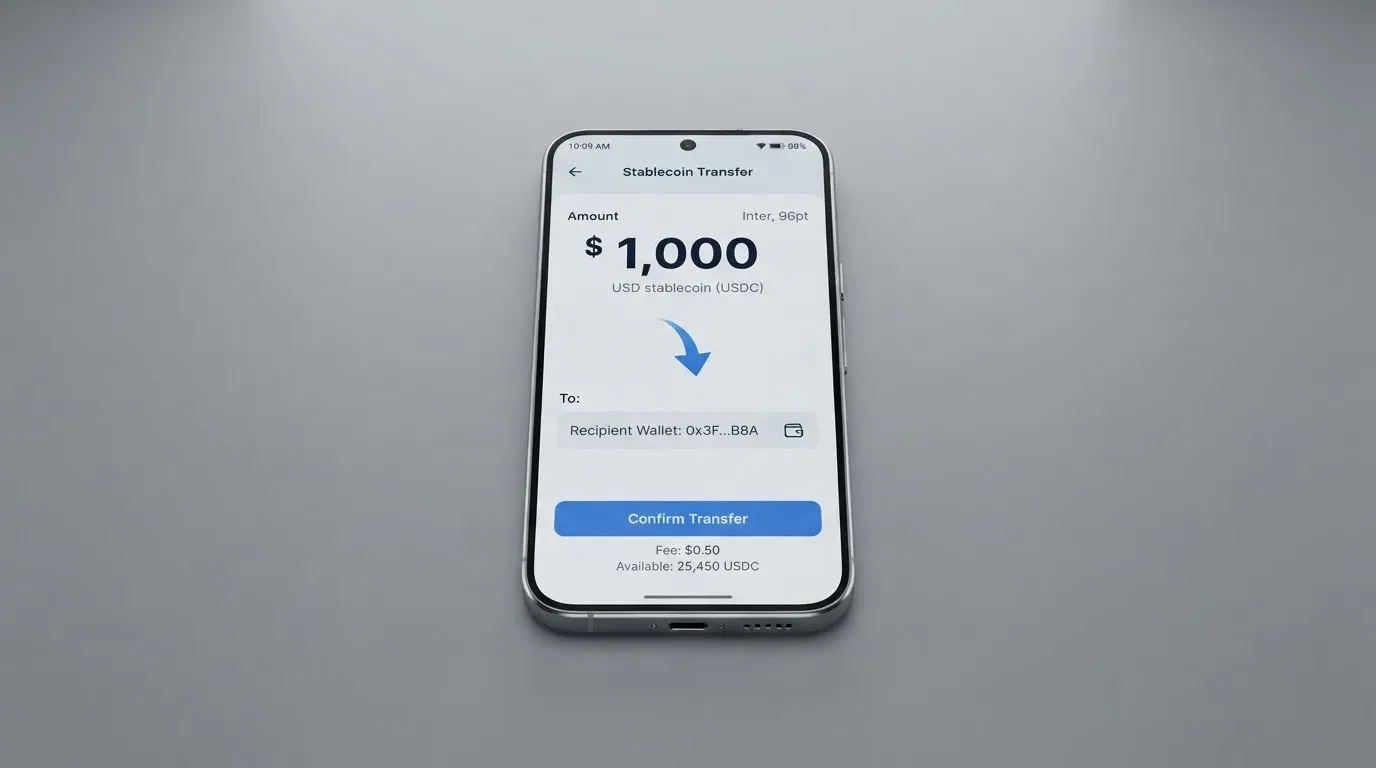
On top of that, users opt in via the app to convert a USDT balance into the currency of the transaction. So the intended flow is: hold USDT, let the app convert at the moment of spending, and the card pays out of the resulting balance. The Infinite tier is described as getting a better rate converting pesos or USDT to dollars, again with no figure published, so the size of that benefit is unknown.
The gap here is the important one. Which coins and which networks you can deposit is not stated on the pages I read. That is not a detail you can paper over with caution, because blockchain transfers are irreversible: a deposit sent on a network the provider does not support, or to an address belonging to a different network, can be lost or need manual support recovery with no guarantee. And picking the wrong network is trivially easy — a stablecoin address and a network name look alike enough that a mistyped chain is a common and expensive mistake.
So before you send anything, the only reliable way to establish what is accepted is to read the deposit screen in your own app, for your own country. Not a review, not a support chat answer from six months ago — the screen in front of you. If you hold USDT, note that USDT has been issued on networks including Ethereum, Tron, Solana, Polygon and Avalanche, and that on Ethereum you need ETH for gas: a wallet with USDT and no ETH cannot send at all. On Tron, fees are paid through bandwidth and energy, often burning TRX. Those are chain mechanics, not AstroCard rules, but they decide whether your transfer goes through.
Withdrawing money out is also not stated for the card. That is worth pausing on. You spend the balance by card; what happens if you want it back is not described, and Trustpilot reviews carry a user report that some users cannot find a withdrawal option at all. Unconfirmed, and a single report — but if being able to get your balance back is a condition for you, verify it in the app before you load anything meaningful.
Paying with it every day
This is the card’s strongest area, and the reason it scored 8 out of 10 for everyday use.
- Wallets. Apple Pay and Google Pay are supported — the page says “Add your AstroCard to Apple Pay or Google Pay”. The issuer can restrict a tokenised number, so a frozen card can be protected without losing your phone setup. Blocked merchant categories are not stated, which is a gap worth filling yourself before you assume a purchase will go through.
- Refunds and disputes. In the app: Transaction History, select the transaction, then “Report a problem” / “Dispute transaction”. The amount may be held while it is investigated and resolution times “vary”. Refunds typically take 15 to 30 business days after the merchant approves, and for purchases made on Argentina cards up to 15 days.
- Security. You can pause or freeze the card from the AstroCard section of the app, 3-D Secure prompts arrive as push notifications, and there is a lost-or-stolen reporting article in the help centre. Whether customer funds are safeguarded — segregated or insured, as an e-money institution would be required to do — is not stated.
- Support. A help centre exists, and Infinite adds priority support.
Two practical points about why cards like this get declined, so you know it is not necessarily a fault. A prepaid or foreign-issued card can be refused because the merchant can see from the card’s BIN which institution and country issued it, and may apply extra scrutiny when that differs from your billing address. Address verification is also generally unavailable for foreign-issued cards, which causes declines at checkout. And a declined authorisation can leave a hold on your funds for several days — typically up to 7 — even though no money was actually spent. Card payments are also screened with 3-D Secure, where the issuer either waves you through or challenges you with a code or a biometric check.
The rewards on the tiers. Two tiers, Standard and Infinite. Infinite gets the Global AstroCard, a better FX rate with a smaller spread, 3 free IBAN EUR transfers per 30 days then 2.50 EUR, 4.75% versus 3.1% annual cashback on the USD balance, a free physical card, priority support and x4 AstroPoints per card purchase. No cashback for the standard tier is stated, which for a card you use as your wallet’s spending arm is the main reason to look at Infinite at all. Infinite is billed recurring and can be cancelled in the app. The subscription price is not stated — it is shown in the app — so I cannot tell you whether 4.75 percent cashback on your balance outweighs the membership cost. That calculation is yours to make, from the figure you see, with your own balance in mind.
What can go wrong
The uncomfortable evidence is on Trustpilot, read 2026-10-21 for AstroPay overall: 4.0 “Great”, 9,657 reviews, 227 in the last 12 months, 22 percent one-star. That is a large sample and a lot of very recent activity. Reviews from April to October 2026 mention frozen or delayed funds and restricted accounts, support reachable only through a bot, account lockouts and verification upload problems, withdrawal restrictions, and virtual card declines. Official incidents I could not find.
Read that list carefully, because the pattern is not random bad luck. Frozen funds plus verification upload problems plus bot-only support describes a customer who cannot get money back and cannot get a human. It is the same cluster of complaints that custodial platforms attract when something has gone wrong in their compliance systems. I found no official incidents, which cuts both ways: it means nothing is confirmed, and it also means you would be relying on the absence of reported incidents.
The other risk is structural rather than reputational. Starting data points to AP Global Corporation LLP / AstroPay Global (IOM) Limited, with USDT services via AP Digital (IOM) Limited. I could not re-verify that on the pages I read, and the issuing bank and the licences are not stated. In this category that matters more than it sounds. The card network — Mastercard, Visa — routes the payments and sets the rules, but the issuer holds the programme, and the crypto brand is often only a programme manager or front end. Networks do not issue crypto cards to consumers themselves; they license issuers, and they can suspend a programme. Visa terminated its global agreements with FTX on 13 November 2022, and WaveCrest, a Visa issuer that supplied several crypto card brands, was suspended in Europe in 2018, closing every WaveCrest-issued Visa programme. So a card can be wound down: typically a notice period, then loading and spending stop, then you are asked to withdraw what remains. Know what your exit looks like before you load.
Finally, the balance model means the card is only as safe as the wallet behind it. Where the provider holds your credentials, you are trusting the provider completely — and the record of custodial failures is long: Mt. Gox with about US$350 million reported stolen in 2011–2014, Coincheck with about US$400 million in 2018, and Ronin Network with US$625 million in 2022. If you withdraw cash or convert often, keep some balance out of the wallet. On taxes, note only that digital assets are generally treated as property for tax purposes, so a card payment funded from crypto may be a separate taxable disposal measured at the value on the transaction date — this is a heads-up to check with your own accountant, not advice.
What to take instead
I compared three alternatives in the same category. None is a like-for-like replacement for someone who cannot get a bank card; they are different trades.
International Visa Card — 6.7 / 10. A US-issued Platinum Visa, virtual, paying in USD, physical card “coming soon”. It is the most transparent of the four on cost: virtual issuance $5 one-time, no maintenance fee, plans Classic free / Pro $9.00 per month / Max $19.00 per month, card use in USD free on all plans, and foreign currency at the Visa exchange rate + 2% FX fee. Deposits of any kind carry no fee, and you can fund with USDC or USDT into the USD account free at 1:1, or with USD, EUR, SEPA, SWIFT and FedNow. The catch is eligibility: not available to residents or legal registrants of Belarus, mainland China, North Korea, Cuba, India, Iraq, Iran, Israel, Myanmar, Nepal, Nicaragua, Russia, Syria, Turkey, Ukraine, Venezuela or Vietnam, with FATF grey-list countries reviewed case by case. The rule is by residence or registration, not citizenship — citizenship is not mentioned. Purchases are blocked in North Korea, Cuba, Iran, Russia, Syria, Ukraine and Venezuela.
UNi Card — 6.1 / 10. A multicurrency card on the Mastercard network, spending from the UNi.Global account balance. Its cost story is the cleanest: no annual fee, no foreign transaction fee, assets converted at live over-the-counter rates, “no hidden exchange fees”, and spend-to-earn rewards up to 3 percent. Against that: who can get one is not stated, the top-up route is not stated, and whether it is virtual or physical is not stated. That is a lot of silence on exactly the points I criticised AstroCard for.
Whop Cards — 5.2 / 10. Visa, usable anywhere Visa is accepted, spending from a Whop balance — pending balance usable as soon as a payment arrives, standard withdrawals using settled funds, backed by stablecoin collateral from a linked wallet. The page says “No extra fees” with no amounts listed, and rewards are 5 percent cashback at select merchants, currently Uber. Eligibility is the widest and most specific: 31 US states for consumers, 41 for businesses, unsupported in Belarus, mainland China, Cuba, Hong Kong, India, Iran, Iraq, Israel, Myanmar, Nepal, Nicaragua, North Korea, Russia, Syria, Turkey, Ukraine, Venezuela and Vietnam — but the basis, citizenship or residence, is not stated.
My read: if your priority is *knowing what you pay* and you can pass an eligibility check, the US-issued Visa card’s 2 percent FX fee is a firmer number than AstroCard’s 2.5-to-4 percent layer. If you already hold an AstroPay balance, AstroCard is free to try and the local purchases cost nothing. If you are in a US state, Whop’s “no extra fees” and merchant cashback are worth a look, with the caveat that nothing is quantified.
| AstroCard | International Visa | UNi Card | Whop Cards | |
|---|---|---|---|---|
| Score | 5.3 / 10 | 6.7 / 10 | 6.1 / 10 | 5.2 / 10 |
| Network | Mastercard, Visa | Visa | Mastercard | Visa |
| Card cost | Virtual free, physical USD 5 | $5 virtual issuance, plans from free to $19.00/month | No annual fee | Not stated |
| Foreign spending | 2.5%–4% depending on card and country | Visa rate + 2% | No FX fee | Not stated |
| Cashback | 4.75% annual on USD balance (Infinite), 3.1% standard | Not stated | Up to 3% | 5% at select merchants |
| Main unknown | Coins and networks for top-up | Eligibility countries | Who, how, virtual or not | Whether any fee exists |
Who I would recommend it to
I would recommend AstroCard to someone in Argentina, Brazil, the UK, Spain, Denmark or one of the other listed countries who already keeps a balance in the AstroPay wallet, wants a virtual card today for ordinary spending, and pays mostly locally. For that person the card is free, arrives in minutes, taps in Apple Pay, and costs nothing on domestic purchases — and if they hold enough USD balance to justify it, the Infinite tier’s 4.75 percent cashback and free physical card are worth looking at.
I would not recommend it as the card for your main foreign spending. Three to four percent on international purchases plus the prevailing exchange rate is a heavy stack for a card whose purpose is spending crypto internationally, and the standard tier’s 3.1 percent cashback on the USD balance is the only thing back.
And I would hold off entirely, loading nothing meaningful, if any of these are true of you: you cannot establish from the app which networks are accepted for your deposit; your country is outside the ten in the selector; you need to know your daily and monthly limits before you rely on the card; you need to get the balance back out under pressure; or you are uneasy that the issuing bank and licences are not named on the card’s own pages. In each of those cases the missing information is the decision, not a detail to worry about later.
Frequently asked questions
What is AstroCard card?
AstroCard is a virtual payment card that spends the balance held in your AstroPay wallet. There are two versions: AstroCard on Mastercard, and AstroCard Global on Visa. A physical card is described as coming soon on the card page, but a physical-card issuance fee article exists in the help centre for Argentina and Brazil, where it costs USD 5. It is a pre-loaded balance product, not a bank debit card.
How does AstroCard card work?
You hold a balance in AstroPay, and the card spends it. You can opt in through the app to convert a USDT balance into the currency of the transaction at the time of payment, at the prevailing exchange rate at point of sale. Because the card draws on a stored balance rather than a bank account, it cannot overdraw — if the balance is empty, there is nothing to spend.
Who can get an AstroCard card?
The official card page country selector lists Argentina, Australia, Brazil, Canada, Colombia, Denmark, Spain, the United Kingdom, the United States and Uruguay. Terms differ by country and by account verification level. The page does not say which documents are required or what the verification levels change, so check your own app for the requirements that apply to you.
Is AstroCard a bank, and who owns it?
Not a bank. Starting data points to AP Global Corporation LLP and AstroPay Global (IOM) Limited, with USDT services through AP Digital (IOM) Limited. I could not re-verify those entities on the pages I read, and the issuing bank and the licences are not stated on the card’s pages. That gap is the single thing I would want answered before holding a balance.
What does it cost to use an AstroCard card?
The virtual card is free. International purchases cost 2.5 percent in Brazil, Colombia and Mexico, 3.5 percent on the Argentina LOCAL card, and 4 percent on the Argentina GLOBAL card — on every purchase there, not just foreign ones. Local purchases carry no fee. ATM withdrawals are 1.5 percent, applying in any country, with no free allowance stated. Crypto conversion happens at the prevailing exchange rate.
How do I top up the AstroCard card?
The card spends your AstroPay wallet balance, so topping up means funding the wallet. The app lets you opt in to convert a USDT balance into your transaction currency. Which coins and which networks you can deposit with is not stated on the pages I read, and that matters because transfers on the wrong network can be lost — read the deposit screen in your own app before sending anything.
Is AstroCard card free, and is it worth it?
The virtual card is free and available in minutes, which makes trying it costless. Whether it is worth keeping depends on your spending: it is excellent for local purchases at no fee, expensive for international ones at 2.5 to 4 percent on top of the exchange rate. The Infinite tier adds 4.75 percent annual cashback on the USD balance, a better FX rate, a free physical card and x4 AstroPoints, but its subscription price is not stated publicly.
Can I use AstroCard in Apple Pay and Google Pay?
Yes. The card page says you can add your AstroCard to Apple Pay or Google Pay. Because the phone stores a device-specific token rather than your card number, you can freeze the physical card in the app without losing your mobile setup. The issuer can also restrict a tokenised number to specific channels, and blocked merchant categories are not stated.
What happens if a payment is declined or funds are frozen?
Declines have ordinary causes: per-transaction or daily limits tied to your verification level and country, an amount not published anywhere on the public pages, or a merchant refusing a prepaid or foreign-issued card. Limits cannot be raised manually in the app; you can request an increase with a reason and amount, and approval is not guaranteed. A declined authorisation can still leave a hold on your funds for several days, typically up to seven.
Is AstroCard card safe, and how do I complain?
The app lets you pause or freeze the card, 3-D Secure prompts arrive by push notification, and there is a lost-or-stolen article in the help centre. Safeguarding of customer funds is not stated. On complaints: Trustpilot showed AstroPay at 4.0 with 9,657 reviews and 22 percent one-star, with recent reviews citing frozen or delayed funds, bot-only support and withdrawal restrictions. You can dispute a transaction in the app under Transaction History; refunds typically take 15 to 30 business days after merchant approval.
App and neobank card reviews – cryptocardcheck
Content created by the «cryptocardcheck» team