
SkyDAO card reviewed: what you actually get for your money
 Available in US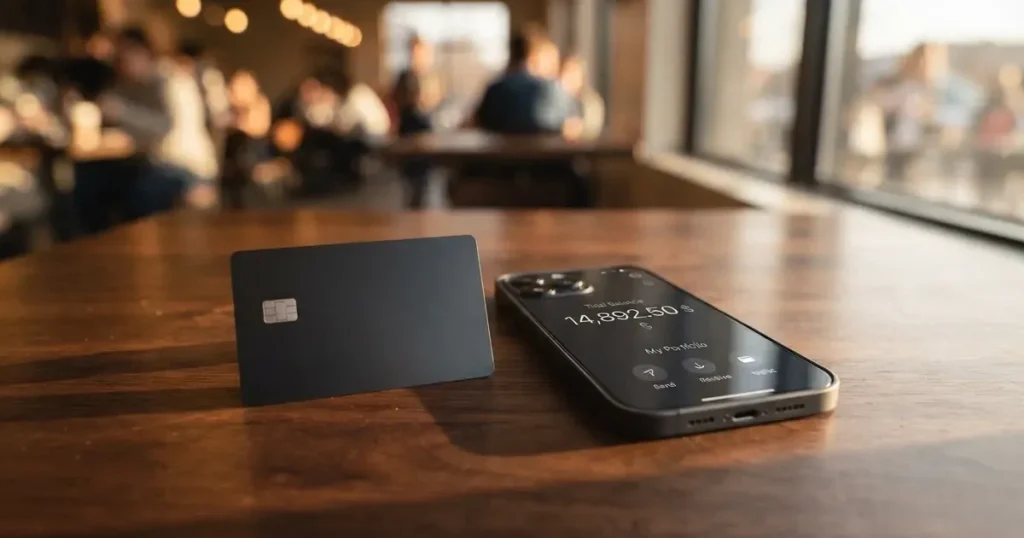
The SkyDAO card is a Visa-linked card that draws on a balance inside the SkyDAO wallet app, with a physical card you can order after identity verification, plus Apple Pay and Google Pay for phone payments. It is pitched at people who already hold crypto and want a familiar way to spend it, including ATM cash withdrawals. That pitch is plausible, but the public information about the product is unusually thin: many of the basics — fees, limits, supported coins and networks, the company behind it — are simply not stated on the pages that can be read. I went through what is published, weighed it against comparable cards, and came away with a score that reflects both what the card offers on paper and how little of that I could verify.
The conditions described below are current as of October 28, 2026.
Verdict
SkyDAO scores 5.3 out of 10. The card’s strongest dimension is everyday use: a physical Visa, contactless phone wallets and ATM access are real features that many people want, and the wallet-plus-card model is straightforward to explain. Reliability and complaints are the weakest part of the picture, simply because the issuing entity, the licence, the country of registration and any public complaint record are not stated, and the app itself has so few public ratings that an App Store overview is not displayed. Costs, top-up options and eligibility all sit in the middle because the company has not published the numbers behind them, which is unusual for a payment product and makes it hard to compare it on a like-for-like basis.
In practical terms, the card suits wallet users who want a physical Visa with ATM access and are comfortable with the multichain, app-first model. It does not suit anyone who needs to see fee tables, country lists, support hours and an issuer name in writing before they sign up, or who needs strong customer support for routine disputes. If you are choosing between SkyDAO and a more transparent card, the rest of this review walks through what is published, what is missing, and where each gap actually matters to you.
Score breakdown
| Criterion | Mark | Why it lands there |
|---|---|---|
| Who can get it | 5 / 10 | Eligible countries and citizenship rules are not stated on the pages that can be read; older third-party notes suggested a worldwide service with 49 restricted countries, but that is not confirmed on the current site. |
| Cost | 5 / 10 | Issuance fee, monthly fee, conversion fee, FX fee and ATM fees are all unstated; limits are also unstated beyond a developer note that the “VIP service” offers higher limits. |
| Top-up options | 5 / 10 | The card is funded by transferring from the SkyDAO wallet, described as multichain, with a unified account for fiat and digital assets, but the supported coins and networks are not listed. |
| Reliability and complaints | 4 / 10 | The seller is SKYDAO TRUST LTD, but the country of registration, the card issuer and the licences are not stated; no public complaint or review record could be found and the app has too few ratings for an overview. |
| Everyday use | 8 / 10 | A physical Visa is ordered in the app, with Apple Pay, Google Pay and ATM withdrawals; blocked merchant categories are not stated. |
| Total | 5.3 / 10 | A functional everyday-use product on paper, undermined by the absence of basic commercial terms. |
Who they will give the card to
The first thing I looked for was a list of supported countries, because that is the single detail that decides whether a card is even worth your time. The card’s own site mentions “Hong Kong – regional access, United States – global standards, License” without spelling out the licence or which jurisdictions that licence covers. The App Store listing identifies the seller as SKYDAO TRUST LTD, but the country of registration of that entity, the licensed issuer of the card, and the names of any licences are not stated. In short, the basic “who is this company and where is it regulated” question is not answered in any of the public materials I could read.
Some background context is worth knowing here. In the European Union, a card programme is typically run by an e-money institution or a bank authorised under the relevant payment-services and e-money rules, and the card itself is a regulated payment service even if the crypto side is regulated separately under MiCA. In the United States, programmes typically rely on a partner bank and a state-by-state money-transmitter or prepaid-money licence structure. None of that scaffolding is visible for SkyDAO from the public pages, so the consumer is being asked to load a card and complete identity verification without being able to check the regulator or the issuer in advance. That is a real gap, not a stylistic one.
What this means for you is that you cannot check, before you apply, whether the card is actually available in your country, and you cannot pre-confirm that the identity-verification process will accept your documents. If your country is on a sanctions list, or if you are a resident of a jurisdiction that the issuer has chosen not to serve, the application is the moment you find out, not before. Older third-party pages suggested the card was once offered “worldwide except 49 restricted countries”, but that description is unofficial and is not confirmed on the current site; I would not rely on it.
The other side of “who” is age. The app’s App Store listing says it is rated 18+, which is the standard floor for adult prepaid and debit cards and matches the way most card issuers handle eligibility. Beyond that, the card does not publish tiered eligibility (for example, lower limits for new customers and higher limits once you are verified at a higher level) — at most, the App Store text mentions a “VIP service” with priority access, dedicated support and higher limits, which I treat as a developer claim rather than a confirmed product feature.
How to get it
The sign-up path that is described publicly is a three-step flow: download the SkyDAO app on iPhone or iPad (it is free), complete identity verification, and then apply for a physical card online inside the app. Once the order is placed, the card is shipped to the address you give. That is the whole of what is stated; the documents you are asked to provide, the time the verification takes, the time the card takes to arrive and the shipping cost are not stated.
That brevity is worth pausing on, because it is the area where crypto cards tend to differ the most from one another. Some programmes let you open a virtual card and start spending in minutes, with the physical card arriving a week or two later. Others require a manual review that can take days. Some accept a passport photo plus a selfie; others ask for proof of address on top. SkyDAO’s public pages do not say which model it follows, so you should expect the unknown rather than assume the fastest case.
You should also expect the standard checks that any regulated card programme runs. Identity verification (KYC) is required by anti-money-laundering and counter-terrorism-financing law in the jurisdictions where card issuers operate, and that process typically collects your name, date of birth, address, nationality and an identity document, and screens you against sanctions lists and politically exposed persons databases. The card does not list the documents it asks for, so have a passport or national ID ready, and be prepared for a proof-of-address step if the issuer’s policy requires it. The exact level of verification is not stated — some issuers run tiered KYC where a basic account has low limits and a fully verified account has higher ones — so do not be surprised if the limits you see in the app change after you submit additional documents.
There is no mention of a virtual card in the public material, even though most crypto card programmes ship a virtual card almost immediately and only the physical card requires shipping. If having an instant card number for online shopping matters to you, that is something to check inside the app before you commit. Activation of the physical card is not described in detail either; the usual pattern is to set a PIN in the app once the card arrives, but the company has not said so explicitly.
What it really costs
I want to be honest here: this is the section where the review is thinnest, because the card does not publish a fee schedule. The SkyDAO site and the App Store listing I could read do not state the issuance fee for the physical card, the monthly or annual maintenance fee, the conversion fee when you move crypto into a spendable balance, the FX fee when you pay in a currency other than the card’s base currency, the ATM withdrawal fee, or the daily and monthly spending limits. The only related detail on the public record is the App Store’s note that a “VIP service” for high-value users offers “higher limits”, which I treat as a developer claim rather than a published pricing tier.
That absence matters. The whole point of a fee table is that you can compare cards before you commit, and SkyDAO removes that comparison by not publishing the numbers. You can still get a feel for what the card *might* charge by looking at the category, and the section below does that, but the figures I cite as typical are category figures, not SkyDAO figures. Treat them as a frame, not as a quote.
Fee and limit snapshot
| Item | SkyDAO’s stated position | Notes |
|---|---|---|
| Card issuance | not stated | The app prompts you to “apply for a physical card online” after verification. |
| Monthly / annual fee | not stated | No plan structure is published. |
| Conversion (crypto to spendable balance) | not stated | The card converts a balance rather than spending raw crypto at the till. |
| Foreign-exchange fee | not stated | The card currency itself is not stated. |
| ATM withdrawal | ATM withdrawals available; fee and allowance not stated | Some programmes offer a small free allowance and then charge a percentage or a flat fee. |
| Daily / monthly limits | not stated | A developer note mentions “higher limits” for VIP service. |
| VIP / premium tier | “VIP service” mentioned in App Store text; terms not stated | Treated as a developer claim, not a confirmed product. |
Three everyday payments, and where the fees bite
The three scenarios below are how a typical SkyDAO user would actually use the card, with the category-typical fees called out. The point is not to give you SkyDAO’s exact numbers — those are not published — but to show you where the cost tends to land in a wallet-style crypto card.

- A coffee in your home city, paid by tapping your phone at the till. The card converts a pre-loaded balance at the moment of tap. With many wallet-style cards the conversion is the only fee, and the rate is quoted somewhere between the mid-market rate and a 1–2% spread. On SkyDAO the spread is not stated, so the safest assumption is that there is one, and the only way to know its size is to check the rate shown in the app before you tap.
- A hotel booking in a foreign currency, paid online with the card details. Beyond the conversion spread, a foreign-exchange fee is the most common extra cost on crypto cards, often around 2% of the transaction, applied on top of the network’s exchange rate. SkyDAO has not published this number. A second risk is that the booking site runs an Address Verification Service check — many US, Canadian and UK merchants do — and a foreign-issued card can be declined because AVS is generally unavailable for those cards. The card does not say which issuer country it is, so you cannot predict in advance whether AVS will bite.
- A cash withdrawal from an ATM while travelling. ATM fees have two parts: the ATM operator’s own surcharge (displayed on the screen before you confirm) and the card issuer’s fee. Many programmes bundle in a foreign-exchange fee on top. The card confirms that ATM withdrawals are available; it does not publish either the issuer’s fee or any free allowance. If you plan to use the card at ATMs, set a low test withdrawal first rather than finding out the fee on a larger amount.
The honest summary is that you cannot price SkyDAO in advance from public information. The only way to know what you will actually pay is to load a small amount, run a small test transaction in each of the categories you care about, and read the rate and any fee that the app shows you at the point of conversion.
Top up
Funding the card is the one area where the public material gives a clear shape, even if it leaves the specifics unstated. The model is: you hold crypto (and, per the App Store, fiat) in a unified SkyDAO account, and you move value from that account onto the card to spend. The site describes the path as “multichain”, which suggests that the underlying wallet accepts assets from more than one blockchain, and the App Store copy describes a “unified account for fiat and digital assets”.
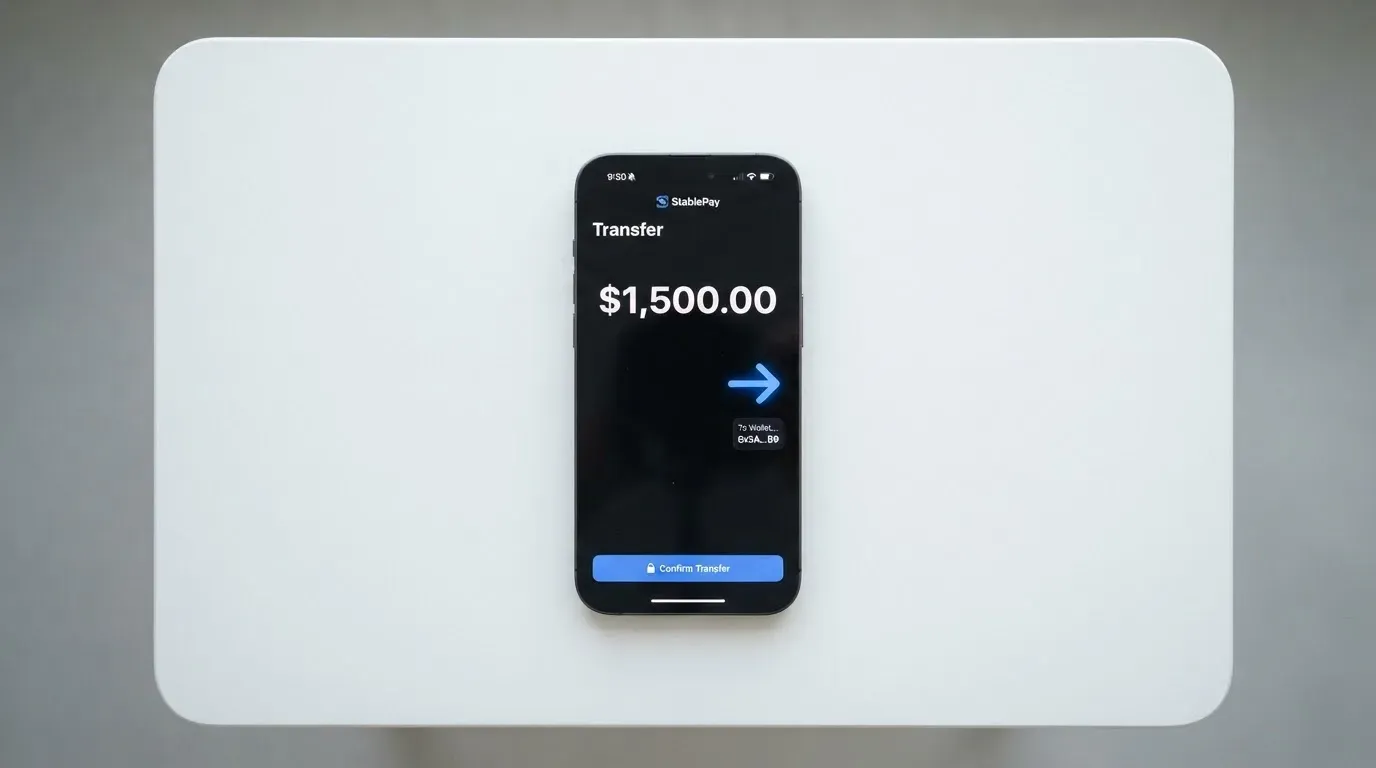
What the public pages do not list is the most important practical detail: which coins, on which networks, with which minimums, and on what timing. For a card funded from crypto, the choice of network usually matters more than the choice of coin, because sending USDT on the wrong network — Tron when the card supports only Ethereum, for example — is one of the most common ways people lose money to crypto cards. Stablecoin transfers are typically irreversible, and a deposit sent on a network the card provider does not support, or to an address of another network, can be lost or need manual support recovery with no guarantee. SkyDAO’s multichain framing tells you the concept exists; it does not tell you which networks are safe to use.
A second practical point: with a wallet-funded card, the on-chain network fee for the deposit (gas on Ethereum, bandwidth and energy on Tron, and so on) is charged by the blockchain, not by the card provider. You will pay that fee whether SkyDAO charges you anything or not, so when you compare cards, look at both the card’s spread and the network fee of the cheapest supported chain.
Finally, the card’s own description of the flow is “value moved from wallet to card”, which suggests a two-step process: deposit into the SkyDAO wallet on the supported chain, then convert or transfer that balance onto the card. The conversion step inside the app is where the unstated spread is most likely to be applied, and it is also the step that determines the rate you actually get. A practical habit with cards like this is to fund the wallet, then check the rate shown in the app for the move to the card, before you commit to the amount.
Paying with it every day
The everyday-use story is the card’s strongest selling point, and it is also the part the company describes most concretely. You get a physical Visa ordered in the app, plus Apple Pay and Google Pay so you can leave the card at home and pay with your phone. ATM withdrawals are available. That combination covers most of what people actually want from a payment card.
What is not stated is also worth knowing. The card does not publish a list of blocked merchant categories. Many crypto cards block gambling, for example, on policy rather than by law, and a cardholder who relies on that being allowed (or being blocked) needs to read the terms. The card does not publish its rewards or cashback position either; the App Store text describes features but does not promise a specific earn rate, and I treat any “earn” claims you see in marketing as a developer claim until they appear in the app.
A few practical patterns to know about, because they apply to this kind of card even when the issuer does not spell them out:
- Mobile-wallet tokenisation replaces the card number with a device-specific number stored in the Secure Element on your phone, and each transaction uses a one-time dynamic security code. The card issuer can restrict a tokenised number — for example, block it on magnetic-stripe transactions or website use — and that policy will not be obvious to you until you try a transaction.
- 3-D Secure adds an identity check to online card payments. The issuer assesses risk and either approves frictionlessly or asks for a one-time code or biometric. If your card is set up with 3-D Secure, expect occasional challenges on first-time merchants and at high-risk merchant categories.
- A declined authorisation can leave a hold on the underlying balance for several days (typically up to about seven). That matters if you are running on a tight balance, because the held funds are not available to spend again even though the transaction did not go through.
- Address Verification Service is offered mainly in the US, Canada and the UK and is generally unavailable for foreign-issued cards, which can cause declines. If SkyDAO’s card is issued from a non-obvious jurisdiction (the issuer is not publicly identified), AVS is one of the things that can silently cause online payments to fail.
The app itself is free on the App Store, requires iOS 18 or later in the current listing (version 2.4.8, dated October 10), and supports English plus a wide set of additional languages: Bengali, French, German, Hindi, Indonesian, Italian, Japanese, Korean, Portuguese, Russian, Simplified Chinese, Spanish, Thai, Traditional Chinese, Ukrainian and Vietnamese. That language list is broader than the typical crypto card and is a real positive if you read one of those languages and prefer not to operate in English. The App Store does not show an overview because the app has not received enough ratings or reviews to compute one, which is itself a data point about how new or how small the user base is.
What can go wrong
The risks of using a card like this come from three places: the company behind it, the technology that holds your money, and the regulatory environment it operates in. Each one is worth thinking about on its own.
Company and counterparty risk
The single most uncomfortable gap in the public material is that the card’s issuer, the licences it relies on, and the country of registration of SKYDAO TRUST LTD are not stated. The site gestures at a “United States – global standards, License” line and a “Hong Kong – regional access” line, but it does not name the licence or the regulator, and it does not name the issuing bank or e-money institution. For a card product, that is the basic trust signal, and it is missing.
The reason this matters is that a crypto card is usually two businesses stacked on top of each other: the wallet platform (which holds your crypto and runs the app) and the card issuer (a bank or e-money institution that actually issues the Visa). If the wallet platform fails, your card stops working even if your issuer is fine. If the issuer pulls out, the card programme can be wound down. There is a public history of both. Visa said in November 2022 that it had “terminated our global agreements with FTX”, and the FTX US debit card was wound down by its issuer. Earlier, in 2018, Visa suspended WaveCrest in Europe, which closed all WaveCrest-issued Visa programmes in one move. Programme closures of that kind typically run on a notice period, then stop spending and loading, then ask users to withdraw remaining balances. You should be ready for the possibility that any crypto card programme can be wound down on short notice, and SkyDAO’s lack of a named issuer does not make that less likely — it just makes it harder to assess.
Custodial platforms have a record of large losses: Mt. Gox (about US$350 million reported stolen 2011–2014), Coincheck (about US$400 million, 2018) and the Ronin Network (US$625 million, 2022). With a custodial wallet, the provider holds the credentials, so you must trust the provider completely. A seed phrase, which is the unencrypted form of the private key, gives anyone who has it full control of the wallet, and crypto transfers are typically irreversible — a stolen key has no built-in recovery, because the network cannot freeze or return the funds.
Technology and security risk
The App Store text claims “encryption and multi-layer risk controls”; I treat that as a developer claim, not as a verified control. The platform does not publish a security whitepaper, a third-party audit, or a bug-bounty programme on the public pages I could read. The Zendesk help centre associated with the brand, skydao.zendesk.com, is closed. Support is described as “dedicated” for VIP only; standard support channels and hours are not stated. If you cannot get a timely answer to a support question before you load the card, that is a useful early signal.
Stablecoins, which are likely the assets you will move onto the card, are not risk-free. “Despite the name, stablecoins are not necessarily stable.” USDC lost its peg temporarily in March 2023 during the US banking crisis, and the TerraUSD collapse in May 2022 is the largest depeg in the category’s history. About 90% of stablecoin market capitalisation sits in Tether’s USDT and Circle’s USDC, so most users are exposed to one of those two. Tether has said it disables tokens in wallets on the OFAC sanctions list and has frozen funds tied to illicit activity, which is a reminder that stablecoins are not censorship-proof in practice.
Regulatory risk
In the EU, the Markets in Crypto-Assets Regulation (MiCA) took legal effect in June 2023. MiCA’s rules on asset-referenced and e-money tokens applied from 30 June 2024, and the rest of the rules, including those for crypto-asset service providers, applied from 30 December 2024. Under MiCA, e-money tokens may be issued only by a credit institution or an electronic money institution, and there is a transitional period that runs until 1 July 2026 or until a provider is authorised or refused, whichever comes first. A CASP authorised in one member state can serve the EU, and the European Securities and Markets Authority keeps an interim register of authorised CASPs, white papers and non-compliant entities that you can check. None of that tells you whether SkyDAO is on the register, because the company has not identified its regulated entities in the first place.
In the United States, the Financial Crimes Enforcement Network treats administrators and exchangers of convertible virtual currency as money transmitters (money services businesses), while mere users buying goods or services are not. The practical effect is that a US card programme typically relies on a partner bank plus state-by-state money-transmitter licences, and the public material for SkyDAO does not identify either the partner bank or the licences.
For day-to-day tax treatment, the IRS treats digital assets as property, so exchanging them for goods, services, dollars or other digital assets generally produces a taxable gain or loss. For personal holdings, that gain or loss is a capital gain, short-term if the asset was held one year or less, and is measured in your local currency using the fair market value on the date of the transaction. Each card payment funded from crypto can be a separate disposal. That is a general framework, not advice, and you should confirm it with a tax professional in your jurisdiction.
What to take instead
SkyDAO sits in a market that includes a number of Visa- and Mastercard-branded crypto cards with varying degrees of transparency. Three alternatives, drawn from the same review universe, are worth comparing on a like-for-like basis. Each one is scored below on its own published terms, and the contrast with SkyDAO is mostly about how much of the basic commercial information the company actually puts in writing.
| Card | Score | Network and shape | Cost and fees in plain English | Who it suits |
|---|---|---|---|---|
| International Visa Card | 6.7 / 10 | U.S.-issued Platinum Visa; virtual card now, physical card described as “coming soon”; pays in USD. | Virtual card issuance US$5 one-time, no maintenance fee. Plans: Classic free, Pro US$9.00/month, Max US$19.00/month. Card use in USD free on all plans; foreign currency at the Visa exchange rate plus 2% FX fee. No fee on deposits of any kind. | People who want a clear, USD-denominated card with published fees and a free entry plan. |
| UNi Card | 6.1 / 10 | Multicurrency Mastercard, spends from a UNi.Global account balance. | “No annual fee” and “no foreign transaction fee”; assets converted at “live OTC (Over-the-Counter) rates” with “no hidden exchange fees”. Issuance fee not stated. | People who want a multicurrency Mastercard with a published no-FX-fee policy. |
| Whop Cards | 5.2 / 10 | Visa, accepted anywhere Visa is taken; cards can be issued to team members as well as the account holder. | “No extra fees” on the public page; no issuance or monthly amounts listed; conversion and FX fee amounts not stated. | US-based consumers and businesses (31 states for consumers, 41 for businesses) who want a stablecoin-collateralised spend balance. |
| SkyDAO (this review) | 5.3 / 10 | Visa, physical card ordered in the app, virtual card not mentioned; Apple Pay and Google Pay; ATM withdrawals. | Issuance, monthly, conversion, FX, ATM and limit numbers not stated in the public material. | Wallet users who want a physical Visa with ATM access and are comfortable with the multichain, app-first model. |
The interesting comparison is the cost line. International Visa Card publishes a five-dollar issuance fee, a free Classic plan and a 2% FX fee, and UNi Card publishes “no annual fee” and “no foreign transaction fee”. Whop Cards is less specific but at least names a “no extra fees” policy on the public page. SkyDAO publishes none of that. If you compare cards purely on what you can verify from the website, SkyDAO loses on transparency to each of the three.
Where SkyDAO does better is on the everyday-use side. It is one of the few cards in this group that confirms a physical Visa today, plus Apple Pay, Google Pay and ATM withdrawals. The International Visa Card is virtual-only for now with a physical “coming soon”, UNi Card is multicurrency Mastercard on a unified balance, and Whop Cards describes a Visa accepted “anywhere” without spelling out the physical-or-virtual shape. If the physical-card-plus-phone-wallet combination is what you actually need, SkyDAO’s feature set is closer to your shopping list, even if the cost numbers are not in writing.
On the eligibility side, the alternatives are more forthcoming. International Visa Card lists the countries it cannot serve, the countries where purchases are blocked, and the rule (residence or registration, not citizenship). Whop Cards lists 31 US states for consumers, 41 for businesses, and a set of unsupported consumer countries. SkyDAO, again, does not.
A practical way to use this table is to decide which gap matters most to you. If it is published fees, the International Visa Card is the easiest comparison. If it is multicurrency Mastercard coverage, UNi Card is the easier comparison. If it is a US-centric Visa spend balance, Whop Cards is the easier comparison. If it is a physical Visa with phone wallets and ATM access and you are willing to live with unstated fees, SkyDAO remains on the shortlist.
Who I would recommend it to
The card earns its score honestly: a real, working everyday-use product on top of an unusually thin public commercial position. I would recommend SkyDAO to a wallet user who already has crypto in self-custody or in a custodial wallet they trust, who wants a physical Visa for tap and online payments, who plans to use Apple Pay or Google Pay for most of their day-to-day spending, and who will occasionally need cash from an ATM. I would also recommend it to someone who is comfortable with the multichain, app-first model and who is willing to test a small transaction in each category they care about before committing a larger balance.
I would not recommend SkyDAO to anyone who needs to see a fee schedule, a country list, a named issuer and a regulator before they sign up. I would not recommend it to anyone whose main use case is a high volume of foreign-currency spending, because the FX fee is not stated and that is exactly the line item that hurts most on a foreign-currency card. I would not recommend it to anyone who needs strong, well-documented customer support for routine disputes, because the support channels and hours are not stated and the public help centre is closed. And I would not recommend it to anyone whose main concern is keeping crypto in self-custody, because SkyDAO is a custodial wallet plus a card, and the card is funded by a transfer into the SkyDAO account, not by direct spending from a private key.
If you do decide to use the card, the practical steps are: install the app, complete identity verification with a passport or national ID, ask inside the app for the full list of supported coins and networks before you transfer anything, run a small test deposit on the cheapest supported chain, run a small test payment in your home currency, run a small test payment in a foreign currency if you travel, and run a small ATM withdrawal before you rely on it. If any of those tests produces a fee, a rate or a decline that surprises you, the answers you get in the first week are the answers you will live with for the life of the card.
Frequently asked questions
What is the SkyDAO card?
The SkyDAO card is a Visa-branded payment card that draws on a balance inside the SkyDAO wallet app. You fund the wallet with crypto (and, per the App Store, fiat), move value from the wallet onto the card, and spend that balance at merchants that accept Visa, in apps and online, and at ATMs. The card is sold as a bridge between a crypto wallet and a familiar payment experience.
How does the SkyDAO card work?
The card is funded by transferring value from your SkyDAO wallet balance to the card. The wallet itself is described as multichain and is paired with a unified account for fiat and digital assets. When you pay, the card draws on the loaded balance, so the card cannot overdraw. Apple Pay and Google Pay are supported, and a physical Visa is ordered from inside the app after identity verification.
Is SkyDAO a bank?
The public material does not say so, and the markers usually associated with a bank — a named banking licence, a deposit guarantee, an identified regulator — are not present on the pages that can be read. The App Store seller is listed as SKYDAO TRUST LTD, but the entity’s country of registration, the card’s issuing bank or e-money institution, and the licences behind the programme are not stated. Treat the product as a card programme run by a company that has not fully identified its regulated partners, rather than as a bank account.
Who owns SkyDAO?
The App Store identifies the seller as SKYDAO TRUST LTD and the developer name as SkydaoTrust. The country of incorporation of that company, the individuals behind it, and any parent or partner companies are not stated in the public material I could read.
Is the SkyDAO card available in my country?
That is the question I could not answer from the public pages. The card does not publish a list of supported countries on the site or in the App Store listing. Older third-party pages suggested a “worldwide except 49 restricted countries” model, but that is unofficial and not confirmed on the current site. The only safe way to find out is to start the application inside the app and see whether your country is on the supported list at the verification step.
Does the SkyDAO card require KYC?
Yes. The card’s own description says you complete identity verification in the app before you can apply for the physical card. KYC is required by anti-money-laundering and counter-terrorism-financing law in the jurisdictions where card issuers operate, and a regulated card will always ask for some form of identity document. The exact documents SkyDAO asks for are not stated, so have a passport or national ID ready and expect a proof-of-address step if the issuer’s policy requires it.
How do I top up the SkyDAO card?
You top up by transferring value from your SkyDAO wallet to the card, with the wallet itself funded by an on-chain transfer on one of the supported networks. The card is described as multichain, but the supported coins and networks are not listed in the public material, so the safest habit is to ask inside the app for the current list, and to send a small test amount on the cheapest supported chain before sending a larger one. Remember that on-chain network fees are charged by the blockchain, not by the card, and that a transfer on the wrong network is typically irreversible.
How do I add the SkyDAO card to Apple Wallet or Google Pay?
Once the card is issued and active, you add it through the standard mobile-wallet flow: open the Wallet or Pay app on your phone, choose to add a card, and either scan the card with the camera or enter the details manually. The card supports Apple Pay and Google Pay according to the App Store listing. Tokenisation means the wallet uses a device-specific number rather than your real card number, and the issuer can restrict a tokenised card’s use (for example, blocking magnetic-stripe or website transactions) without telling you in advance.
Is the SkyDAO card safe?
The honest answer is that the public material does not give you enough information to judge that question fully. The card is custodial, which means the wallet provider holds the credentials on your behalf, and the company behind it — SKYDAO TRUST LTD — has not identified the regulated issuer, the licences or the country of registration on the pages that can be read. The app claims “encryption and multi-layer risk controls” in its listing, but I would treat that as a developer claim until it is backed by an audit or a security whitepaper. The standard safeguards a cardholder should still apply are: enable two-factor authentication in the app, set a spending limit, keep the app updated, never share a one-time code, and never move more onto the card than you are prepared to lose if the programme is wound down.
Is the SkyDAO card worth it?
That depends on what you can verify. If you are choosing between SkyDAO and a more transparent card with published fees, a named issuer and a public support channel, the more transparent card is the easier choice. If you are choosing SkyDAO because it offers a physical Visa with Apple Pay, Google Pay and ATM access today, and you are willing to live with unstated fees and an unnamed issuer, the card’s everyday-use score is genuinely the strongest part of the picture. Run the test transactions I described above, and base the decision on what you actually see in the app rather than on the marketing.
App and neobank card reviews – cryptocardcheck
Content created by the «cryptocardcheck» team