
A US-issued Visa funded from stablecoins, with no monthly fee but a thin support record
 Available in US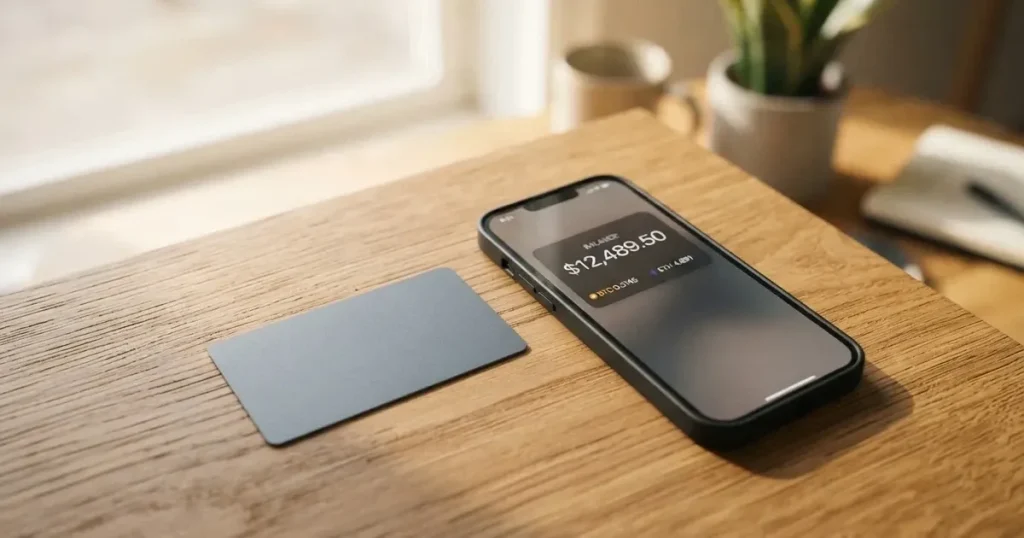
The Wallbit card is a virtual, US-issued Platinum Visa that spends the balance in your Wallbit account, which you can fund with USDC or USDT at 1:1 and then use through Apple Pay or Google Pay. There is no monthly fee, no fee on spending in dollars, and no fee on deposits — but the card is virtual only right now, the physical version is still listed as “Coming soon”, and the issuer behind the card is not named on the public pages. The people it fits best are dollar savers who want a US account and a Visa number funded from stablecoins. The people it does not suit are anyone who needs a physical card, cash at an ATM, or a support team that reliably answers. My score for the whole package is 6.7 / 10.
The conditions described here are current as of October 28, 2026.
The verdict: 6.7 out of 10
Before anything else, here is how I broke the score down. Each line is one criterion, with the mark and my reason for it. The total at the bottom is the overall picture.
| Criterion | Mark | Why |
|---|---|---|
| Who can get it | 8 / 10 | Closed to residents or legal registrants of 17 named countries; the rule is by residence or registration |
| Cost | 7 / 10 | $5 issuance, no maintenance fee, free USD spending, Visa rate + 2% FX, free deposits, 1% ATM (min $5), 2% USDC withdrawal on Classic |
| Top-up options | 6 / 10 | USDC/USDT free at 1:1, plus USD, EUR, SEPA, SWIFT, FedNow; networks not named |
| Reliability and complaints | 5 / 10 | Wallbit LLC, US-registered partners, SOC 2 Type I and II; issuer not named; Trustpilot 4.0 from 69 reviews |
| Everyday use | 7 / 10 | Virtual Visa, Apple Pay and Google Pay, NFC ATM with a $250 limit; physical card “Coming soon” |
| Total | 6.7 / 10 | A workable dollar-spending tool with real gaps in hardware, support and disclosure |
The single biggest reason for the overall mark is not the fee schedule — it is how thin the public information is about who actually issues the card, and how much of the complaint record is about accounts being closed or support going quiet after approval. For a product that holds your balance and issues a payment card, those are exactly the two things you want to be clear about before you move money in.
Who it suits. Someone who already holds dollars or dollar-pegged stablecoins, wants a US Visa number and a US account, is comfortable with a custodial balance, and pays mostly online or in stores from their phone. If you are in a country where dollar savings are the practical reserve and you spend locally in dollars, the free-USD-spending part genuinely works in your favour.
Who it does not suit. If you need a plastic card in your wallet today, this is not it — only the virtual card exists. If you need cash regularly, the ATM route is contactless-only with a $250 per-transaction cap and a 1% fee with a $5 minimum. If you live in one of the 17 excluded countries, or if the idea of your balance disappearing after a compliance review makes you uneasy, look elsewhere. And if you are someone who keeps a mental list of things to check with a support team, note up front that support appears to be in-app and 24/7 on the Classic plan, but the complaint record includes unanswered emails.
Who will they give you the card?
Wallbit says the account and card are not available to residents or legal registrants of 17 countries: Belarus, mainland China, North Korea, Cuba, India, Iraq, Iran, Israel, Myanmar, Nepal, Nicaragua, Russia, Syria, Turkey, Ukraine, Venezuela and Vietnam. Countries on the FATF grey list are reviewed case by case, with compliance approval required.
There is a second, related restriction worth knowing: purchases are blocked in North Korea, Cuba, Iran, Russia, Syria, Ukraine and Venezuela. So even if you are eligible to hold the account, some of those territories are places where the card will not spend at the point of sale either.
One detail that often gets missed: the rule is based on residence or registration, not citizenship. The card’s public pages do not mention citizenship at all. That means moving your registered address — not your passport — is what changes your eligibility, and it also means the address you give at sign-up has to match reality, because that address is what the checks are run against.
How to get it
The sign-up asks for an email address, a password, your full name and a phone number, plus an identity document issued by your country of residence. Verification “typically takes up to one business day”. The card itself is switched on inside the app: tap the card button, then “Activate my card”.
What you get is a U.S.-issued Platinum Visa card, virtual, paying in USD. The physical card is listed as “Coming soon”, and the physical card’s issuance and shipping are also “Coming soon” — meaning that if you are waiting for plastic to arrive in the post, the card does not yet have a delivery date on the public pages.
Two things the public pages do not state, and I would want to know before I applied: whether proof of address is required, and what age is required beyond the general rule that prepaid and debit cards are for adults (18+). The single verification step described above is up to one business day; the card’s tiers of verification and the reasons a check can fail are not laid out in what I reviewed. If you have been rejected before and want to know why, that is the gap to probe — but through their own support channels, not this page.
So the short version of the process: email, password, name, phone, identity document from your country of residence, wait up to a business day, activate the virtual card in the app. Everything after that is about funding it and spending from it.
Fees: what it really costs
Here is the full money picture, with every figure as the card states it.
| Fee or limit | Amount |
|---|---|
| Card issuance (virtual) | $5 one-time |
| Maintenance fee | None |
| Spending in USD | Free on all plans |
| Foreign currency | Visa exchange rate + 2% FX fee |
| Deposits (any kind) | No fee |
| ATM withdrawal | 1%, minimum $5 USD; +1% extra for non-USD |
| ATM per-transaction limit | $250 USD |
| Crypto withdrawal — USDC | 2% (Classic), 1% (Pro, Max) |
| Crypto withdrawal — USDT | 2% (Classic), 1.25% (Pro, Max) |
| ACH withdrawal | 1%, min $5 (Classic); 0.5% (Pro, Max) |
| Wire withdrawal | 1%, min $25 (Classic); 0.5% (Pro, Max) |
| SEPA withdrawal | 1%, min $10 (Classic); 0.5% (Pro, Max) |
| SWIFT withdrawal | 1%, min $25, all plans |
| Inactivity fee | $2.00/month after 3 months |
| Plans | Classic free; Pro $9.00/month; Max $19.00/month |
Now let me walk this through a few ordinary payments so you can see which lines actually get hit, because the headline “no monthly fee” hides which numbers show up in real spending.
A $30 lunch in the United States, in dollars. You pay the $30 and the fee is zero. Spending in USD is free on every plan, so the Classic plan at no monthly cost genuinely covers the everyday domestic case. This is the scenario the card is best at.
A €25 subscription billed while you are in Europe. The amount is converted at the Visa exchange rate, and then a 2% foreign-exchange fee is added on top. So the cost to you is the euro amount plus 2% plus whatever the euro costs against the dollar on the day — and Visa’s rate is not the mid-market rate you would get from a currency-exchange desk. If this is a payment you make every month, that 2% is the price of admission, and it applies on all three plans equally.
A $120 cash withdrawal at an ATM in New York. The card’s own fee is 1% with a $5 minimum, so on $120 the 1% is $1.20 but the $5 floor means you pay $5. The ATM operator may add its own fee on top, which is outside Wallbit’s control. And the withdrawal only works through a contactless ATM, using the virtual card linked to your Apple Pay or Google Pay, because there is no physical card to insert or tap. That last point is the one that surprises people: to take out cash with a card that does not physically exist, your phone has to do the tapping.
One more that is easy to overlook: a daily spending limit does exist and is shown in the app, but the amount is not stated on the public pages. So I cannot tell you what your ceiling is — you would have to look at it in the app after your balance is loaded.
How to top it up
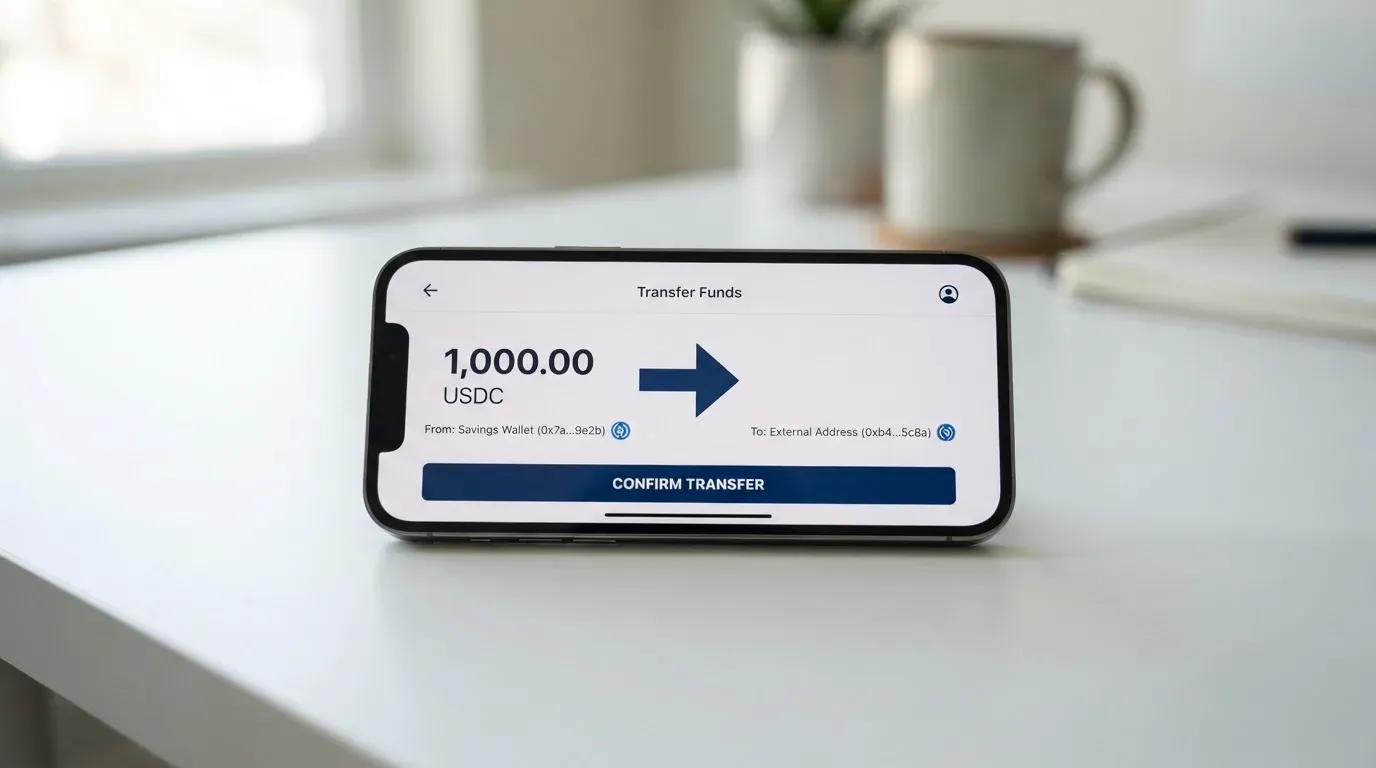
The core method is the reason most people look at this card. You deposit USDC or USDT into the USD account free, at 1:1 — one dollar of stablecoin becomes one dollar of card balance, with no conversion spread applied by Wallbit at that step. Deposits of any kind are free on the fee page, so USD, EUR, SEPA, SWIFT and FedNow are all ways in as well.
Two caveats that matter more than they first appear. First, the deposit fee is not the only cost: when you send USDC over a blockchain, the network itself charges a gas or bandwidth fee, and that is charged by the blockchain, not by Wallbit. Second — and this is the one that bites — the public pages do not name the networks the deposits should be sent on, and do not say who pays the network fee. Given that blockchain transfers are irreversible, sending on the wrong network or to an address belonging to another network can mean the money is lost or needs a manual support recovery with no guarantee. So before your first deposit, the network question is the one to resolve, and it is exactly the kind of thing to get answered before rather than after.
The account holds USD, EUR, USDT and USDC, and the card itself is a USD card. That means a euro-denominated habit does not translate directly: your EUR balance is a separate holding, and the card spends USD.
Paying with it every day
Day-to-day, the Wallbit card works as a virtual Visa used through Apple Pay and Google Pay on both iOS and Android. Both wallets are supported, so if you have a phone at all you can add it, and the physical-card gap stops mattering for most daily spending.
What to expect in practice:
- Where it works. Anywhere Visa is accepted online and in stores, subject to the country restrictions above.
- US billing address friction. Some merchants require a US billing address. Because this is a US-issued card, that is less of a problem than it would be with a foreign BIN, but “some merchants” is doing real work in that sentence — if a payment declines, this is one thing to consider.
- Blocked categories. The card does not state which merchant categories are blocked. That matters if you expect to use it for anything specific — gambling is the classic category issuers restrict, and MCC 7995 covers casinos, betting and lotteries. Whether Wallbit blocks anything, the public pages do not say.
- Cashback. No cashback is stated. If rewards are part of why you were considering this card, that is not the reason.
- Support in the app. 24/7 in-app support on the Classic plan; Pro adds priority support, and Max adds a dedicated Account Executive via WhatsApp.
- Card controls. You can lock and unlock the card in the app, which is the fastest way to stop a card you no longer want in use.
Tiers, in brief. Classic: the card works with Apple and Google Pay, standard rates, 24/7 in-app support. Pro: 50% lower withdrawal fees, reduced trading commissions, priority support. Max: the lowest investment commissions, the highest APR on cash, and a dedicated Account Executive via WhatsApp. Note that the three plans differ mainly in withdrawal fees, trading and support — the card itself, its network, and the free USD spending do not change.
If a payment is declined or sits pending, that is usually not the wallet but the merchant, the issuer’s risk check, or a 3-D Secure challenge. A declined authorisation can also leave a hold on your funds that stays for several days, sometimes up to seven, even though you never completed the purchase.
What can go wrong
This is where I would spend your attention, and I would spend it before you deposit rather than after.
Accounts closed after approval. There is a user report of an account being closed after approval, citing compliance, in January 2026. No official incident was found to explain it. Accounts can be closed or frozen pending documents when due diligence cannot be completed — that is normal in this industry — but “normal” and “fine to risk your balance on” are different things.
Support that does not answer. A user reported no response from support and no phone contact in October 2025. The Help Center is at help.wallbit.io, and it was available in English and Spanish. For a custodial account holding your balance, an unreachable support team is a structural risk, not an inconvenience.
Disputed payments with no trace. There is a user report from May to July 2026 of a missing payment trace for a PIX payment — the Brazilian instant-payment system — with no end-to-end identification available. The chargeback process and its time frames are not stated on the card’s public pages. If you are in a country that uses instant payment rails heavily, that gap deserves specific attention.
Trustpilot, in full. The card’s Trustpilot rating is 4.0 out of 5 across 69 reviews, read on 2026-10-21, with 70% five-star and 23% one-star. That is a decent score on a small sample, with a visible unhappy minority clustering around exactly the themes above.
The unnamed issuer. Wallbit LLC is the company, and Wallbit and its banking and investment partners are registered in the United States. Brokerage runs through Alpaca Securities LLC (FINRA, SIPC), and advisory through W2B, Inc. (SEC-registered, CRD# 331220). SOC 2 Type I and II certifications are cited. But the card issuer is not named on the public pages. The card network sets the rules and the issuer holds the actual programme; the brand is often only the programme manager in front. Not knowing which institution stands behind the card means you do not know who you would file a dispute with.
Custody, plainly. Your balance is custodial. That means the provider holds the keys, you have to trust them completely, and a seed-phrase compromise or a provider failure has no built-in recovery — the network cannot freeze or return what leaves a wallet. Custodial platforms have a real history of failures: Mt. Gox (about $350 million reported stolen, 2011–2014), Coincheck (about $400 million, 2018), Ronin Network ($625 million, 2022). The card lets you lock and unlock in-app, which is a useful control, but it is a control on a balance someone else holds.
What the protections actually cover. SIPC Excess insurance of up to $75 million per account applies to investments — the brokerage side — not to your card balance. And even where it applies, safeguarded e-money funds sit in dedicated accounts or under insurance rather than being bank deposits, so deposit-guarantee schemes may not reach them.
Not a censorship-proof system. Tether says it disables tokens in wallets on the OFAC sanctions list and has frozen funds tied to illicit activity. Stablecoins can also depeg: TerraUSD collapsed in May 2022, and USDC briefly lost its peg in March 2023 during the US banking crisis. A dollar balance on a stablecoin is dollar-denominated, not dollar-guaranteed.
A closing line to keep in view. Card programmes do close. Visa terminated its global agreements with FTX on 13 November 2022, and the FTX US debit card was wound down by its issuer. WaveCrest, a Visa issuer that supplied crypto card brands, was suspended by Visa in Europe in 2018, closing all WaveCrest-issued Visa programmes. Typically a closure means a notice period, then loading and spending stop, then you are asked to withdraw what remains. You cannot prevent that; you can only decide how much you want exposed to it.
Nothing alarming, and nothing new. I found no licence changes and no fresh official incident. The physical card is still “Coming soon” as of 2026-10-21, and the guides on Wallbit’s blog are dated September 2026.
What to take instead
If the Wallbit card’s appeal is a Visa you can fund from stablecoins, here is how the three alternatives I looked at line up against it — and where each one tells you less.
| Wallbit | UNi Card | Whop Cards | Stella | |
|---|---|---|---|---|
| Score | 6.7 / 10 | 6.1 / 10 | 5.2 / 10 | 6.5 / 10 |
| Network and card | U.S.-issued Platinum Visa, virtual, USD | Multicurrency card on Mastercard; physical/virtual not stated | Visa; physical/virtual and currency not stated | Virtual and physical, Visa |
| Cost | $5 issuance, no monthly fee | No annual fee; issuance not stated | “No extra fees”; no amounts listed | Not stated |
| FX / conversion | Visa rate + 2% | “No foreign transaction fee”; assets converted at live OTC rates, “no hidden exchange fees” | Not stated | Not stated |
| Funding | USDC/USDT free at 1:1; USD, EUR, SEPA, SWIFT, FedNow | Not stated | Whop balance; backed by stablecoin collateral from a linked wallet; coins/networks not stated | Deposit crypto into the account, which auto-tops-up the card |
| Rewards | No cashback stated | Spend-to-Earn up to 3% | 5% cashback at select merchants, currently Uber | No cashback stated (Earn is a separate yield product) |
| Availability | Closed to residents/registrants of 17 countries | Not stated | 31 consumer US states; 41 for businesses | Not stated; US and European users routed via affiliates |
Read across and a few things stand out. UNi Card is the one to look at if foreign-exchange cost is what bothers you most — it advertises no foreign transaction fee and conversion at live OTC rates, and it offers up to 3% back. What you give up is disclosure: I could not find what countries it is open to, or how you fund it, and the Mastercard network is a change from Visa.
Whop Cards are the narrowest of the four. Thirty-one US states for consumers, forty-one for businesses, and a list of unsupported countries that closely mirrors Wallbit’s. It pays 5% cashback at select merchants, currently Uber — a real reward, but at a small set of merchants, and the payout currency and conditions are not stated. Its spending model is also different: it spends from a Whop balance, with a pending balance usable as soon as a payment arrives while standard withdrawals use settled funds. Whop also declined to state any fee amounts, which for a review like this is a gap, not a green light.
Stella is the closest structural rival: virtual and physical, Visa, crypto deposit that auto-tops-up the card, custodial in-app wallet. It scores 6.5, a shade below Wallbit, and its terms bar users under economic sanctions programmes while routing US and European users through affiliates. Its own card page states no cashback, and fees are described only as being in the User Agreement or the app — so I would want to read that agreement before depositing.
My honest summary of the comparison: Wallbit is not the cheapest on foreign exchange, but it is the only one of the four that states its fees plainly and in numbers, and the only one that clearly states its USD account funding at 1:1 from USDC or USDT. That transparency is worth something. But none of these four tells you the name of the card issuer, and all four hold your balance custodially. That is the category’s pattern, not one company’s failing.
Who I would recommend it to
I would recommend the Wallbit card to someone who: already holds dollars or USDC/USDT; wants a US account and a US Visa number; pays mostly online or from their phone via Apple Pay or Google Pay; has read the withdrawal fees and understands that converting crypto back out costs 2% for USDC or USDT on Classic (1–1.25% on Pro/Max); and is at peace with a custodial balance and a support channel that is in-app rather than on the phone.
I would point someone else elsewhere if: you need a physical card now; you need cash more than occasionally; you live in one of the 17 excluded countries; you want cashback; or you would not be comfortable holding your balance with a provider whose card issuer is not named and whose Trustpilot page clusters one-star reviews around closed accounts and unanswered support.
The honest way to hold this card is as a spending tool on a balance you have already decided to hold, rather than as a place to keep money for the long term. At $5 to start, no monthly fee on Classic, free USD spending and free deposits, the cost of trying it is low — but the cost of trusting it with everything is not, and its own fee schedule quietly charges you well beyond zero when you step outside dollars.
Frequently asked questions
What is the Wallbit card?
The Wallbit card is a virtual, U.S.-issued Platinum Visa card that spends the balance in your Wallbit account. You fund that account with USDC or USDT at 1:1, or with USD, EUR, SEPA, SWIFT and FedNow, and pay with the card number through Apple Pay or Google Pay. It pays in USD. Issuance is $5 one-time and there is no maintenance fee. A physical version is listed as “Coming soon”.
Is Wallbit a bank?
Not a bank in the ordinary sense. Wallbit LLC is the company, and Wallbit and its banking and investment partners are registered in the United States. Brokerage runs through Alpaca Securities LLC (FINRA, SIPC) and advisory through W2B, Inc. (SEC-registered, CRD# 331220). The card issuer itself is not named on the public pages, so the institution that actually stands behind your Visa is not something the brand’s pages tell you.
Who owns Wallbit?
Wallbit is operated by Wallbit LLC, a company registered in the United States. The partners behind the financial side are US-registered entities: Alpaca Securities LLC for brokerage and W2B, Inc. for advisory. The card programme itself sits with an issuer that Wallbit does not name, which is common in this category — the crypto brand is often the front end rather than the institution holding the programme.
How do I get the Wallbit card?
You sign up with an email, a password, your full name and a phone number, and submit an identity document from your country of residence. Verification “typically takes up to one business day”. Then, inside the app, you tap the card button and “Activate my card”. You get the virtual card immediately; the physical one is still “Coming soon”, with no issuance or shipping date given.
Does the Wallbit card require KYC?
Yes, identity verification is part of sign-up: a government identity document from your country of residence, checked in a process that typically takes up to one business day. Whether proof of address is separately required, and the age threshold beyond the usual 18+ for prepaid and debit cards, are not stated on the public pages I reviewed. Verification levels and the reasons a check can fail are also not laid out there.
How much does the Wallbit card cost to use?
Spending in USD is free on every plan and deposits of any kind are free. The costs come elsewhere: foreign currency is charged at the Visa exchange rate plus a 2% fee; ATM withdrawals are 1% with a $5 minimum, plus an extra 1% in non-USD, capped at $250 per transaction; and taking crypto back out costs 2% for USDC or USDT on Classic, dropping to 1% and 1.25% on Pro and Max. A $2/month inactivity fee applies after three months.
Can I use the Wallbit card in my country?
Possibly, but check two lists. The account and card are not available to residents or legal registrants of 17 countries: Belarus, mainland China, North Korea, Cuba, India, Iraq, Iran, Israel, Myanmar, Nepal, Nicaragua, Russia, Syria, Turkey, Ukraine, Venezuela and Vietnam. Separately, purchases are blocked in North Korea, Cuba, Iran, Russia, Syria, Ukraine and Venezuela. FATF grey-list countries are reviewed case by case with compliance approval.
How do I top up the Wallbit card?
Deposit USDC or USDT into the USD account and the balance arrives free at 1:1 — one stablecoin dollar becomes one card dollar. USD, EUR, SEPA, SWIFT and FedNow deposits are also free. What the public pages do not state is which networks to send on, or who pays the blockchain’s own network fee. Since transfers are irreversible, settle that before your first deposit rather than after.
Is the Wallbit card safe?
Custodial, which is the main thing to weigh. Your balance is held by the provider, so it carries counterparty and hack risk — and the industry has a record of it: Mt. Gox, Coincheck and Ronin Network. On the positive side, SOC 2 Type I and II are cited, the card can be locked and unlocked in the app, and SIPC Excess cover of up to $75 million per account applies to investments rather than your card balance. Safeguarded funds are not the same as bank deposits.
Is the Wallbit card worth it?
For someone who already holds dollars or stablecoins, wants a US Visa number, and spends from their phone, the numbers work: $5 to start, no monthly fee on Classic, free USD spending and free deposits. Against that, the physical card does not exist yet, the card issuer is not named, support has unanswered complaints on record, and cash costs at least $5 a withdrawal. Judge it as a spending tool on a balance you have already chosen to hold, not as a savings account.
App and neobank card reviews – cryptocardcheck
Content created by the «cryptocardcheck» team