
A US-only debit card with no annual fee — and a lot left unsaid
 Available in US
I spent time going through Bolt’s public help pages, app screenshots, disclosures and what little third-party coverage exists, to write this review of the Bolt card. The short version: Bolt is a US-issued debit card tied to a “Bolt Account” inside the “Bolt SuperApp,” marketed as fee-free for everyday spending. That headline is accurate. What is harder to find is the rest of the picture: who exactly is allowed to apply, what conversion and FX costs apply, which networks and currencies the card actually supports, how Apple Wallet support is progressing, and who the bank behind the card even is. This review walks through what I found, what I couldn’t confirm, and who I would recommend the card to.
The conditions described here are current as of October 28, 2026.
Bolt works as a payment card spent from a crypto balance
Verdict
I gave the Bolt card a score of 4.8 out of 10 overall. That’s a middling result, and the breakdown tells you why: the card is genuinely free in the headline fees, but the unknowns drag it down almost everywhere else. Here is how the marks fall by criterion.
| Criterion | Mark | Why it scored that way |
|---|---|---|
| Who can get it | 2 / 10 | Starting data says United States only; help pages don’t name the supported or excluded countries. |
| Cost | 8 / 10 | “No annual or other fees” for the card itself, but conversion and FX are not disclosed publicly. |
| Top-up options | 3 / 10 | The Bolt Account is funded from inside the app; supported coins, networks and crypto via Zero Hash are not confirmed. |
| Reliability and complaints | 6 / 10 | Bolt Financial, Inc. is identified; the issuing bank isn’t named, and I found no Bolt-card complaints online. |
| Everyday use | 4 / 10 | A virtual card is issued instantly after a $5 deposit, the physical card takes about 10 business days, Apple Wallet is not yet supported, and ATM use is not described. |
Add those up and you get 4.8 / 10. The card suits a fairly narrow reader — US residents who want a fee-free debit card linked to an in-app account and are comfortable with features the public pages don’t fully describe. If you live outside the United States, want a card that supports Apple Pay today, or need clear published numbers on conversion and FX fees, this is probably not the card for you. Alternatives further down the page cover those cases.
Will they give you the card
This is the section of any crypto-card review where the country rules live, and on Bolt the public pages are thin. The starting information I worked from is United States — that’s the country the product is positioned for. Beyond that single data point, Bolt’s help pages ask you to complete identity verification in the app before you can request a card at all, but they don’t list the documents, proof of address or age threshold the verifier expects. I couldn’t find a published list of supported or excluded countries, and citizenship rules are not stated either.
What that means in practice: if you’re not a US resident, the safest assumption is that you will not be able to finish sign-up. If you are a US resident, the path is open, but the public pages don’t tell you up front what the verification step will ask for — you’ll only see that inside the app. That’s a contrast with cards like the International Visa Card or Whop Cards further down, which both publish detailed country lists.
The thing I would check first, before you download anything, is whether you can find a list of supported states or any excluded US states on the Bolt app store page or help site. If you can’t, the only way to find out whether you’ll be approved is to go through identity verification in the app. The verification step is mandatory: no card request is possible until it is complete.
How to get it
The sign-up flow on Bolt’s public pages looks like this. You complete identity verification in the app first, then you request the card. The virtual card is issued instantly after you make an initial deposit of at least $5, which is a small but real threshold. The physical card is a separate request, and Bolt says the approximate card delivery time is around 10 business days. The cost of the physical card, the countries it can be shipped to, and the replacement policy are not stated on the pages I read.
The card itself is described as a virtual card plus a separate physical card; the network (Visa or Mastercard) and the settlement currency are not stated on the help pages. The app is called the Bolt SuperApp, and that’s where the entire flow — verification, deposit, card request, limits, freeze and unfreeze, PIN — lives.
A couple of things are worth knowing up front. The KYC step is described as a single identity verification, not as multiple tiers; the public pages don’t mention different verification levels or what each one unlocks. And the documents, proof of address and age requirements that the verifier may ask for are not listed publicly — so you should be ready to upload ID and possibly an address document from inside the app, but you won’t know exactly which until you start.
If you want a card that publishes its eligibility list and its KYC documents in advance, you’ll need to look at one of the alternatives further down. Bolt’s sign-up is fast in the sense that you can hold a virtual card the same day you fund it, but the disclosures that usually accompany that step are simply not on the help site.
What it really costs — Fees
What a Bolt payment costs depends on the conversion and currency fees

The headline on fees is unusually clean. Bolt’s help pages say, directly, that “there are no annual or other fees associated with the Bolt Card.” That is the strongest statement in the entire cost picture, and it’s the main reason the cost criterion scored 8 out of 10 in the verdict.
The card’s limits, by the way, are set to default values by Bolt. The actual numbers are shown inside the app under Bank/Cards > Limits, not on the public pages, so you can only see them once you have an account.
The rest of the cost story is harder to read. The crypto conversion fee and the foreign-transaction (FX) fee are not stated on the help pages I read. The ATM fee is not stated either, although the app does let you set a PIN, which is the prerequisite for ATM use. Tiers, if any exist, are not stated. The card’s currency and the currencies it can settle in are not stated publicly.
Here is the cost table as far as the public pages go, with the unstated items marked plainly.
| Fee or limit | What Bolt says |
|---|---|
| Card issuance | Not stated |
| Monthly / annual fee | “No annual or other fees” |
| Crypto conversion | Not stated |
| Foreign transaction / FX | Not stated |
| ATM | Not stated (PIN can be set in the app) |
| Daily and monthly limits | Set to default by Bolt; figures shown only in the app |
| Tiers | Not stated |
To make this less abstract, here are three everyday payments and which fees I could confirm apply to each.
- Buying a $10 coffee in a US coffee shop with the virtual card. The card fee is zero. Any in-app conversion fee, if your balance isn’t already in USD, is not stated. Because the merchant is US-based, FX is unlikely to apply, but again the page doesn’t confirm this.
- Buying a €40 item online from a European merchant. The card fee is zero. The FX fee — what Bolt charges for converting USD to EUR at the card network’s rate — is not stated publicly. A typical 1–2% foreign-transaction fee in this category is common in the industry, but I cannot confirm that figure for Bolt.
- Withdrawing $200 from an ATM in the US. The card fee is zero. The ATM fee, which on most cards is set by the ATM operator and sometimes by the issuer, is not stated.
The honest summary: the card itself is free, but the costs that matter for crypto-funded spending — conversion, FX, ATM — are not in the public pages. If you want a card that publishes those numbers, look at the International Visa Card below, which lists its FX fee openly. If you can accept the gap, Bolt’s zero-fee headline is genuine.
How to top it up — Top up
Topping up Bolt starts with a transfer to the right network
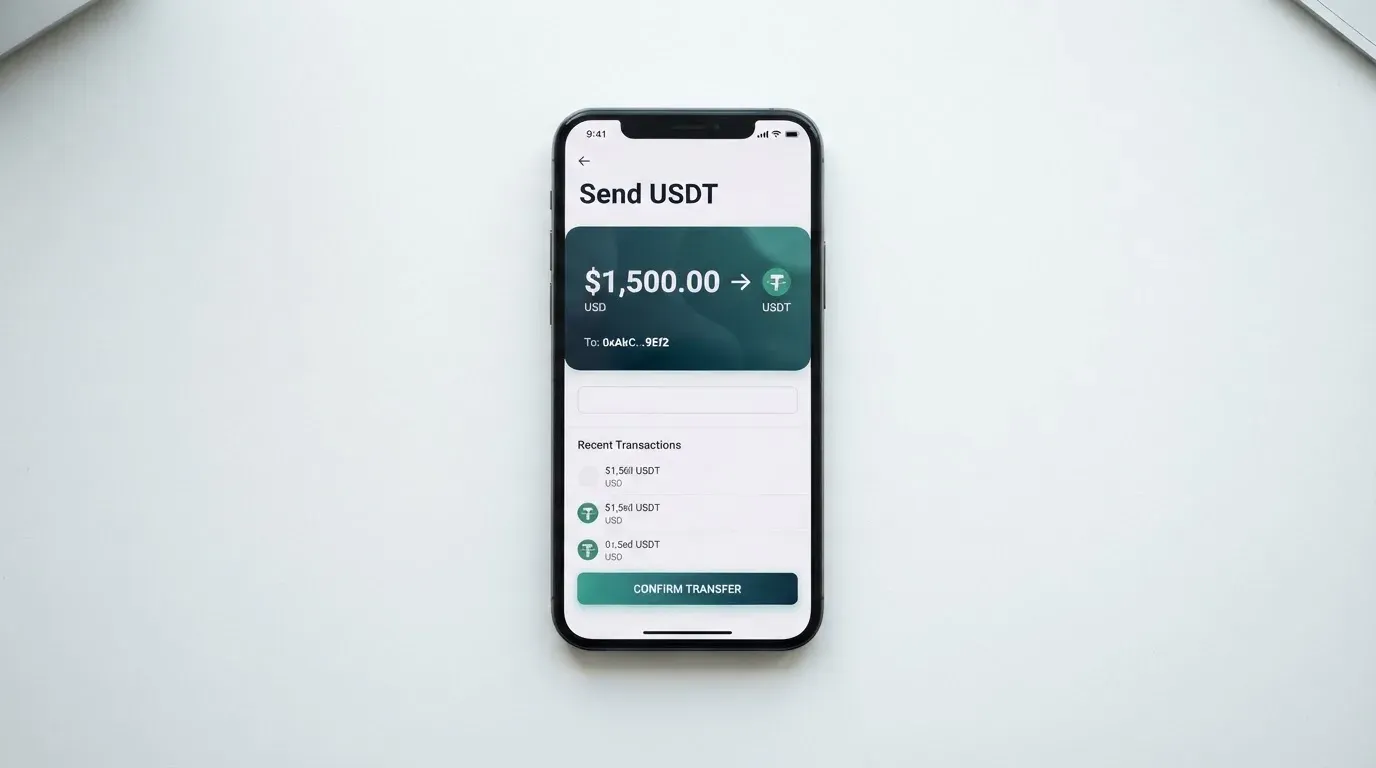
The top-up flow on Bolt is described in only a few lines. You deposit to the Bolt Account from the app; the coins, networks and rails supported are not stated on the help pages I read. The starting data I worked from mentions crypto via Zero Hash, but that path is not confirmed by any page on boltapp.com or help.boltapp.com, so I would treat that as a starting hint, not a fact you can rely on.
The minimum initial deposit is $5; other minimums and the fees for additional deposits are not stated. There is also a withdrawal path from the Bolt Account, accessed in the app at Bank/Cards > Bolt Card > Bolt Account > Withdraw. The fees, settlement time and closure balance on that path are not stated either.
For a card that is supposed to be a crypto card, the absence of published coins and networks is a real gap. Compare that with the alternatives below: the International Visa Card names USDC and USDT on a USD account at 1:1 with no deposit fee; Whop Cards describes its balance as backed by stablecoin collateral from a linked wallet. Bolt doesn’t give you the same on-page clarity. The right place to look is the deposit screen in the app, where the supported assets and networks are presumably listed — but that information isn’t on the public help pages as of the date of this review.
If the top-up path matters to you, the practical sequence I’d suggest is: install the app, complete KYC, then look at the deposit screen before you transfer anything. The risk with any crypto card is sending a coin on a network the provider doesn’t support, and a wrong transfer in this category is typically irreversible.
Paying with it every day
Once the card is funded, the everyday-use story is partly described and partly missing. The virtual card is issued instantly after a $5 deposit, so online spending is available on day one. The physical card arrives in about 10 business days, at which point you can use it in stores.
A few specific points from the help pages:
- Apple Wallet is “not supported yet” and Bolt says it “will be available soon.” Google Pay is not mentioned at all. That matters if mobile wallet tap-to-pay is part of your daily routine.
- A PIN can be set in the app, which is what you need for in-person chip-and-PIN payments and ATM use.
- The disclosures reference a “Bolt Account Reward Program Terms” document, but the cashback or reward rate is not stated on the help pages.
- The app is called the Bolt SuperApp; the platforms and the user ratings I haven’t included because the public pages don’t list them.
- Disputes and chargebacks are not stated on the help pages I read. US debit-card rights come from Regulation E, but the prepaid-card coverage you actually get from a card like this varies, and you should not assume the standard protections apply without reading the agreement.
ATM use is the most unclear piece. A PIN can be set, which is the technical prerequisite, but there is no ATM page on the help site, no daily ATM limit published, and no fee table. That’s a meaningful gap if cash access matters to you.
The card’s network — Visa or Mastercard — and the currencies it can settle in are not stated publicly, so I can’t say with confidence whether the card is widely accepted abroad. Cards issued in the United States can sometimes be declined by foreign merchants whose fraud systems flag a non-domestic BIN, although the same is true of any US-issued card.
In short: the card works for online and in-store payments once funded, and the virtual card is fast to get. What’s missing is the layer of detail — mobile wallets, ATM use, currency, network, dispute path — that a more complete review would normally include.
What can go wrong
The risk picture on Bolt has two halves: things I checked and didn’t find a problem with, and things I checked and simply couldn’t confirm.
On the first side, I found no official incidents involving the Bolt card and no Bolt-card complaints on the major consumer review sites I sampled. The company behind the app is Bolt Financial, Inc., which is the brand name; the help pages reference a “Consumer Checking Account Agreement,” which implies a US checking account wrapper, but the issuing bank is not named on the pages I read. That’s a meaningful gap, because the bank is who actually holds the programme and who you rely on for dispute handling and safeguarding.
On the security side, the app offers a temporary block, an unblock, a permanent block and a PIN set — those are the standard in-app controls. How customer funds are safeguarded, whether they are held in segregated accounts at a partner bank, and what happens to the balance if the issuer fails, are not stated. The contact paths on the public pages are boltapp.com contact, help.boltapp.com, and a Discord chat; the languages supported and the hours of operation are not stated.
The background category facts that apply to any card of this type are worth keeping in mind. Custodial platforms have a record of failures — Mt. Gox, Coincheck, the Ronin Network — and a card that holds your balance with a single provider carries that counterparty risk. With self-custody-linked cards the funds stay in your own wallet until the moment of payment, but you bear the full responsibility for key loss and phishing. On either model, blockchain transfers are irreversible, so a deposit sent to a wrong network or address is typically unrecoverable.
There’s also a more mundane risk. I noticed that the help site has moved from bolt.com to boltapp.com, with the old help.bolt.com URL redirecting via a 308; the date of the move is not stated on the help pages. A domain migration of that kind is normal, but it does mean that any older links you have may now redirect, and it’s worth being careful that the page you’re reading is genuinely on boltapp.com rather than a lookalike domain.
The news and complaints sections for the card are not stated in detail — there is no Trustpilot page specifically for the Bolt card that I could confirm, and no incident log on the help site. If you want a card with a longer public track record, that may be a factor in your choice.
What to take instead
If the Bolt card’s gaps push you to look elsewhere, three alternatives cover most of the use cases readers ask about. They are not direct clones of Bolt, so it’s worth seeing what each one does and at what price.
| Card | Score | Who can get it | Card type | Headline fees | Funding | Rewards |
|---|---|---|---|---|---|---|
| Bolt | 4.8 / 10 | US only (starting data); list not published | Virtual (instant) + physical (~10 business days); network and currency not stated | No annual or other fees for the card; conversion and FX not stated | Bolt Account deposit in the app; coins/networks not stated | Reward program referenced; rate not stated |
| International Visa Card | 6.7 / 10 | Excludes residents/registrants of Belarus, mainland China, North Korea, Cuba, India, Iraq, Iran, Israel, Myanmar, Nepal, Nicaragua, Russia, Syria, Turkey, Ukraine, Venezuela, Vietnam; FATF grey-list reviewed case by case. Purchases blocked in North Korea, Cuba, Iran, Russia, Syria, Ukraine, Venezuela | US-issued Platinum Visa, virtual; pays in USD. Physical card: “Coming soon” | Virtual issuance $5 one-time; no maintenance fee. Plans: Classic free, Pro $9.00/month, Max $19.00/month. Card use in USD free on all plans; FX “Visa exchange rate + 2% FX fee”; deposits of any kind free | USDC or USDT to a USD account at 1:1; also USD, EUR, SEPA, SWIFT, FedNow | No cashback stated |
| UNi Card | 6.1 / 10 | Not stated | Multicurrency Mastercard; spends from a UNi.Global balance; physical/virtual not stated | No annual fee; issuance fee not stated. “No annual fee or foreign transaction fee”; assets converted at live OTC rates; “no hidden exchange fees” | Not stated | Spend-to-Earn rewards up to 3% |
| Whop Cards | 5.2 / 10 | Consumers: 31 US states (Alabama, Alaska, Arkansas, California, Colorado, Connecticut, Florida, Hawaii, Illinois, Indiana, Iowa, Kansas, Kentucky, Maine, Massachusetts, Michigan, Minnesota, Montana, Nebraska, New Hampshire, New Jersey, New York, North Carolina, Oklahoma, Pennsylvania, South Carolina, Texas, Utah, Virginia, West Virginia, Wyoming); businesses: 41 states. Unsupported consumer countries include Belarus, mainland China, Cuba, Hong Kong, India, Iran, Iraq, Israel, Myanmar, Nepal, Nicaragua, North Korea, Russia, Syria, Turkey, Ukraine, Venezuela, Vietnam | Visa; accepted anywhere Visa is taken online and in stores; physical/virtual type and currency not stated | “No extra fees” on the page; no issuance or monthly figures listed; conversion and FX not stated | Whop balance (pending balance usable on arrival; settled for withdrawals); backed by stablecoin collateral from a linked wallet; coins/networks not stated | 5% cashback at select merchants (currently Uber, more planned); payout currency and conditions not stated |
Reading across the row, the International Visa Card is the most clearly priced of the four and the easiest to compare against on FX, with USDC/USDT deposits at 1:1 and a 2% FX fee. It is also the most openly restricted — 17 country exclusions for the account and card, plus purchase blocks in seven. UNi Card is the strongest on the no-FX-fee claim and multicurrency, but the eligibility, funding path and card form factor aren’t published. Whop Cards is the most interesting if you want US-state-by-state eligibility published and a stablecoin-backed balance, but its 31-state consumer footprint is narrower than Bolt’s US positioning, and its fees are not stated.
The summary I’d give a friend: if your priority is published FX and conversion fees, choose the International Visa Card. If your priority is no FX fees on a multicurrency Mastercard, look at UNi Card. If your priority is a published US-state eligibility list and stablecoin-backed balance, Whop Cards fits. Bolt is the right answer when you specifically want a US debit card with no annual fee and you’re willing to live with the gaps in the published material.
Who I would recommend it to
After going through all of this, here is who I think the Bolt card is genuinely for, and who should pass.
The card suits a US resident who wants a fee-free debit card linked to an in-app account, is comfortable with the app being the single source of truth for limits, fees and supported features, and doesn’t need Apple Wallet today. If you already have the Bolt SuperApp installed, you may find the card a useful addition to a balance you keep in the app. The virtual card being available the same day as your first $5 deposit is genuinely convenient, and the zero-fee headline is a real saving for someone whose spending pattern would otherwise pick up a monthly fee.
The card is not a fit if you live outside the United States, if you rely on Apple Pay or Google Pay for everyday tap-to-pay, if you need a published FX or conversion fee, if cash access at ATMs is a routine part of your spending, or if the absence of a named issuing bank and a published dispute path makes you uncomfortable. For those readers the alternatives above are better fits.
I would not describe Bolt as a bad card. I would describe it as an under-disclosed one, and the under-disclosure is exactly what the verdict score reflects.
Frequently asked questions
What is the Bolt card?
The Bolt card is a debit card issued in the United States and tied to a “Bolt Account” inside the Bolt SuperApp. The card is offered alongside a virtual card that is issued instantly after a minimum $5 deposit, and a physical card that arrives in about 10 business days. The card network and the currencies it supports are not stated on Bolt’s public help pages.
How does the Bolt card work?
You complete identity verification in the app, deposit at least $5 to open the Bolt Account, and request the card. The virtual card is available immediately, and the physical card is sent out for delivery in around 10 business days. From there you spend the card balance at merchants; how that balance is funded by crypto is not described on the public help pages as of this review.
Is Bolt a bank?
The help pages reference a “Consumer Checking Account Agreement,” which suggests a US checking account wrapper, but the issuing bank is not named on the pages I read. Bolt Financial, Inc. is the company behind the app. For a reader who needs to know exactly which bank holds the card programme, that answer is not in the public material.
Who owns Bolt?
Bolt Financial, Inc. is the company name used on the public pages and disclosures. The help pages do not name a parent company or a separate issuing bank, so the public answer is that Bolt Financial, Inc. is the brand, with the underlying bank-issuer not stated.
Is the Bolt card available outside the United States?
The starting data I worked from is United States, and the public help pages do not list supported or excluded countries. The safest assumption for a non-US reader is that the card is not available to them, and the sign-up flow should be approached with that in mind.
Does the Bolt card require KYC?
Yes. The help pages say identity verification in the app is required before you can request a card. The exact documents, proof of address and age threshold the verifier expects are not stated publicly, so you’ll see the requirements only once you start the verification flow inside the app.
How do I top up the Bolt card?
You deposit to the Bolt Account from inside the app, and there is a separate withdrawal path under Bank/Cards > Bolt Card > Bolt Account > Withdraw. The supported coins, networks and the fees for either path are not stated on the public help pages, so the deposit screen in the app is the only place to confirm the options before you transfer.
Is the Bolt card free?
The card itself is free: Bolt’s help pages say “there are no annual or other fees associated with the Bolt Card.” The conversion, FX and ATM fees are not stated publicly, and the limits are set to default values shown only inside the app under Bank/Cards > Limits.
How do I add the Bolt card to Apple Wallet?
You can’t yet, as of this review. Bolt’s help pages say Apple Wallet is “not supported yet” and “will be available soon.” Google Pay is not mentioned on the help pages I read, so I can’t confirm support there either.
Is the Bolt card worth it?
For a US resident who wants a fee-free debit card linked to an in-app account and is comfortable with features the public pages don’t fully describe, it is a reasonable option. For readers outside the US, or anyone who needs Apple Pay, published FX fees, ATM details or a named issuing bank, the alternatives in this review are a better fit.
App and neobank card reviews – cryptocardcheck
Content created by the «cryptocardcheck» team