
Stablepay promises card spending from digital-dollar balances — the review finds a young product with more blanks than answers
 Available in US
Stablepay is a card you spend from a digital-dollar balance, aimed at freelancers and people paid in dollars who want to pay by card rather than by bank transfer. That is the idea, and the idea is not unusual — several other products do the same thing. What makes this one hard to recommend is the paperwork behind it. The card company’s public pages leave the cost of the card, the issuing bank, the card network, the countries it serves, the ATM fees and the payment limits unstated. The app I could find on the App Store was released in July 2026 and carries no ratings. I read the terms and the app listing carefully, and this page tells you what they do say, what they do not, and where the gaps would hurt you.
Conditions are current as of October 28, 2026.
Verdict: 4.6 out of 10
I scored this card 4.6 out of 10. It suits one specific person: someone who already earns in digital dollars or receives them from clients and employers, and who wants a card that converts to local currency at the till. For everybody else — anyone comparing fees, anyone who needs to know whether a payment will clear in a specific country, anyone who wants to know what happens when something goes wrong — the information needed to make that decision simply is not published.

| Criterion | Mark | Why |
|---|---|---|
| Who can get it | 5 / 10 | No country list; countries under comprehensive US and other sanctions are barred; the privacy policy covers the US, EU/EEA, UK, Switzerland |
| Cost | 5 / 10 | Card fees are not disclosed; transfer fees depend on method and country and appear before you confirm |
| Top-up options | 4 / 10 | Balances in digital dollars; fiat routes ACH, SEPA, Pix and SPEI; coins and networks not named |
| Reliability and complaints | 5 / 10 | StablePay International, LLC (Delaware); issuers unnamed; app released 2026-07-27 with 0 ratings in the App Store; no complaints found |
| Everyday use | 3 / 10 | “A Stablepay card” accepted at merchants worldwide; virtual or physical form, Apple Pay, Google Pay and ATMs all unstated |
The number is not a punishment for the product. It reflects how much you can verify before you hand over your documents. A 4.6 says: the concept fits a niche, and the disclosure is too thin to plan around.
Will they give you the card?
There is no country list. That is the plain answer, and it is unusual. The terms tell you who is excluded rather than who is included. You must not be on OFAC’s SDN or Foreign Sanctions Evaders lists, and you must not be located in, or be owned by persons in, countries under comprehensive US or other applicable sanctions. Beyond that, the terms do not say which countries are open.
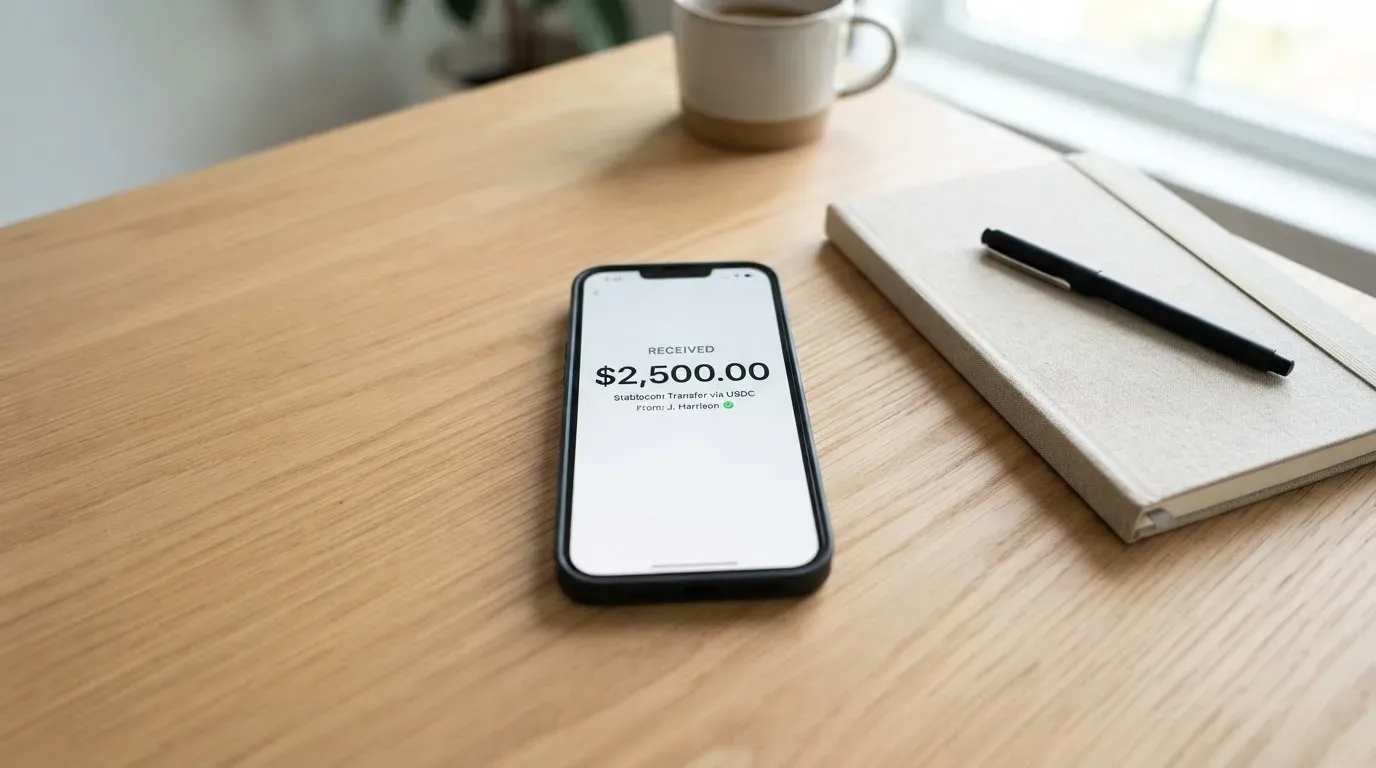
The company behind the card is US-based, and its privacy policy covers residents of the US, the EU/EEA, the UK, Switzerland, Iceland, Liechtenstein, Norway and California. That policy tells you which jurisdictions the company writes privacy rules for — it is not an eligibility list, and I would not read it as one. Citizenship versus residence is not stated: the terms do not tell you whether the rule follows where you live, where your documents were issued, or both. If that distinction matters to you, it is one of the questions worth putting to support directly.
So the honest summary is this. Sanctioned countries are out, and everything else is unresolved from the outside. If you are in a country that other card products serve openly and you need to know before you upload documents, that question has to be asked rather than assumed. Terms of Service, Section 5.2.7, carries the sanctions clause.
How to get it
You register an account and provide KYC information as an individual, or KYB information if you are an entity, and Stablepay may verify what you submit. Access can be refused if you decline to provide the information or if what you provide turns out to be inaccurate (Section 3.3). You must be at least 18.
Biometric identity verification is handled by Sumsub Inc.; Stablepay says it does not receive the biometric data itself. Which proof-of-address documents and which identity documents are accepted is not stated, and there is no published list of KYC tiers — just the single requirement in Section 3.3. That absence matters: a provider that publishes its document list saves you a rejected submission.
On the card itself, the app listing says “a Stablepay card” is accepted at merchants worldwide, with the balance converting to local currency at checkout. Beyond that, the terms describe Spend Cards issued and managed by third-party Issuers, and point to separate Spend Card Terms, Prepaid Card Terms and Card Authorized User Terms. Whether the card is virtual or physical, and which network it runs on, is not stated — so I cannot tell you whether it will work in a terminal that only takes one of them. Delivery time is not stated either.
My advice, given how little is published: treat the account-opening flow itself as the test. If you can get through identity verification and see a working card in the app, you have learned more in ten minutes than this review can tell you. If you cannot, you have learned something important too.
What it really costs
This is the weakest part of the disclosure, and it is the part I would not gloss over. The card’s own cost is not stated. No issuance fee, no monthly or annual fee, no ATM fee, no limit figures — none of them appear on the public pages I read. Transfers carry fees, and those fees vary by method, destination and whether third parties are involved; they are disclosed before a Transfer is finalised, on a commercially-reasonable-efforts basis (Section 2.1.8), but no rates are published.
| Item | What is stated |
|---|---|
| Issuance fee | Not stated |
| Monthly or annual fee | Not stated |
| Conversion at checkout | Balance converts to local currency automatically (App Store) |
| Transfer fees | Vary by method, destination and third-party involvement; shown before the Transfer is finalised (Section 2.1.8) |
| Foreign exchange fee | Not stated |
| ATM fees | Not stated |
| Daily and monthly limits | Not stated; terms set no numeric Transfer limits and allow Stablepay or its providers to refuse any Transfer at any time (Section 2.1.5) |
| Tiers | Not stated |
Now the part that saves this section from being useless: what the card actually does at the moment of payment is described. The balance converts to local currency automatically at checkout. That is the conversion you pay for in use, and the term “automatically” tells you there is no exchange-rate choice offered to you and no warning step — the conversion happens as part of the payment.
Three everyday payments, and what applies to each:
- A coffee in your own country. The balance converts to local currency at checkout. Any conversion margin or FX fee is not disclosed, so the amount that leaves your account may not equal the price on the receipt. No ATM or monthly fee is stated, so none is claimed here.
- A subscription in a currency other than your balance’s. Same automatic conversion, and the cross-border Transfer fee rules kick in if a transfer rather than a card purchase is involved. Whether the card and the transfer fee both apply is not stated.
- A transfer to a person or a cross-border payout. Fees vary by method and destination and are shown to you before you confirm (Section 2.1.8). The terms also let Stablepay or its providers refuse any Transfer at any time, with no numeric ceiling published.
The limits row deserves a second reading. No daily cap, no monthly cap, and an explicit right to refuse a transfer at any moment. You are not being given a promise about throughput; you are being given discretion.
How to top it up
Balances are held in digital dollars and supported currencies. Money arrives from clients and employers, and cross-border transfers come in through ACH, SEPA, Pix and SPEI via licensed partners, with availability, timing and fees varying by country and eligibility (App Store).
Coins and networks are not named, and that is the sentence I would underline if I were you. Topping up from a crypto balance and topping up by fiat bank transfer are different operations with different failure modes, and the pages describe only one of them clearly. The deposit fee and the minimum deposit are not stated either.
So the practical picture: this is presented as a way to receive money and then spend it by card, not as a way to move your own tokens from a self-custody wallet. If you were hoping to load USDC from your own wallet on a specific network, the public pages will not confirm you can.
Paying with it every day
What is stated is modest but real: the card works at merchants worldwide, and the balance converts to local currency at checkout. The app, “Stablepay: Send & Spend”, is free on iOS, version 2026.10.20 (77) of 21 October 2026, requiring iOS 16.4 or later, and it had no rating and 0 ratings when I looked on 22 October 2026. The website also links a Google Play listing. The app listing mentions real-time transaction tracking.
What is not stated: whether the card is virtual or physical, whether Apple Pay and Google Pay are supported, whether you can add it to a mobile wallet at all, and whether there is an ATM. Wallet support is not stated. Rewards are not stated — no cashback, no points, nothing. A merchant category or gambling block is not stated either.
Two things you should know from outside this company’s pages. First, address verification and merchant scrutiny: a card issued in one country can look foreign to a shop in another, and some merchants decline prepaid or foreign BINs because the lookup reveals the card type and issuer country. Address Verification Service is generally unavailable for foreign-issued cards, which causes declines. Second, disputes: the Spend Cards are governed by separate Issuer Terms, and the card chargeback process and time frames are not stated. Disputes with Stablepay itself fall under New York law, with the courts in New York, New York having exclusive jurisdiction and jury trial waived; aggregate liability is capped at $500 USD (Sections 9.1 and 10). A $500 cap on a card programme is worth reading twice before you rely on the card for large payments.
What can go wrong
The risk picture here is less about confirmed problems and more about what cannot be checked.
The issuer is unnamed. StablePay International, LLC is registered at 2810 N. Church St #36879, Wilmington, Delaware, USA 19802-4447. But the terms say the Spend Cards are issued and managed by third-party Issuers and do not name a single one. The card programme documents are linked from a separate domain, legal.raincards.xyz, via an E-Sign notice. Stablepay says transfers go through “licensed partners”; no partner is named. When you hold a prepaid balance, the credit risk is the issuer’s and the partner’s. You cannot assess either from these pages.
The custody model cuts both ways. Stablepay states it is not a custodian, bank, FDIC-insured account, trustee, fiduciary or escrow agent, and that you are responsible for your wallet’s security (Sections 2.1.1–2.1.2); the app listing says “Stablepay doesn’t take custody of your balance”. That is a real protection against the custodial-failure pattern, where Mt. Gox, Coincheck and Ronin Network together lost hundreds of millions of dollars. It is also a transfer of responsibility: with a self-custodial wallet, key loss, phishing and clipboard-hijacking malware that swaps copied addresses are yours alone, and blockchain transfers are irreversible. Two-factor authentication and card freeze are not stated.
Nothing has gone wrong that anyone has written down. I read no official incident notices, and a search on 22 October 2026 returned no Stablepay-specific coverage or reviews — the results were about other companies. There is no Trustpilot page. The App Store shows 0 ratings. That is not a clean record; it is an absence of one, and for a product three months old it is the expected state of things.
The documents are very recent. The app was first released on 2026-07-27, the Terms were last revised 8 October 2026, and the Privacy Policy took effect 15 October 2026. Compare that with the closure risk in this category generally: programmes typically give a notice period, then stop spending and loading, then ask you to withdraw remaining balances. Whether the balance is returned if you close the account is not stated, though either party may terminate on 30 days’ written notice (Section 7).
If something goes wrong, [email protected] is named in the privacy policy for questions three months old parties used to facilitate the services, legal notices go to [email protected], and the app is in English.
What to take instead
I looked at three other cards that publish more of what you need. Their scores come from the same exercise, so the comparison is fair in direction even though the underlying pages differ in age and coverage.
| Card | Score | Card type and price | Top-up | Fees that are published |
|---|---|---|---|---|
| Stablepay | 4.6 / 10 | “A Stablepay card”; virtual or physical not stated; price not stated | Digital dollars; ACH, SEPA, Pix, SPEI; coins and networks not named | Card fees not disclosed; transfer fees vary and appear before confirmation |
| MetaMask | 7.1 / 10 | Mastercard; virtual card free, metal $199/year; sign-up open in 45 listed countries/territories, proof of residency required | Spends directly from the connected wallet on Linea, Base, Monad, Solana; mUSD, wETH, EURe, GBPe, USDC, USDT | “Minimal fee for each transaction”, amount not stated; no additional MetaMask fees; no foreign transaction fee, Mastercard rate used; cashback in mUSD, Virtual 1%, Metal headline 3% limited to the first $10,000 spent then 1% |
| KAST | 6.1 / 10 | Visa, virtual and physical, up to 10 cards; Standard 0 USD/year, Premium 1,000 USD/year, Private 10,000 USD/year | USDT, USDC, PYUSD, RLUSD on Ethereum, Solana, Polygon, Arbitrum, TRON; no bank account needed | Stablecoin top-up 0%; card spend in USD 0%; transaction fee 0%; Apple/Google Pay 0%; non-USD FX 0.5%–1.75%; non-USD transactions under 25 USD: 0.10 USD; declined transaction 0.50 USD; inactivity 1 USD/month after 12 months |
| TokenPocket | 5.8 / 10 | Mastercard/Visa debit on Arbitrum; Fiat24 cards virtual; balances in EUR24 and USD24 | Crypto deposits from the TokenPocket wallet; specific coins and networks not listed in the FAQ | 1% fee charged when depositing cryptocurrency into the card, later refunded via rewards or reduced transaction fees; “Apart from these, TP Card does not charge any additional fees”; no cashback stated |
If you want published prices, KAST is the one to read first. Its fees are the clearest in this comparison, and its residence rules are unusually well explained: the country list appears at KYC, a restricted-region ID can block eligibility even if you live in a supported country, dual citizens with an ID from a supported country may pass, only the account holder’s own ID is accepted, and a VPN does not bypass the check. The membership ladder is the catch — Premium and Private are expensive — and its terms say acceptable tokens are “currently USDT and USDC”, which conflicts with the app listing PYUSD and RLUSD.
If you want to spend straight from your own wallet, MetaMask is the closest thing here to a self-custody card with a disclosed product. The virtual card is free with no annual or maintenance fee, the issuer is named (Monovate, card provider Crypto Life), one card per user, and the networks and tokens are listed. Two cautions from its own pages: sign-ups for the US and UK were temporarily closed, and other regions join a waitlist, with ineligible regions limiting sign-ups rather than spending.
If you want the simplest self-custody answer with the least published detail, TokenPocket sits in between. Its pages promise no additional fees beyond the 1% deposit fee, but that fee is refunded only later through rewards or reduced transaction fees, and the FAQ does not list which coins or networks you can deposit from.
Against all three, Stablepay’s advantage is narrow: a stated focus on receiving digital dollars from clients and employers, with ACH, SEPA, Pix and SPEI routes. Its disadvantage is that none of its numbers are published.
Who I would recommend it to
I would recommend this card to one person, and I would want them to know the terms first.
That person is a freelancer or contractor who is paid in digital dollars, is already verified with the company, and wants to turn incoming payments into ordinary card purchases in local currency without opening a traditional account. The automatic conversion at checkout, and the ACH/SEPA/Pix/SPEI routes, are genuinely built for that flow.
I would not recommend it to you if any of the following is true. You are choosing a card by comparing fees — you cannot, they are not published. You need the card to work reliably in a specific country — there is no country list. You are comparing rewards — none are stated. You are holding a large balance and care about deposit protection — the issuer is unnamed and liabilities are capped at $500. Or you want to know how a dispute is handled — the chargeback process is not stated.
Two things worth checking yourself before you commit, both cheap: whether your own documents and country of residence pass verification, and what the card actually is once it appears in the app. Those two answers are worth more than anything I could infer from the terms.
Frequently asked questions
What is the Stablepay card?
Stablepay is a payment card you spend from a balance held in digital dollars and supported currencies. The app listing says “a Stablepay card” is accepted at merchants worldwide, and the balance converts to local currency automatically at checkout. The terms say the Spend Cards are issued and managed by third-party Issuers. Whether the card is virtual or physical, and which network it runs on, is not stated on the public pages.
How does the Stablepay card work?
You register an account, complete identity verification, receive money from clients, employers or others, and spend the balance by card. Incoming cross-border transfers arrive through ACH, SEPA, Pix and SPEI via licensed partners, with availability, timing and fees varying by country and eligibility. At the till, the balance converts to local currency automatically, so there is no exchange-rate choice offered to you.
Is Stablepay a bank?
Stablepay says it is not a custodian, bank, FDIC-insured account, trustee, fiduciary or escrow agent, and that you are responsible for your wallet’s security (Sections 2.1.1–2.1.2). The app listing says “Stablepay doesn’t take custody of your balance” and describes a self-custodial wallet. The operating company is StablePay International, LLC in Wilmington, Delaware. Transfers are said to run through “licensed partners”, none of which are named.
Who owns Stablepay?
The registered company behind the service is StablePay International, LLC, at 2810 N. Church St #36879, Wilmington, Delaware, USA 19802-4447. The card itself is issued and managed by third-party Issuers that the terms do not name, and card programme documents are linked from a separate domain, legal.raincards.xyz. Disputes with Stablepay fall under New York law with the courts in New York having exclusive jurisdiction.
Does the Stablepay card require KYC?
Yes. Users register an account and provide KYC information as individuals, or KYB information as entities, and Stablepay may verify it; access can be refused if you decline or if the information is inaccurate (Section 3.3). You must be at least 18. Biometric identity verification is performed by Sumsub Inc., which Stablepay says receives the biometric data rather than itself. Accepted documents and KYC tiers are not stated.
Is the Stablepay card free?
I cannot tell you. The card’s cost is not stated — no issuance fee, no monthly or annual fee, no ATM fee. Transfer fees vary by method, destination and third-party involvement and are disclosed before a Transfer is finalised (Section 2.1.8), but no rates are listed. The iOS app itself is free. Daily and monthly limits are also not stated.
Is the Stablepay card safe?
That depends on which risks you mean. In its favour, Stablepay states the wallet is self-custodial and that it does not take custody of your balance, which removes the custodial-failure pattern seen at Mt. Gox, Coincheck and Ronin Network. Against it: the issuing bank is unnamed, aggregate liability is capped at $500 USD, the chargeback process is not stated, and transfers are irreversible. Two-factor authentication and card freeze are not stated.
Which countries can I use the Stablepay card in?
The terms do not publish a country list. They say users must not be on OFAC’s SDN or Foreign Sanctions Evaders lists and must not be located in, or be owned by persons in, countries under comprehensive US or other applicable sanctions (Section 5.2.7). The privacy policy covers the US, EU/EEA, UK, Switzerland, Iceland, Liechtenstein, Norway and California residents. Citizenship versus residence is not stated.
What are the Stablepay card fees and limits?
Nothing is published in numbers. The balance converts to local currency at checkout automatically, transfer fees vary and are shown before you confirm, and no foreign exchange fee, ATM fee or daily or monthly limit appears on the public pages. The terms set no numeric Transfer limits and allow Stablepay or its providers to refuse any Transfer at any time (Section 2.1.5). Cards such as KAST publish an explicit fee table for comparison.
Is the Stablepay card worth it?
For someone paid in digital dollars who wants to spend by card locally, the automatic conversion and the ACH, SEPA, Pix and SPEI routes make the idea sound. But the card has no published fees, no country list, no named issuer and no stated rewards, and the app had 0 ratings in the App Store on 22 October 2026. I scored it 4.6 out of 10 and would check the verification flow and the card type before trusting it with anything you would miss.
Wallet card reviews – cryptocardcheck
Content created by the «cryptocardcheck» team