
A cheap stablecoin Visa with an unclear issuer and a short track record
 Available in US
KOSH Global is a Visa card you load with stablecoins: USDT or USDC go into a KOSH wallet, the card spends from the balance, and USD purchases cost nothing extra. The virtual card is $8 a year, there is no monthly fee, and the whole thing is aimed squarely at people who want a plain Visa number without opening a traditional bank account. That is a real gap in the market and this card fills part of it. My score is 6.5 out of 10. The money side is unusually clean; the company side is unusually vague — the issuer is not named, no licence is named, and the product launched in June 2026, which is not long enough to have produced a public complaint record either way.
The conditions described here are current as of October 28, 2026.
| Criterion | Mark | Why |
|---|---|---|
| Who can get it | 5 / 10 | Depends on country of residence, no list published, “available in select jurisdictions”; countries under comprehensive sanctions are barred |
| Cost | 7 / 10 | Virtual $8 a year, physical $80 a year, no monthly fee, USD payments 0%, FX 0.5% in the fee article (1.5% on the marketing page), ATM $1 + 1% |
| Top-up options | 6 / 10 | USDT and USDC to the KOSH wallet, deposit free, no minimum or maximum; networks not named |
| Reliability and complaints | 6 / 10 | Piers Technology Inc, issuer not named, licences not named; no complaints or reviews found, launch in June 2026 |
| Everyday use | 9 / 10 | Virtual and physical Visa, Apple Pay and Google Pay, ATM $250 per transaction with physical |
| Total | 6.5 / 10 |
Verdict: good card, thin paper trail
Let me say the useful thing first, because it decides whether the rest of this page matters to you. If what you need is a cheap Visa number that you fund with stablecoins, spend in dollars for nothing, and top up without a minimum, KOSH Global does that and does it at a price that is hard to argue with. If what you need is a card from an institution you can name, point at a licence, and hold accountable years from now, the card’s own pages do not give you that. Both things are true at once, and the score of 6.5 is the average of them.
Who it suits: someone who has an ordinary bank card problem — no account in their country of residence, a long wait for a traditional card, or a currency their bank will not handle — and who already holds USDT or USDC and is comfortable sending a blockchain transfer. The card is US-dollar only. If your spending is in euros, roubles, pounds or pesos, you are paying a conversion fee on every single purchase, and that changes the arithmetic entirely.
Who it does not suit: anyone who wants a card with a published FX rate and predictable total cost, anyone who wants physical-currency withdrawals without a fee, anyone who plans to spend in merchant categories that crypto card issuers commonly restrict, and anyone for whom a four-month-old product with an unnamed issuing bank feels like too much of a gamble. I would also think twice if you intend to hold a large balance on the card for weeks at a time, because the balance is custodied by the provider and no safeguarding arrangement is described on the public pages.
There is one more thing I want to flag before the sections, because it colours everything: the search for independent opinion turned up almost nothing. No Trustpilot page for KOSH Money, no Reddit threads, nothing on the comparison sites. That is not evidence of a problem. It is also not evidence of a clean bill of health. A product with four months of life and a marketing-led launch is exactly the profile that produces no searchable reviews yet, and it is also the profile where a single failure would be the first review anyone writes.
Will they give you the card?
They will give it to you if your country of residence is supported, and the card will tell you whether it is — but you will not find the answer on a list, because there is no list. The card option appears in the Cards section of the app only if the card is available in your region. That is the mechanism, and it is an in-app one: you install, you sign up, you look, and either the option is there or it is not. The marketing page says “available in select jurisdictions” and stops there.
There is a workaround that is genuinely useful and not a way around any rule: if the card is not available in your region, you can join an early-access list through in-app chat. And a physical card, according to the marketing page, “can be shipped to some regions where the card isn’t supported” — India is the example given. So the virtual card is region-gated in a way the physical card may not be. Worth knowing before you conclude you are shut out entirely.
The rest of the eligibility picture is thinner than I would like:
- No country list is published anywhere on the public pages, so I cannot tell you whether your country qualifies. The app can.
- Visa merchants are said to be accepted in 180+ countries, which is about where you can spend, not who can hold the card. People often confuse these two. Holding is gated; spending is broad.
- The terms bar users who are located in, or transacting with, jurisdictions under “comprehensive sanctions or embargoes”. No country is named. So the exclusion list exists in the terms as a category, not as a set of countries you can read.
- Age: at least 18, per the terms.
- There is one product tier. The KOSH Everyday Card, virtual or physical. No Visa Concierge, no lounge access, no premium tier to upgrade into.
My mark of 5 out of 10 here is the weakest of the five criteria, and it is weak for a specific reason rather than a general one. The card may well be excellent for the people inside its supported regions. The problem is that you cannot find out from outside whether you are inside one. A published list of supported countries is a table; this is a black box that only resolves after you have signed up and passed identity checks. If you are in a jurisdiction the card does not support, you have spent an afternoon on KYC for nothing.
How to get it
You need a government-issued ID, a selfie with a liveness check, and according to the marketing page, a recent bank statement. The verification partner is Sumsub. The help article on KYC does not mention proof of address; the marketing page’s mention of a bank statement is the only hint that an address document might come into it. Plan to have both a photo ID and a document showing your home address to hand.
The steps themselves are short. Create a KOSH account, pass KYC, order the virtual card from the Cards section, and optionally order a physical one. Approval usually takes five to ten minutes on the single personal-card KYC level. Two things there are worth pausing on. If you did KYC in 2025 or earlier, you have to submit it again — this is not a one-time thing that follows you around forever, but it does mean an old verification does not carry over. And there is a separate KYC process for businesses, which tells you the personal path is the simplified one.
What I could not tell you: the reasons a verification gets rejected are documented in a separate article that is not summarised on the pages I read. If your check fails, expect to be reading help-centre articles rather than getting a clear explanation in the app.
The card itself is a Visa, in both virtual and physical form. The physical is a metal card that the marketing page says is “shipped worldwide”, at $80 for express shipping, up to ten business days with tracking, with the destination countries not listed. Activation happens in the Cards section, not by phone call. The card currency is USD, and that single fact drives most of the cost discussion below.
Fees: what it really costs
The headline numbers are good. The details have one genuine contradiction in them, and that contradiction is the thing to notice.
- KOSH Everyday Card virtual: $8 per year
- KOSH Everyday Card physical: $80 per year
- Express shipping for the physical card: $80
- No monthly fee on either
- Card authorization: free
- Purchases in USD: 0%
- Deposits or settlement in USDC or USDT: free
- FX: the help-centre fee article says “0.5% added FX”; the marketing page says 1.5% per foreign-currency transaction
- ATM, physical card only: withdrawal $1 + 1%, plus any applicable FX
- ATM balance inquiry: $1
- Declined ATM transaction: $1
- The ATM operator may add its own fee on top; no free allowance is mentioned
| Fee or limit | Value | Notes |
|---|---|---|
| Virtual card issuance | $8 per year | No monthly fee |
| Physical card | $80 per year | Plus $80 express shipping |
| Monthly fee | None | Stated for both card types |
| USD purchase | 0% | The main reason to hold this card |
| FX fee | 0.5% (fee article) / 1.5% (marketing page) | The two official pages disagree |
| USDC/USDT deposit or settlement | Free | No minimum, no maximum |
| Card authorization | Free | |
| ATM withdrawal | $1 + 1% + applicable FX | Physical card only |
| ATM balance inquiry | $1 | |
| Declined ATM transaction | $1 | |
| ATM per-transaction limit | $250 | 3 per day, no weekly or monthly limit |
| Spend limit | Set by you in the app | No fixed caps published |
| Dispute request | $30 per request | Investigation typically 30–90 days |
Now the contradiction, because it changes real numbers. If you are charged 0.5%, a $200 purchase in a non-dollar currency costs you $1 in fees. If you are charged 1.5%, the same purchase costs $3. Over a month of ordinary spending that is the difference between a rounding error and something you notice. The help-centre article is the more specific document and the one a fee schedule is normally drawn from, so I would plan on 0.5% and treat 1.5% as the marketing-page number. But I will not pretend the card has told me one thing. Ask support which figure is charged before you commit to spending heavily in a foreign currency — and note that the answer you get is not something you can hold them to later, because a chat reply is not a fee schedule.
The other cost detail that catches people: virtual cards cannot be used at ATMs. If cash is part of your life, the virtual card is not enough on its own, and the physical card at $80 plus $80 shipping is a real consideration before you have made a single purchase.
Three everyday payments, worked through:
A $60 subscription in dollars. $60 leaves the card balance, no fee on top. This is the case the card is built for and it is clean.
A €45 purchase while your balance is in dollars. The card converts at the network rate and adds the FX fee. At 0.5% that is about €0.23 on €45; at 1.5%, about €0.68. Small in absolute terms, and it recurs on every single transaction — which is exactly why the two published rates matter more than they look.
A $40 cash withdrawal in a local currency, physical card. $40 withdrawal fee component plus 1% plus the FX fee, so roughly $1.40 in card fees before the ATM operator adds anything of its own. And if you decline at the machine, the $1 declined-transaction fee still applies. Withdrawals cap at $250 per transaction and three per day.
One more cost that is not a fee at all but behaves like one: the on-chain network charge when you send USDT or USDC to the wallet. The blockchain charges that, not KOSH, and on some networks a transfer can fail because your wallet holds the token but not the network’s own currency — Ethereum-based tokens, for instance, need ETH for gas. That is a cost the card’s fee table will never show you, because it belongs to the network.
Top up: how the card gets funded
The card is loaded from the KOSH wallet, and the wallet takes USDT and USDC. Deposits are free, with no minimum and no maximum — a genuine advantage over prepaid cards that cap top-ups. The balance updates five to ten minutes after the chain confirms the transaction.
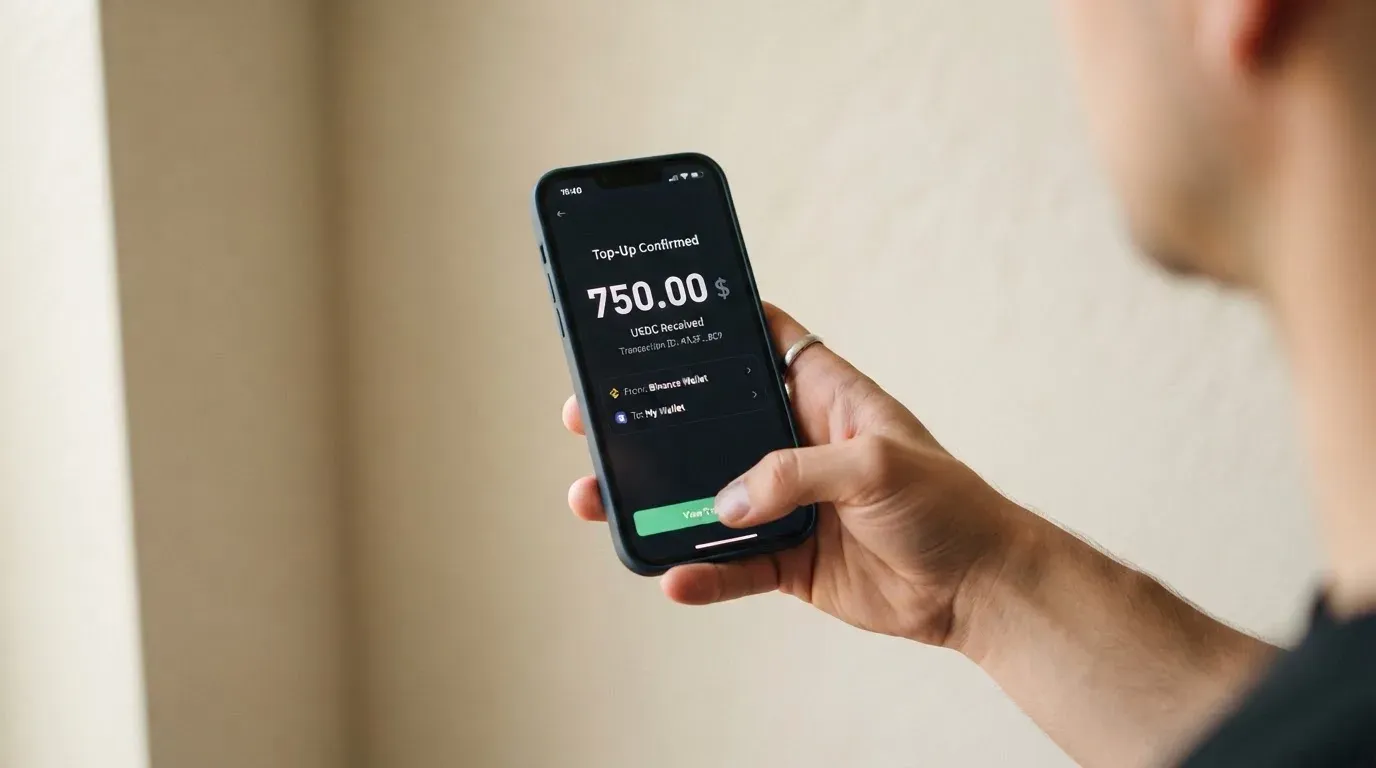
Here is the single most important operational point on this page, and it is not a fee. The article describing top-ups does not name the networks. Sending USDT on Tron to a wallet that expects Ethereum is a real and common way to lose money permanently, because blockchain transfers cannot be reversed by anyone, including support. The card provider’s own documentation does not tell you which network to use in the section I read. Before your first transfer, get the network from support in writing, and cross-check it against the address format — a Tron address and an Ethereum address do not look alike, which is a crude but genuine check.
Fiat is the second route. You can top up through a virtual USD account: ACH or wire to a KOSH USD account, settling as stablecoin. The card does not state what that costs, so treat the fiat path as unpriced until you ask.
Moving money back out is narrower than putting it in. You can withdraw the card balance to the KOSH wallet, in the same stablecoin you used to top up, and only from funds you added yourself — welcome bonuses, referral rewards and cashback are excluded from that. The withdrawal fee is not stated. Neither is what happens to a leftover balance if you close the account, though closure itself is available from the dashboard or through support.
Paying with it every day
This is where the card scores best, and 9 out of 10 is not flattery — it reflects a product that does the ordinary things well.
Both a virtual and a physical Visa. Apple Pay, supported wherever Apple Pay is available in your country. Google Pay, described on the marketing page as working “in two taps” but not covered in the help article, so treat the confidence as marketing’s rather than documentation’s. Apps for iOS and Android, though store ratings are not something I read.
You can freeze and unfreeze the card in the app, set spending limits, and lock the card to particular merchant categories or individual merchants. That last one is a quiet advantage: it is the same tool set a bank’s app gives you, at $8 a year.
Rewards are advertised but soft-edged. The marketing page claims 10% reward points on eligible purchases, 5% cashback on hotel bookings, and $5 per referral, with the qualifier “may vary and are subject to program terms”. The help-centre fee article lists the 10% reward points as “coming soon”. So the headline rewards figure and the fee documentation do not agree about whether it exists yet. I would treat the rewards as unproven and not include them in any calculation.
Two everyday things the card’s pages leave open. Which merchant categories are blocked is not stated — the app lets you lock cards to categories, which implies some restriction model, but I could not confirm a list. And there is a help article titled “Should I pay in USD or the local currency?” that I did not read; on a card with an unresolved FX rate, that article is worth your time before you travel.
Disputes work, with a price tag. You contact the merchant first. Then you send evidence to KOSH through in-app chat or email, and KOSH files through its card partner over the Visa network. There is a $30 fee per dispute request, and investigations typically take 30 to 90 days. That fee is high enough that it changes behaviour: for a $40 charge, arguing is not worth $30. For a $900 charge, it may well be.
What can go wrong
The first thing, and I want to be plain about it: I found no official incidents and no user reports. No news, no complaints, no Trustpilot page, no Reddit discussion. The product reportedly launched on June 12, 2026. Absence of complaints from a young product is weak evidence, and I am not going to convert it into reassurance.
What I can tell you is the structure of the risk, which is clearer than the record.
Custody. The card is custodial — collateralised by your balance in the KOSH wallet. Control of the crypto sits with the provider, not with you. That is the trade you make for convenience, and it carries both counterparty risk and hack risk. The history of custodial platforms in this space is not encouraging: Mt. Gox, Coincheck and Ronin Network are all well-documented losses. The public pages do not describe a safeguarding arrangement for card balances, and two-factor authentication on the account is not stated either. You are not getting bank deposit protection here.
No named issuer, no named licence. The card is offered by Piers Technology Inc, described in its own terms as “a financial technology company, not a bank or a money services business”, with services delivered through “licensed partners”. The issuer is “the regulated financial institution selected for the Card Program” — unnamed. No licences are named. That is a category of answer, not an answer: I cannot tell you which regulated body stands behind your card or which regulator you would complain to.
Programme closure. Cards like this close. Visa terminated its agreements with FTX on November 13, 2022, and the FTX US debit card was wound down. Visa suspended WaveCrest in Europe in 2018, closing all WaveCrest-issued Visa programmes. When that happens, the sequence is usually: a notice period, then spending and loading stop, then you are asked to withdraw what is left. There are also secondary reports — unconfirmed — of a 2026 closure where new loads ended on July 8 and spending stopped on August 8. The pattern is the point, not the specific case: build your card around funds you can afford to move out quickly, not funds you are treating as a savings account.
Declines you did not expect. Address verification compares the numeric parts of a billing address you typed with issuer records, and is generally unavailable for foreign-issued cards, which causes declines. Some merchants decline prepaid or foreign BINs outright because the BIN lookup reveals the card type and issuer country. Address Verification Service is mainly a US, Canada and UK thing, so the countries where this bites hardest are exactly the countries where a new card is most useful. It is not fraud and it is not a bug; it is how card acceptance works.
Holds. A declined authorisation can leave a hold on your funds for several days, typically up to seven. A pre-loaded balance card makes that visible fast, because the hold comes out of money you were counting on.
Stablecoins are not as stable as the name. USDC lost its peg temporarily in March 2023 during the US banking crisis. Your card balance is denominated in dollars, but your route to funding it runs through tokens that can move. Tether also says it freezes tokens tied to illicit activity and disables wallets on the sanctions list — so stablecoin rails are not censorship-proof in either direction.
Disputes cost $30 and take one to three months. Already covered, but it belongs in the risk section too, because it is the mechanism you will reach for when something goes wrong.
The FX rate contradiction. I have flagged it twice already and I will flag it once more: the card’s own pages disagree about your conversion fee, and that is a live risk to your planning, not a documentation nitpick.
What to take instead
I want to be careful here. Every one of the alternatives below has its own complications, and none of them is a clean answer. I am comparing them on the dimensions I can verify.
International Visa Card — 6.7 / 10. A U.S.-issued Platinum Visa, virtual only for now, paying in USD. Issuance is $5 one-time with no maintenance fee, and paid plans run $9.00/month (Pro) and $19.00/month (Max), with a free Classic tier. Card use in USD is free; foreign currency is the Visa exchange rate plus a 2% FX fee — higher than KOSH’s best-published figure and much higher than its marketing figure. Deposits are free, in USDC or USDT at 1:1, and also in USD, EUR, SEPA, SWIFT and FedNow, so the fiat route is much better documented. Rewards: no cashback stated. The eligibility rule is the strictest of the three: residents and legal registrants of a long named list — Belarus, mainland China, North Korea, Cuba, India, Iraq, Iran, Israel, Myanmar, Nepal, Nicaragua, Russia, Syria, Turkey, Ukraine, Venezuela, Vietnam — are excluded, and purchases are blocked in North Korea, Cuba, Iran, Russia, Syria, Ukraine and Venezuela. Note the basis is residence or registration, not citizenship. If you live in one of those countries, this is worse news than KOSH’s vaguer rule; if you do not, this card has the far better-documented dollar account.
UNi Card — 6.1 / 10. A multicurrency card on the Mastercard network, spending from the UNi.Global account balance. No annual fee and no foreign transaction fee, with assets converted at live OTC rates and “no hidden exchange fees”. Spend-to-Earn rewards up to 3%. The reason this one is interesting is structural: no FX fee is a better deal than KOSH’s disputed 0.5% or 1.5% if you actually spend in more than one currency. What I could not establish: who is eligible, how you fund it, and whether the card is virtual or physical. Those blanks are as large as KOSH’s country gap, so I would not switch on the strength of the fee line alone.
Whop Cards — 5.2 / 10. Visa, working anywhere Visa is accepted. Spends from a Whop balance, with pending balance usable as soon as a payment arrives and standard withdrawals from settled funds; backed by stablecoin collateral from a linked wallet. Cashback of 5% at select merchants, currently Uber. Its eligibility is the most precisely stated of the three — 31 US states named for consumers, 41 for businesses, and an explicit unsupported-country list — but that precision works against anyone outside the US, since the consumer footprint is US states rather than a global network. Coins, networks, card type and card currency are not stated, and no fees are published at all.
| KOSH Global | International Visa | UNi | Whop | |
|---|---|---|---|---|
| Score | 6.5 / 10 | 6.7 / 10 | 6.1 / 10 | 5.2 / 10 |
| Network | Visa | Visa | Mastercard | Visa |
| Annual cost | $8 virtual / $80 physical | $5 one-time, then $0–$19/month | None stated | Not stated |
| FX fee | 0.5% or 1.5% (pages disagree) | 2% plus network rate | None stated | Not stated |
| USD spending | 0% | Free | — | — |
| Funding | USDT, USDC, free | USDC, USDT, USD, EUR, SEPA, SWIFT, FedNow | Not stated | Stablecoin from linked wallet |
| Who qualifies | Region-dependent, no list published | Long exclusion list by residence | Not stated | 31 US states for consumers |
| Cash at ATM | Yes, physical card, $250 per transaction | Not stated | Not stated | Not stated |
| Rewards | 10% points, 5% hotel cashback, $5 referral — one listed as “coming soon” | None stated | Up to 3% | 5% at select merchants |
If you spend in a single currency, are inside KOSH’s supported regions, and hold stablecoins already, KOSH Global is the cheapest of these on the numbers it publishes. If you spend in several currencies, UNi’s no-FX-fee structure is worth chasing down. If you want a documented dollar account and a published fiat route, the International Visa Card is the one whose paperwork I would trust first. If you are in the US, Whop’s 5% at Uber is the only concrete cashback figure any of them publishes without a “coming soon” attached.
Who I would recommend it to
I would recommend KOSH Global to a person who has already tried the ordinary route and hit a wall. Someone whose country does not issue cards easily, who is tired of waiting for an IBAN, who already holds USDT or USDC and regards moving them as routine. At $8 a year with no monthly fee and 0% on dollar spending, the cost side is genuinely excellent, and the tooling — freeze, limits, category locks, Apple Pay — is what you would expect from a mature product, not a new one.
I would not recommend it as your only card, to anyone holding more than a working balance, or to anyone who needs predictability above all else. Three reasons, in order of weight: the issuer is not named, so the counterparty you are trusting with your balance is a category rather than an institution; the FX fee is published inconsistently by the card itself; and the product is four months old with no independent record either way.
If you are in that second group, the honest test is simple. Move a small amount first. Top up with an amount you would not mind losing entirely, get the network confirmed in writing before you send it, spend it somewhere ordinary, and try the freeze. That tells you more in an afternoon than any review — including this one — can.
Frequently asked questions
What is the KOSH Global card?
It is a Visa card you load with stablecoins. USDT or USDC go into a KOSH wallet and the card spends from that balance, which sits behind the KOSH USD account. You can hold a virtual version for $8 a year or a physical metal version for $80 a year. It is aimed at people who want a card without a traditional bank account. The company behind it is Piers Technology Inc.
Is KOSH Global a bank?
No, and the card says so itself. The terms describe Piers Technology Inc as “a financial technology company, not a bank or a money services business”, and say services are provided through “licensed partners”. The actual card issuer is described only as “the regulated financial institution selected for the Card Program” — no institution or licence is named. If the name of the bank behind the card matters to you, that is something you will have to ask.
Who can get a KOSH Global card?
Eligibility depends on your country of residence, and no list of supported countries is published. The card option simply appears in the app’s Cards section if the card is available in your region. If it is not, you can join an early-access list via in-app chat, and a physical card can be shipped to some regions where the card is not supported — India is the example given. You must be at least 18.
How do I apply, and does it need KYC?
You create a KOSH account, pass identity verification, then order the virtual card in the Cards section and optionally the physical one. KYC needs a government-issued ID and a selfie with a liveness check, run by Sumsub; the marketing page also mentions a recent bank statement. Approval usually takes five to ten minutes. You need a new check even if you did KYC in 2025 or earlier.
How much does KOSH Global cost?
The virtual card is $8 a year, the physical card is $80 a year, plus $80 for express shipping, and there is no monthly fee. Card authorization is free and USD purchases cost 0%. USDC and USDT deposits are free with no minimum or maximum. ATM withdrawals are $1 plus 1% plus any applicable FX, with a $250 per-transaction limit and three per day, physical card only.
What is the foreign exchange fee?
The card’s own pages disagree. The help-centre fee article says “0.5% added FX”; the marketing page says 1.5% per foreign-currency transaction. The fee article is the more specific document, so I would plan on 0.5% and ask support which is actually charged before spending heavily outside the dollar. Because the card is US-dollar only, this is the number that matters most to anyone not spending in dollars.
How do I top up the card?
Send USDT or USDC to the KOSH wallet; deposits are free with no minimum or maximum, and the balance updates five to ten minutes after the chain confirms. You can also fund through a virtual USD account by ACH or wire, which settles as stablecoin, though those fees are not stated. The critical detail: the top-up article does not name the networks, and transfers on the wrong network are unrecoverable. Confirm the network in writing before your first send.
Can I add it to Apple Pay, and can I use cash machines?
Yes to Apple Pay, where Apple Pay is available in your country. Google Pay is claimed on the marketing page but not documented in the help centre. ATMs work with the physical card only — virtual cards cannot be used at cash machines. Withdrawals cost $1 plus 1% plus FX, cap at $250 per transaction and three per day, and a declined transaction still costs $1. The ATM operator may add a fee of their own.
Is the card safe, and is it worth it?
Worth it depends on whether you already hold stablecoins and can only spend dollars — on price, it is hard to argue with. Safety is a different question. The balance is custodial, the issuer is unnamed, no licences are named, and no safeguarding arrangement or two-factor authentication is stated on the public pages. No complaints or reviews were found, but the product launched in June 2026, so there is very little track record to judge. Treat it as a working card, not a place to hold money.
What about closing my account or getting money back?
You can move your card balance back to the KOSH wallet, in the same stablecoin you used to top up, but only for funds you added yourself — welcome bonuses, referral rewards and cashback are excluded. The withdrawal fee is not stated, and neither is what happens to any remaining balance if you close. You can close the account from the dashboard or through support. Because of that last gap, do not close an account with a balance still sitting on the card.
App and neobank card reviews – cryptocardcheck
Content created by the «cryptocardcheck» team