
The 0% card with no physical plastic and an unnamed issuer
 Available in US
Munify is a virtual Visa card you load with USDC or USDT and spend as ordinary USD in shops and online. The pitch is simple and, in one respect, unusually good: the exchange rate on card spending is 0% on every tier, and a Standard account carries no listed price. Around that promise sit a lot of gaps. The issuer is not named, the country of registration is not stated, the crypto-to-card conversion fee is not published, there is no physical card and no ATM, and a small but loud set of Trustpilot reviews describes accounts frozen after a deposit with support going silent. My score is 6.7 out of 10 — a real tool for a specific person, and a poor fit for anyone who needs a bank.
The conditions described here are current as of October 28, 2026.
| Criterion | Mark | Why |
|---|---|---|
| Who can get it | 7 / 10 | Closed to people and businesses located in listed jurisdictions, including Belarus and Russia; the test is location, not citizenship |
| Cost | 8 / 10 | 0% exchange rate on card spending across all three tiers; Standard has no price, Plus is $7.99, Premium $19.99; issuance fee and the crypto-to-card conversion fee are not disclosed |
| Top-up options | 9 / 10 | USDC and USDT from an external wallet on Base, Solana, Polygon, Arbitrum and Ethereum, funds added “in seconds” |
| Reliability and complaints | 4 / 10 | Munify Corporation, “Backed by YC”, country of registration and issuer unnamed, “does not act as a bank, custodian”; Trustpilot 3.2 out of 7 reviews: accounts blocked after deposits, unresponsive support |
| Everyday use | 5 / 10 | Instant virtual Visa, unlimited cards, Apple Wallet in the App Store description; Google Pay not disclosed, no plastic, no ATM |
| Total | 6.7 / 10 | Strong on price and funding, thin on disclosure and everyday convenience |
Who it is for, and who should walk away
I kept coming back to one profile while reading: a freelancer paid in USDC or USDT who spends it online. That person has already accepted stablecoin risk, does not want a bank to interrogate their invoices, and wants the money to arrive at a SaaS subscription or a hosting bill without a currency haircut. For them, Munify does what it says. The 0% rate is the whole argument, and it is a real one — most cards in this category take 1% or more on the conversion.
Now the harder half. If you want a card that works in a shop, at a terminal, from a cashier’s hand — Munify is virtual only, and no physical card is mentioned anywhere in its public pages. If you need cash from an ATM, the card states nothing about ATM access. If you are Android, the App Store listing describes adding the card to Apple Wallet; Google Pay is not disclosed. If you want a banking licence, a deposit guarantee or an issuer you can name in a dispute, look elsewhere: Munify’s own terms say it “does not act as a bank, custodian, trustee, or fiduciary”, and no licences are named.
There is a geography point to get right early, because it is the most likely reason for a refusal. Munify’s terms, section 6.4, say the services are “not available to individuals, entities, or businesses located in” a list of jurisdictions that includes Belarus and the Russian Federation. Two things follow. The test is where you are located, not what passport you hold — a citizen of an excluded country living elsewhere is not excluded on citizenship grounds, and a person elsewhere who is physically located in a listed jurisdiction is. And there is no country list of supported places on the product page at all, which means the positive half of the question is unanswerable from public information. You would be relying on the app’s own decision.
Will they give you the card
Munify says it “may request identity verification, source-of-funds information, or other documentation at any time”. That “may”, and the “at any time”, are the two words to remember. It is not a promise that you verify once at signup and then never again; it is permission to ask again later, and the source-of-funds question is the one that catches freelancers out — the money they are being asked about may not have a payroll slip behind it.
The App Store text speaks of “quick onboarding”, and I would read that as a description of the happy path rather than a commitment about what documents you will be asked for. Which documents, what proof of address, what age threshold, and how many verification levels exist are all not stated on the public pages. You should also know you are expected to keep your location and business information accurate, which matters if you travel.
On the card itself: it is virtual, denominated in USD, “powered by Visa”, with unlimited virtual cards and instant creation. Delivery is virtual only — no physical card is mentioned, so “how long does it take to arrive” is not the question here; “is there anything to arrive” is.
Fees: what it really costs
The headline number is 0% exchange rate on card spending, on all three tiers. That is what makes Munify interesting. But the cost of a payment is the sum of several pieces, and Munify publishes some of them and not others. Here is what is on the record.

| Fee or limit | Standard | Plus | Premium |
|---|---|---|---|
| Account price | No price listed | $7.99 | $19.99 |
| Exchange rate on card spending | 0% | 0% | 0% |
| Digital-wallet transfer fee | 0.9% (min $2.99) | 0.4% (min $1.99) | 0% |
| Local transfer FX rate | 1% | 0.4% | 0% |
| Points on card spending | 10% back | 25% | 50% |
| Card issuance fee | not stated | not stated | not stated |
| Crypto-to-card conversion fee | not stated | not stated | not stated |
| ATM | not stated | not stated | not stated |
| Spending limits | not stated | not stated | not stated |
The billing period for Plus and Premium is not stated on the page, so “per month” is my assumption, not a published fact — check before you commit. Premium pricing also requires funding “at least $2,000 via USD earnings or USDC by end of 2026”, which is a deadline, not a standing condition. On deposit limits, the USD account shows a minimum of $2.00 and a maximum of $10,000.
Now three everyday payments, and which fees actually touch them.
A $30 software subscription billed in USD to your virtual Visa. This is the clean case. The exchange rate on card spending is 0%, so the conversion markup is nothing, and $30 leaves your balance and $30 reaches the merchant. If the subscription is in euros, your USD balance “is accepted and converted wherever needed” — the card rate is still 0%, but the underlying Visa rate and any 3-D Secure check are outside Munify’s control, and declines on foreign-issued cards are a known category problem. Local account details are available for ACH, Fedwire, SWIFT and SEPA in USD and EUR.
A $12 lunch paid online from a balance you topped up with USDC. Here the published 0% card rate still applies, but the number that matters is the one Munify does not publish: the crypto-to-card conversion fee. You funded the balance with stablecoins, something happened between the USDC and the USD balance, and that something has a price which is not stated. If you topped up via a local bank transfer instead, the digital-wallet transfer fee column above does not apply — but the local-transfer FX rate of 1% on Standard does. This is the single most important number to ask Munify before you rely on the card, and the fair criticism is that it is the one they leave blank.
Withdrawing money back out. You add a bank account via “Transfer” in the app and it settles “within minutes using instant local rails such as instapay etc.”. The fee is not stated. Nor is what happens to a leftover balance if you close the account — the terms only say Munify may restrict, suspend or close accounts, which is a different thing from promising a payout. Treat the withdrawal fee as unknown and the exit balance as something to empty yourself rather than expect to be returned.
The rewards column deserves one line. Points run at 10% back on Standard, 25% on Plus and 50% on Premium, but the payout currency and the conditions are not stated — so I would treat the points as unquantified until you have seen the terms.
Top up: how the money gets there
This is the strongest part of the product, and it is why the top-up score is the highest in the table at the top. You send USDC or USDT from an external wallet on Base, Solana, Polygon, Arbitrum or Ethereum, and the funds are added “in seconds”. Five major networks and the two dominant dollar stablecoins is a genuinely better funding setup than most cards in this category offer, where you sometimes get one chain and one token.
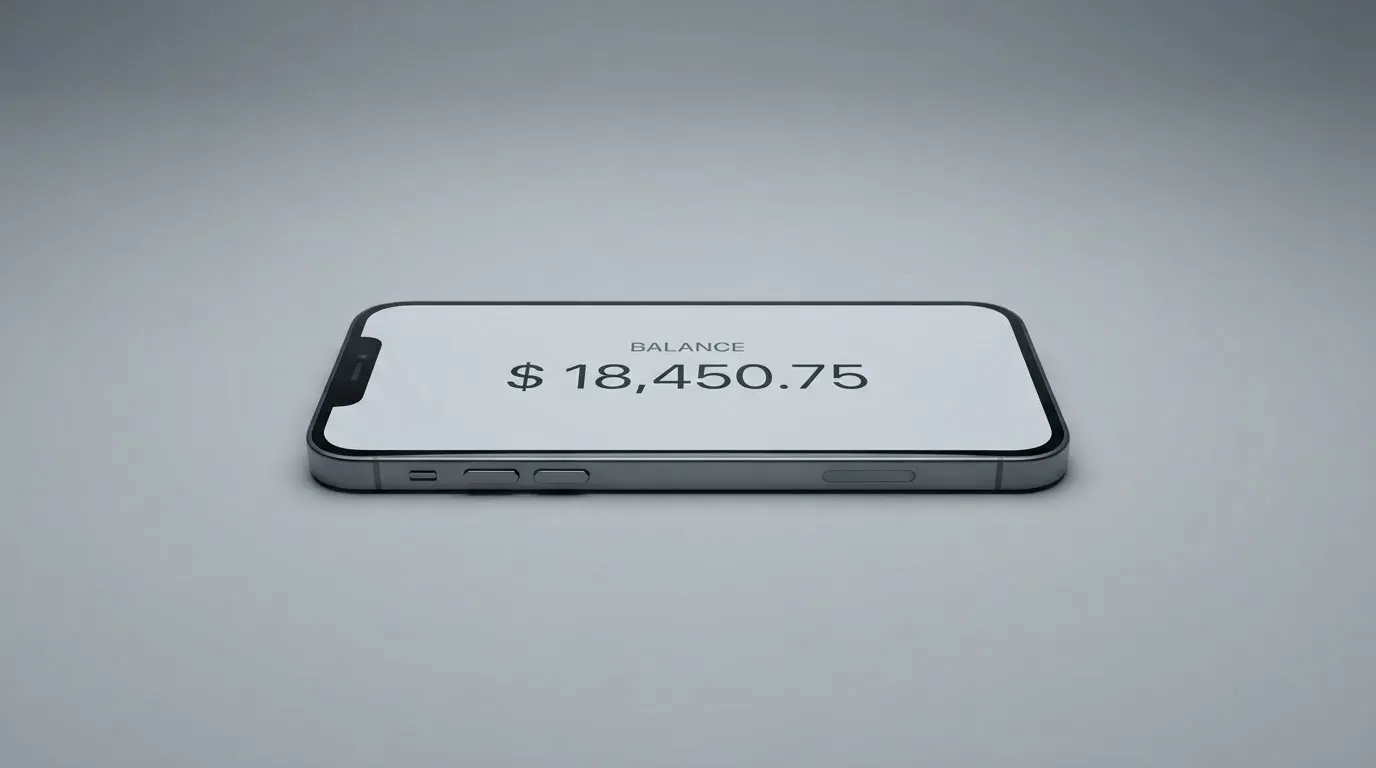
Munify’s language about cost is confident: “predictable network fees and zero hidden exchange markups”. Take the first half seriously. The network fee for your deposit is charged by the blockchain, not by the card provider — that is how crypto transfers work, and no card company can waive it. The card top-up fee itself and any minimum are not stated, so the amount leaving your wallet may not be exactly the amount credited.
USD deposits by ACH are received free, if you would rather not touch a blockchain at all. One network fact that catches people out: on Ethereum, gas is paid in ETH, so a wallet holding USDT but no ETH cannot send. Circle also stopped supporting USDC on Tron in February 2024, so “USDC over TRC20” is not a native option here — USDT is issued on Tron, but USDC is not.
Two structural risks ride along with every transfer. Blockchain transfers are irreversible, so a deposit sent on a network the provider does not support, or to an address belonging to a different network, can be lost or need manual recovery with no guarantee. And Tether states that it disables tokens in wallets on the OFAC sanctions list and has frozen funds tied to illicit activity — stablecoins are not censorship-proof, and the screening happens upstream of any card.
Paying with it every day
The virtual card appears instantly, and you can create as many as you like, which is genuinely useful: one card per subscription, one for a merchant you distrust, one you freeze when a site looks wrong. Apple Wallet is mentioned in the App Store description, so that is the tap-to-pay route the company has put its name to; Google Pay is not stated, and on Google Play the site lists the app without a rating I could read. The iOS app itself sits at 2.9 out of 5 from 28 ratings as of 2026-10-21, which is not a good number for the app you will use to check your balance and freeze your card.
Blocked merchant categories are not stated, which is worth asking about if you travel — many issuers in this category block gambling (MCC 7995) by policy rather than by law, and the list varies by issuer. Chargebacks are also not addressed on the card pages. If a purchase goes wrong, the route the terms describe is an internal complaint review with at least 30 days for informal resolution, then binding AAA arbitration, with claims to be brought within one year and fees non-refundable except where law requires otherwise. A separate Refund Policy exists as well. Compare that with the general position: US debit card reversal rights come from Regulation E, credit card rights from Regulation Z, and prepaid-card coverage varies and should not be assumed to apply. Read that paragraph as “assume you will not get a quick refund”, not as a prediction that you cannot.
What can go wrong
The most concrete thing I found is not a theory. Trustpilot shows 3.2 out of 5 from 7 reviews, all within the last twelve months, as of 2026-10-21. A user report describes accounts blocked after a $4,000 deposit with support then stopping its answers, dated 6 August and 26 September 2026, and a profile marked “Rejected” after a $50 deposit on 2 September 2026. Other themes are support not replying to chat or email in August 2026 and slow service in July 2026. The positives in the same reviews are quick sign-up and easy spending, between May and September 2026. I found no official incident report and no confirmation of these accounts from Munify — treat them as individual reports, not an established pattern, but note that a service holding your money in a stored balance has no fallback when it freezes you.
The structural version of that risk sits in the company details. Munify Corporation describes itself as “Backed by YC”; Delaware law governs its terms; the country of registration is not stated and the card issuer is not named, only “banking and card network partners”. No licences are named. On security, the terms say Munify is not a custodian — but how and where your funds are actually held is not described anywhere public, so the sentence reassures less than it appears to. A dashboard with card limits, usage tracking and freeze controls is described as a security feature, and it is a sensible one, but it is a control on a card, not a guarantee on a balance. Card limits themselves are not stated.
Two smaller gaps. Support is reachable by contact page, Discord, X, YouTube and LinkedIn, and there is no published record of dated licence, issuer or programme events, which leaves nothing to track progress against. And in the EU, customer due diligence rules require institutions to complete checks before a relationship proceeds and to refrain from the transaction, ending relationships where necessary, if they cannot — which is exactly why accounts close or freeze while documents are pending. It is lawful and normal, and it is still a thing that happens to you.
What to take instead
| Munify | International Visa Card | UNi Card | Whop Cards | |
|---|---|---|---|---|
| Score | 6.7 / 10 | 6.7 / 10 | 6.1 / 10 | 5.2 / 10 |
| Card | Virtual, USD, “powered by Visa” | U.S.-issued Platinum Visa, virtual; physical “Coming soon” | Multicurrency on Mastercard network | Visa, online and in stores |
| Cost | Standard no price, Plus $7.99, Premium $19.99 | $5 virtual issuance, no maintenance fee; Classic free, Pro $9.00/month, Max $19.00/month | “No annual fee” | “No extra fees”, no amounts listed |
| FX / conversion | 0% on card spending; crypto conversion fee not stated | Visa exchange rate + 2% FX fee; deposits free | No FX fee; live OTC rates | not stated |
| Rewards | 10% / 25% / 50% back | no cashback stated | up to 3% | 5% cashback at select merchants |
| Geography | closed to listed jurisdictions incl. Belarus and Russia; supported list not published | closed to residents or registrants of 17 named countries incl. Belarus, Russia, Ukraine, Turkey, Vietnam | not stated | 31 US states for consumers, 41 for businesses |
Three honest observations from that table. The International Visa Card matches Munify’s score while naming what Munify does not: a U.S.-issued card, a published $5 issuance fee, published plan prices, and a full list of excluded countries — though its 2% FX fee is worse than Munify’s 0% card rate. UNi Card is a physical-feeling, multicurrency Mastercard with “no annual fee or foreign transaction fee” and live OTC rates, which makes it the more conventional choice if you want a card in the wallet rather than a crypto-native account — but its country rules are not stated. Whop Cards is a different shape again: spending comes from a Whop balance, so a pending balance is usable as soon as a payment arrives and standard withdrawals use settled funds, and the 31-state US consumer list is a much narrower door than Munify’s.
Whop’s unsupported consumer countries overlap Munify’s exclusions and go on to include mainland China, Cuba, Hong Kong, India, Iran, Iraq, Israel, Myanmar, Nepal, Nicaragua, North Korea, Syria, Turkey, Ukraine and Venezuela. None of these four pages states whether it tests citizenship or residence — Munify’s terms do, and say location.
Who I would recommend it to
I would recommend Munify, at Standard, to exactly one person: someone whose income arrives in USDC or USDT, who spends it online in USD, who has a working self-custody wallet with a little ETH for gas, and who can afford to lose the balance if the account is frozen. That person gets a clean 0% rate, five networks, instant virtual cards and no monthly bill — a genuinely good deal.
I would not recommend it as your only card. There is no plastic, no ATM, no named issuer, no published conversion fee, no stated spending limits, a 2.9-rated iOS app, a complaints pattern about frozen accounts, and a dispute path that runs to arbitration after 30 days. If your money depends on being able to buy groceries when the app is down, this is the wrong instrument.
And before you fund it, ask Munify four questions in writing: what the crypto-to-card conversion fee is, what happens to a remaining balance on closure, whether the withdrawal fee is charged, and which entity actually issues the card and in which jurisdiction. Three of those four are gaps in the public pages, and the answers are the difference between a tool and a gamble. Keep a card from a regulated provider for the essentials; if you need one, check the relevant regulator’s register — ESMA maintains an interim register of authorised crypto-asset service providers, white papers and non-compliant entities for Europe.
If you pay tax on your holdings, note that in the US digital assets are treated as property, so spending crypto generally produces a taxable gain or loss measured in local currency at the transaction date — which can make each card payment its own disposal. That is a general point, not advice; run your own numbers with a professional.
Frequently asked questions
What is the Munify card?
Munify is a virtual USD Visa card that you top up with USDC or USDT and then spend like an ordinary payment card, online or wherever virtual cards are accepted. It is not a bank account and Munify states it does not act as a bank or custodian. There is no physical card version described, and the card itself is created instantly.
How does Munify card work?
You send stablecoins from your own wallet — USDC or USDT over Base, Solana, Polygon, Arbitrum or Ethereum — and the balance is credited in seconds, then your virtual card spends from it at a 0% exchange rate on all three tiers. The card is USD-denominated, and your USD balance is accepted and converted wherever needed. The step Munify does not publish is the crypto-to-card conversion step in the middle.
Is Munify a bank?
No, and it says so itself: the terms say Munify “does not act as a bank, custodian, trustee, or fiduciary”. The company is Munify Corporation, described as “Backed by YC”, with Delaware law governing the terms. The country of registration is not stated, the card issuer is not named beyond “banking and card network partners”, and no licences are named anywhere on the public pages.
Who owns Munify?
Munify Corporation is the named entity behind the card, and it advertises itself as “Backed by YC”. Beyond that, the public pages do not disclose the country of registration, the beneficial ownership structure, or the issuing institution that actually stands behind the Visa programme. Anyone telling you they know the issuer from the website alone is guessing.
Is the Munify card available in my country?
It depends on where you are located, not on your passport: the terms exclude individuals, entities and businesses located in listed jurisdictions, which include Belarus and the Russian Federation. The catch is that Munify publishes no list of supported countries on its product page, so the answer for anywhere else is whatever the app decides at onboarding. Check before you send a deposit.
Does the Munify card require KYC?
Identity verification is possible but not promised as a one-off: Munify “may request identity verification, source-of-funds information, or other documentation at any time”. The specific documents, proof-of-address requirements, age threshold and number of verification levels are not stated on the public pages. If your income is crypto rather than salary, be ready to explain the source of funds.
How much does the Munify card cost?
There is no listed price for Standard, $7.99 for Plus and $19.99 for Premium, with the billing period not stated. The exchange rate on card spending is 0% on every tier, but the card issuance fee, the crypto-to-card conversion fee, the ATM situation and the spending limits are all not stated. Digital-wallet transfer fees run 0.9% (min $2.99), 0.4% (min $1.99) and 0% by tier.
How do I top up the Munify card?
Send USDC or USDT from an external wallet on Base, Solana, Polygon, Arbitrum or Ethereum, and the funds are added in seconds. USD deposits by ACH arrive free as well. The blockchain charges its own network fee, which Munify cannot waive, and transfers are irreversible — so check the network and the address before sending, and remember Ethereum gas is paid in ETH.
Is the Munify card safe to use?
Treat it as a stored balance with an unnamed issuer rather than as a bank account, and keep only what you can afford to lose. Trustpilot shows 3.2 out of 5 from 7 reviews, with reports of accounts blocked after deposits and support going unanswered in August and September 2026, alongside praise for quick sign-up and easy spending. Use the freeze controls and spending limits in the app, and enable every security step the app offers.
Is Munify worth it?
For someone paid in USDC or USDT who spends online in USD, the 0% card rate and five funding networks make it worth a try at the free Standard tier. For everyone else, the missing physical card, missing ATM information, unpublished conversion fee, 2.9-rated iOS app and arbitration-first dispute process mean a regulated card from a provider you can name is the better foundation.
App and neobank card reviews – cryptocardcheck
Content created by the «cryptocardcheck» team