
A closer look at OSMO's virtual Visa for Latin America
 Available in US
If you live in Latin America and have trouble getting a regular bank card, a crypto-linked card can feel like the only door left open. The OSMO card is one of those doors: a virtual Visa debit card that draws from a USD balance, accepts Bitcoin and USDT as funding, and costs nothing in monthly fees. That combination explains why the app has climbed to a 4.8 rating on the App Store from about 1.8 thousand ratings. It also explains why someone outside the region, or someone who already has a normal card, might want to skip this review and look at a different product.
I went through OSMO’s own pages, the help centre, the App Store and Trustpilot, and compared it with three other crypto cards. The bottom line is that the OSMO card is well-priced and does what it says, but its usefulness is constrained by where it is sold and by how much of the underlying fee structure the company keeps to itself. I will walk you through who can actually get one, what it costs in real life, how topping up and paying work, where things can go wrong, and the alternatives if OSMO does not fit your situation.
Conditions are current as of October 28, 2026.
Verdict
OSMO earns a 6.4 out of 10 from me. That score reflects a card that is free to hold, accepts crypto and cash, and has a polished app, but it is geographically narrow and does not publish the full fee schedule a careful user would want before signing up.
The card suits a particular kind of reader. If you live in one of the listed Latin American countries, hold some dollars and some Bitcoin, and want a single app where you can convert, store, pay and withdraw, the OSMO card is one of the more straightforward options on the market. The virtual card is free, the monthly fee is $0, and you can add it to Apple Pay as soon as the app generates the card details. For a freelance worker in Costa Rica who gets paid in Bitcoin, or a household in Argentina that wants to park savings in USDT, the basic mechanics are in place.
The card does not suit several other kinds of readers. If you live outside the supported countries, you cannot sign up, period. If you need a physical card for ATM withdrawals at any machine, the published information is silent. If you want cashback, travel insurance or a tiered rewards system, the card does not offer one. And if you want every fee spelled out in advance, OSMO points you to a Tarifas page that lists some charges but leaves the card’s own foreign-exchange fee unstated.
| Criterion | Mark | Why |
|---|---|---|
| Who can get it | 4 / 10 | Limited to around sixteen Latin American countries; “Product availability depends on where you live.” |
| Cost | 8 / 10 | “$0 de cuota mensual”, free virtual card; cash and bank withdrawals 1%; Bitcoin send 3%; card FX fee not stated |
| Top-up options | 7 / 10 | Bitcoin, USDT on Bitcoin, Lightning and Polygon networks; card, bank transfer and cash; some fees unstated |
| Reliability and complaints | 8 / 10 | Cards from Rain and SOINSA, USD accounts at Bridge Ventures; Bitcoin custody in El Salvador under CNAD, BCR and SSF supervision; one unconfirmed complaint about an uncredited USDC deposit |
| Everyday use | 5 / 10 | Virtual Visa, Apple Pay on day one; Google Pay and ATM acceptance not stated; no published rewards |
| Total | 6.4 / 10 |
The “who can get it” mark is the one that pulls the average down most. A free card that you cannot apply for is no use to most readers, and OSMO’s published list is short. The “everyday use” mark is the next soft spot, because the most common ways people pay day-to-day (a physical card in a wallet, Google Pay, a known ATM network) are either missing from the marketing or not confirmed.
Will they give you the card
OSMO works as a payment card, but it is not sold everywhere. The starting data lists sixteen countries in Latin America: Costa Rica, Guatemala, El Salvador, Panamá, Honduras, República Dominicana, Argentina, Colombia, Chile, Ecuador, México, Uruguay, Paraguay, Puerto Rico, Perú and Bolivia. If your country is on that list, you can download the app and start the sign-up. If it is not, the App Store’s own line says it plainly: “Product availability depends on where you live.” I take that to mean the app may install but the card feature will be unavailable outside the supported countries.
The reason this matters is that the same problem that pushes people toward crypto cards in the first place, such as not being able to open a dollar account at a local bank, also tends to vary by country. OSMO is not the only card in this category, but it is one of the few that openly says “here is the country list” and lets you check before you spend twenty minutes uploading documents.
Within those countries, the sign-up flow is what you would expect: download the OSMO app, create an account with an email address or a phone number, and complete identity verification inside the app. The marketing describes the whole process as taking about 30 seconds, which is a fair description of the account-creation step. The identity verification itself, the “verificación de identidad” step that regulated financial apps have to run, is not given a fixed timeframe, and the help centre has a “Verificación (KYC)” collection with six articles but no published list of which documents you will need to provide. I would expect a government-issued photo ID and a proof of address at a minimum, since those are standard in the region, but the company does not state this on the public page I read.
What OSMO does state is that the card is a virtual Visa International debit card, free of charge. The card programme is split: Visa cards are issued by Rain, which is part of Signify Holdings, and Mastercard cards are issued by SOINSA. So if you ever get handed a Mastercard from OSMO, the entity behind the plastic is different from the one behind a Visa. The card spends from a USD balance, and the app converts to your local currency automatically if you do not hold a balance in that currency.
A few things are not stated anywhere I could find. The app does not publish a list of which countries use Visa and which use Mastercard, the exact identity documents you will be asked for, or whether there is any difference in the level of verification between, say, a basic virtual card and a higher spending cap. There is a separate “OSMO Private” product, mentioned on the site, that appears to be aimed at larger balances, but the published information does not explain how it differs in onboarding.
How to get it
The whole process runs through the app. There is no web sign-up form and no paper application, which is normal for this category but worth saying out loud. The practical steps are: install the OSMO app from the App Store or Google Play, register with an email address or a phone number, complete the in-app identity verification, wait for approval, and then the app generates a virtual card with a number, an expiry and a CVV that you can use online or add to a mobile wallet.
Because the card is virtual, there is no delivery step to worry about. That removes the “where is my card” delay that often frustrates users of physical crypto cards, especially those shipped from Europe. It also means you cannot hand the card to a cashier; you either type the details into a website or you tokenise the card into Apple Pay or Google Pay and tap to pay.
What is missing from this picture is any mention of a physical card. The marketing talks about a virtual Visa, the help centre talks about “Tarjeta virtual” and the FAQ does not list a physical card as a feature. If you want a piece of plastic, this is not the product for you, and you would have to look at a different crypto card that ships a physical version. The other consequence is that cash from an ATM is not a built-in feature either: the help section talks about getting cash through “agencias afiliadas” rather than from a normal ATM network.
Fees and what it really costs
OSMO’s headline cost story is friendly: $0 monthly fee, free virtual card, and only the actions you take cost money. The “Tarifas” page spells out some of those action costs. Cash withdrawal costs 1%, bank withdrawal costs 1%, sending Bitcoin costs 3%, and receiving USD costs nothing. The minimum Bitcoin purchase is $1, which is unusual for the category and useful if you are dollar-cost-averaging in small amounts.
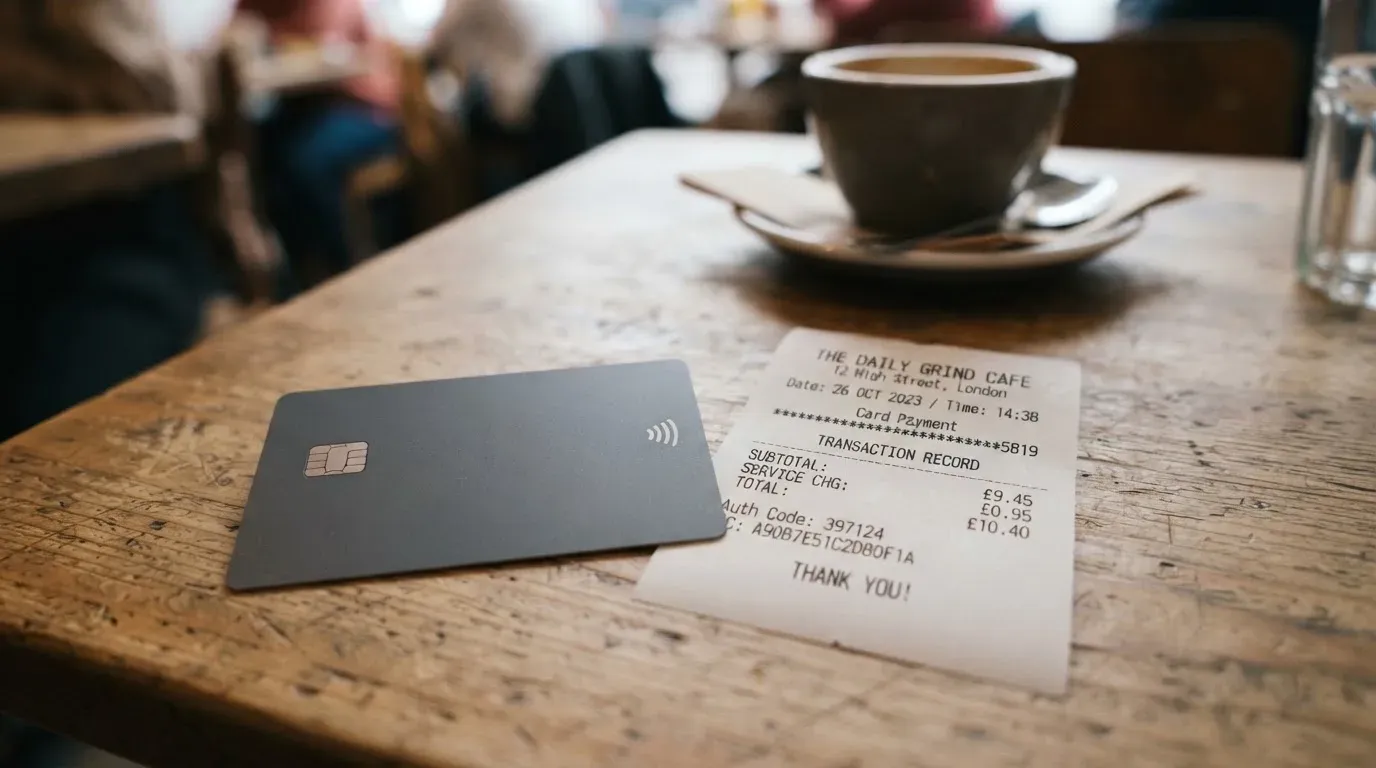
What that schedule does not tell you is the foreign-exchange fee the card itself charges when you pay in a currency other than USD. The card holds a USD balance and converts at the point of sale, but the percentage the app takes on that conversion is not in the published schedule I read. If you spend a significant portion of your money outside USD, this is the number to track down before you commit. The app’s “compra y venta de monedas” feature shows a rate when you exchange, and you can compare it against the mid-market rate on a reputable site to see the spread, but that is a check you have to do yourself.
Here is a summary of what is and is not published:
| Fee or limit | Amount | Notes |
|---|---|---|
| Issuance (virtual card) | Free | — |
| Monthly fee | $0 | “$0 de cuota mensual” |
| Cash withdrawal (agencias afiliadas) | 1% | Immediate |
| Bank withdrawal | 1% | 1 to 2 business days |
| Bitcoin send | 3% | — |
| Receiving USD | No cost | — |
| Card FX fee | Not stated | Worth checking on the first non-USD payment |
| ATM withdrawal fee | Not stated | Cash access is via affiliated agencies, not ATMs |
| Card spending limits | Not stated | User can set their own; varies by country in “Límites de transacciones” |
| Minimum Bitcoin purchase | $1 | — |
The way this lands in everyday life is something like this. Suppose you are a freelancer in Costa Rica paid in Bitcoin. You send Bitcoin to your OSMO wallet, pay the network fee (charged by the blockchain, not by OSMO), and the app converts the Bitcoin to USD at the rate it shows you. You spend on a virtual card at an online store, and the merchant charges in USD, so no extra currency conversion kicks in. Your only cost is the 3% Bitcoin send fee if you move Bitcoin out of the app, plus any spread between the app’s rate and the market rate. If you instead pay at a local shop in colones, the card converts USD to CRC at the card network’s rate plus whatever FX margin OSMO keeps, and that margin is the part you cannot see in advance.
A second scenario is the one that gets used the most in practice. You top up the card from your local bank account in USD or local currency, hold the balance in USD, and spend the card online at merchants that bill in dollars. In that case the cost is essentially zero per transaction, and the only real cost is the opportunity cost of holding USD while your local currency inflates. For a reader in Argentina, that trade-off can be a feature rather than a bug.
A third scenario, and the one most worth thinking about, is withdrawing cash. If you walk into an affiliated agency to take out cash, the fee is 1% and the money is in your hand immediately. If you send it to a local bank account instead, the fee is also 1% but the money takes one to two business days to arrive. Neither is expensive, but the choice between them depends on whether you need the money right now or can wait.
Top up options
Topping up the OSMO card starts with putting money into the OSMO wallet. From there, the card spends from the USD balance.
The funding options are: Bitcoin, USDT, a card top-up, a bank transfer, or cash. The crypto options are described in more detail. Bitcoin can be sent over the Bitcoin network or the Lightning network. USDT can be sent over Polygon. The app’s policy on receiving USD is that it is free, so a USD bank transfer or a USD card top-up lands without a fee, and the minimum Bitcoin purchase is $1, which makes small recurring buys possible.
Two things to watch. The first is the network. OSMO supports a specific list of networks for each coin. If you send USDT over a network that is not in the list, the deposit can be lost or sit in limbo, and crypto transfers are not reversible, so this is the kind of mistake that turns into a support ticket rather than a quick fix. The second is the source. If you fund the card from a bank card, the card top-up fee is not stated. If you fund it with Bitcoin, you pay the network fee charged by the blockchain plus the 3% send fee if you later move that Bitcoin out of the app.
A small table makes the funding options easier to compare:
| Top-up method | What it costs | What to watch |
|---|---|---|
| Bitcoin (Bitcoin network) | Network fee to sender | Confirm network before sending |
| Bitcoin (Lightning) | Network fee to sender | Faster, smaller amounts |
| USDT (Polygon) | Network fee to sender | USDC over Tron is not native; this is USDT, not USDC |
| Card | Not stated | Check first top-up |
| Bank transfer | Receiving USD is free | 1 to 2 business days for withdrawals |
| Cash | Not stated for top-up | Used through affiliated agencies |
The way the funding flow works in practice is something like this. You decide which currency to hold, send the funds in through one of the supported channels, wait for the app to credit your account (crypto deposits confirm after a number of network confirmations, bank deposits after a day or two), and then the card spends from the USD balance automatically.
The cash top-up is the one that gets a mention but does not have a clean explanation on the public pages. If you want to fund the account with physical cash, the mechanism is described in terms of “agencias afiliadas”, and the company does not publish a list of those agencies. This is the kind of detail that varies a lot in practice, and the only way to find out where to go is to ask support or to check the app once you are signed up.
Paying with it every day
Once the card is loaded, the day-to-day experience is the part that matters most. The card is virtual, so the first decision is how you actually present it at the till. The marketing material says the card “can be added to Apple Pay right away”. If you are on iPhone, this is a one-tap process: open the app, add the card to Apple Wallet, and tap to pay anywhere contactless payments are accepted. The card number itself is not stored on Apple’s servers; instead, Apple Pay replaces it with a Device Account Number kept in the Secure Element on the phone.
Google Pay is the obvious question for Android users, and the answer is that OSMO does not say. There is no “Add to Google Pay” button in the public material I read, and the help centre does not have an article on it. If you rely on Google Pay, this is a gap that OSMO has not filled publicly, and you would need to test it inside the app to confirm.
Online payments work the standard way: type the card number, expiry and CVV into the website’s checkout form. From the merchant’s point of view, this looks like a normal Visa debit card, and the merchant does not see that the balance is funded by crypto. That is the point of the card, and it works. If the merchant uses 3-D Secure (Visa calls it Visa Secure, Mastercard calls it Identity Check), the bank may send you a code or a biometric prompt to confirm the payment, which is the same flow you would see with any European-issued card.
A few other everyday-use questions are not answered in the public material. There is no published list of merchant categories that the card blocks, so you do not know in advance whether, for example, gambling transactions (which many issuers restrict on prepaid-style cards) will go through. The card does not publish a cashback or rewards scheme, so the only economic benefit of using the card is convenience, not a percentage back. And the dispute process, what happens if a merchant does not deliver the goods you paid for, is not described on the help pages I read.
The mobile app itself has a 4.8 out of 5 rating on the App Store from about 1.8 thousand ratings, read on 21 October 2026. That is a high rating for a financial app, and it suggests the day-to-day experience is smooth. The Google Play listing exists but I did not pull a rating from it. Trustpilot shows a 3.2 out of 5 from a single review, which is too small a sample to be useful in either direction, and the one review that exists is the one I describe in the next section.
What can go wrong
The two big categories of risk with a card like this are operational risk (something goes wrong with a specific transaction) and structural risk (something goes wrong with the company or the regulation that underpins the product). OSMO is reasonably well placed on the structural side, but the operational side has at least one report worth taking seriously.
Operationally, the most common problems are deposits that do not arrive, cards that are declined, and support tickets that take a long time to resolve. I found one user report on Trustpilot from mid-July 2026: a customer said they deposited USDC over the Polygon network, the deposit did not credit, and support replied with “investigating” for three days. This is a single data point, and it comes from a third-party review site, so I would treat it as an unofficial report, not as a confirmed systemic issue. But the pattern it describes is the pattern that catches out most crypto card users: send on a network the provider supports, wait for the right number of confirmations, and if something looks wrong, contact support quickly because the funds are not recoverable by the network.
Structurally, the picture is more reassuring. OSMO is not a bank. The marketing is explicit on that point. The pieces are split: USD balances sit in accounts held by Bridge Ventures LLC, a US-based company; Visa cards are issued by Rain, which is part of Signify Holdings; Mastercard cards are issued by SOINSA; and the Bitcoin custody side is run by Osmo El Salvador S.A., which is supervised in El Salvador by CNAD, BCR and SSF. That regulatory umbrella is one of the more developed crypto regimes in Latin America, and it covers the part of the product where loss is hardest to recover (the crypto custody). The fiat side, USD held at Bridge Ventures, sits in a US-regulated entity.
On the security side, the app lets you freeze and unfreeze the card, refresh the digital card details, set your own spending limits, and is described as using encryption for data in transit. The marketing also says fiat is backed 1:1 by bank accounts and Bitcoin is backed 1:1 with 80% in cold storage and 20% in hot storage. Those ratios are typical of a serious custodian, but they are the company’s own description, not an external audit summary. The help centre is in Spanish, the contact page exists, and the operating hours for support are not stated.
What this means in practice is that your risk is concentrated in two places. The first is the company itself: if OSMO as a brand had a serious incident, the cards, the app and the brand would be the part most affected, while the underlying bank accounts and card programmes are with separate entities. The second is you: if you send on the wrong network, lose your phone without a backup, or fall for a phishing email pretending to be OSMO support, the loss is on your side. The app-based safeguards are standard, and the regulatory structure is sound, but the user has to do the basics (2FA, a strong password, checking the network on every deposit).
A small note on support: the help centre is comprehensive on the basics, the contact page exists, and there is no published phone number for urgent issues. If you need help at midnight on a Sunday, the answer is to send a message and wait. That is the same as most crypto-card providers, and the App Store rating suggests most users do not need to contact support often.
What to take instead
OSMO is a good fit in a narrow scenario. If you are outside that scenario, the next three cards each cover a different reason to look elsewhere. None of them are the same product, and I would not present any of them as “the same as OSMO, but better” — they are alternatives because they solve a different problem.
The International Visa Card (a card I have scored at 6.7 out of 10) is the closest comparison in form factor: a virtual US-issued Platinum Visa that holds a USD balance, with a $5 one-time issuance fee and no maintenance fee. Its main appeal is the regulatory perimeter. The card is not available to residents or legal registrants of Belarus, mainland China, North Korea, Cuba, India, Iraq, Iran, Israel, Myanmar, Nepal, Nicaragua, Russia, Syria, Turkey, Ukraine, Venezuela or Vietnam, and FATF grey-list countries are reviewed case by case. That is a longer exclusion list than OSMO’s, but the upside is that it is available in many more countries, including the US and most of Europe. The fee structure is also more transparent: card use in USD is free on all plans, foreign-currency transactions carry a “Visa exchange rate + 2% FX fee”, and deposits of any kind are free. The funding path is USDC or USDT into the USD account at 1:1, or USD, EUR, SEPA, SWIFT, FedNow deposits. There is no published cashback, and the physical card is “coming soon” rather than shipped. If you want a USD-denominated Visa and OSMO is not available in your country, this is the next place to look.
UNi Card (scored at 6.1 out of 10) is the option for a reader who wants rewards rather than geographic reach. It is a multicurrency Mastercard, with the card spending from a UNi.Global account balance, “no annual fee or foreign transaction fee”, and assets converted at “live OTC (Over-the-Counter) rates”. The marketing claims “no hidden exchange fees”, and the rewards proposition is “Spend-to-Earn rewards” of up to 3% with UNi Card. The published information is thinner on country availability, the issuance fee is not stated, and the funding options are not stated. The card is more of a payments-plus-earning product than a crypto-on-and-off-ramp, and it is worth a look if you are choosing on the basis of a percentage back rather than a country list.
Whop Cards (scored at 5.2 out of 10) is the most different of the three, and the one to consider if you are a US-based creator or business. Consumers in 31 US states can apply, businesses in 41 states, and unsupported consumer countries include Belarus, mainland China, Cuba, Hong Kong, India, Iran, Iraq, Israel, Myanmar, Nepal, Nicaragua, North Korea, Russia, Syria, Turkey, Ukraine, Venezuela and Vietnam. The card is a Visa, the cost is described as “no extra fees” with no issuance or monthly amounts listed, and the funding model is a Whop balance backed by stablecoin collateral from a linked wallet. The cashback is 5% at select merchants (currently Uber, with more planned), which is a higher headline number than UNi Card. The published fee structure is thin: no conversion or FX fee amounts are listed, and the coins and networks used to back the Whop balance are not stated. If the US is your country and you live in a covered state, this is a product worth comparing; if not, the geographic restriction rules it out.
In summary, OSMO is the most regional of the four (Latin America), has the most transparent monthly cost ($0), and is the only one with a stated cash top-up mechanism. International Visa Card is the broadest in geographic reach, the most transparent on FX, and the slowest to ship a physical card. UNi Card is the rewards play. Whop Cards is the US creators’ play with a strong but narrow cashback.
Who I would recommend it to
I would recommend the OSMO card to a reader who lives in one of the supported Latin American countries, holds a mix of dollars and Bitcoin, and wants a single app to convert, store and pay. The card is genuinely free to hold, the funding options are flexible, and the app is well-rated. The main things to do before signing up are: confirm your country is on the list, plan your first top-up in USD so you avoid the unstated card FX fee on day one, and decide in advance whether you need cash access through an affiliated agency.
I would not recommend the OSMO card to a reader outside the supported countries, to a reader who needs a physical card, to a reader who relies on Google Pay, or to a reader who needs an ATM card. For those readers, the International Visa Card, UNi Card or Whop Cards will be a better fit, depending on whether the priority is geographic reach, rewards or US availability.
The single thing I would like to see OSMO publish is a clear, complete fee schedule, including the card’s own foreign-exchange margin. Until that is on the public page, the responsible move is to make a small first payment in a non-USD currency, compare the rate in the app to the mid-market rate, and only then size up.
Frequently asked questions
What is the OSMO card?
The OSMO card is a virtual Visa International debit card that draws from a USD balance inside the OSMO app. It is issued by Rain (part of Signify Holdings) for Visa, and by SOINSA for Mastercard. The card converts your USD balance to the local currency at the point of sale if you do not hold that currency directly.
How does the OSMO card work?
You open the OSMO app, complete identity verification, fund your USD balance with Bitcoin, USDT, a card, a bank transfer or cash, and the virtual card spends from that balance. You can add the card to Apple Pay immediately and use it online or in shops that accept contactless payments.
Is OSMO a bank?
No. OSMO’s marketing is explicit that it is “no un banco”. USD balances sit in accounts held by Bridge Ventures LLC, the card is issued by Rain or SOINSA, and the Bitcoin custody side is run by Osmo El Salvador S.A. under supervision by CNAD, BCR and SSF.
Who owns OSMO?
OSMO is part of HODL Group. The companies behind the product are Bridge Ventures LLC for the USD accounts, Rain and SOINSA for the card programmes, and Osmo El Salvador S.A. for the regulated Bitcoin custody.
Is the OSMO card available in my country?
It is available in Costa Rica, Guatemala, El Salvador, Panamá, Honduras, República Dominicana, Argentina, Colombia, Chile, Ecuador, México, Uruguay, Paraguay, Puerto Rico, Perú and Bolivia. The App Store description says “Product availability depends on where you live”, so if your country is not on the list, the card feature is not available.
How do I get the OSMO card?
Download the OSMO app, register with an email address or a phone number, complete the in-app identity verification, and the app generates a virtual card with a number, expiry and CVV. The whole process is described as taking about 30 seconds, though identity verification itself does not have a published timeframe.
Does the OSMO card require KYC?
Yes. The app runs an identity verification step (“verificación de identidad”), and the help centre has a “Verificación (KYC)” collection. The specific documents you will be asked for are not stated on the public pages I read.
How do I top up the OSMO card?
You can top up the card by sending Bitcoin (over the Bitcoin or Lightning network), USDT (over Polygon), a card top-up, a bank transfer or cash. Receiving USD is free, and the minimum Bitcoin purchase is $1. Card top-up fees are not stated on the public schedule.
Is the OSMO card free?
The virtual card itself is free, the monthly fee is $0, and receiving USD costs nothing. Cash withdrawal costs 1%, bank withdrawal costs 1%, and sending Bitcoin costs 3%. The card’s own foreign-exchange fee is not stated on the public schedule I read.
Is the OSMO card safe to use?
The app offers freeze and unfreeze, refresh of card details, user-set spending limits and encryption. Fiat is described as backed 1:1 by bank accounts, and Bitcoin as backed 1:1 with 80% in cold storage. The structural risk is split across regulated entities, but operational risk (deposits on the wrong network, support delays) is the part users report most often.
App and neobank card reviews – cryptocardcheck
Content created by the «cryptocardcheck» team