
A self-custody Visa whose costs are mostly undocumented
 Available in US
The PayitFast card is a Visa you spend from a crypto balance you hold yourself, rather than from a bank account that a platform opens for you. That is its whole appeal, and also its whole complication. On one side of the ledger: you keep your own keys, you can load from any self-custody wallet, and eligible spending pays up to 10% back in USDT. On the other: the card’s own pages do not publish a fee schedule, a limit schedule, a country list, or even the currency the card is denominated in, so the two numbers that decide whether a card is cheap or expensive — what it charges and how much you may spend — are, as far as the public pages go, unstated. If you are weighing it, that gap is the first thing to plan around, not the last.
The conditions described here are current as of October 28, 2026.
Verdict: 6.9 out of 10
I scored this card 6.9 / 10. That is not a bad score. It is a card that does one thing clearly and honestly at the top of its range and one thing — telling you what it charges — not at all. Read the marks below before you read the rest of the page, because the shape of the table is the verdict in miniature: strong on access, weak on cost.
| Criterion | Mark | Why |
|---|---|---|
| Who can get it | 8 / 10 | The card says availability “varies by jurisdiction”; an unofficial figure puts it at 189 countries |
| Cost | 4 / 10 | Not disclosed officially; unofficial figures are a 3% annual fee and 2.2% on non-USD transactions |
| Top-up options | 8 / 10 | Your own self-custody wallets (MetaMask, Trust Wallet, Binance Wallet); stablecoins, USDT, Bitcoin, Ethereum |
| Reliability and complaints | 8 / 10 | Silverleaf E-Money Services Ltd., FINTRAC MSB registration M23026009, overseen by the Bank of Canada under the RPAA; unofficial: issuer Third National Bank; no complaints found |
| Everyday use | 7 / 10 | Virtual Visa, Apple Pay and Google Wallet, an ATM mentioned without conditions; physical cards only by waitlist |
| Total | 6.9 / 10 |
Who this suits, plainly: someone who already holds crypto in a wallet they control, who spends from that balance deliberately rather than topping up a card every week from a bank, and who is comfortable reading a wallet address and checking a network before pressing send. The card’s own audience line points the same way — it is aimed at self-custody users who want up to 10% back in USDT.
Who it does not suit: anyone whose first question is “what does it cost me per payment?”. Because that figure is not published, you cannot answer it from the card’s own materials — only from unofficial third-party figures, and those two disagree with each other about the shape of the pricing (more on that in the Fees section). It also does not suit someone who wants a physical card in the post this week, or someone who wants a card that clearly names the countries it will accept in. If any of those describe you, the alternatives at the end of this page publish their prices and their country rules outright, and you will spend your time better there.
One more thing worth saying at the top, because it is the sort of thing people only discover late. The rewards are real but locked. Cashback is paid in USDT to the PayitFast wallet “immediately”, which sounds generous, but it is non-withdrawable: it is usable on eligible card transactions only. Treat it as a discount on future spending, never as money you can move out.
Will they give you the card?
Usually yes, and the card’s own answer is deliberately vague about it. Availability “varies by jurisdiction and is subject to regulatory approval”, certain countries may be temporarily unavailable, and if your country is missing from the verification list, onboarding is unavailable there. There is no country list on the pages I read. An unofficial figure — from DefiLlama, from an earlier check — puts coverage at 189 countries, which is a lot, but I did not see it confirmed by the card itself, so treat it as a pointer rather than a promise.
Here is why “no country list” is not a small thing. An open-ended list means the practical question for you is not “is my country allowed?” but “is my country allowed today, and how would I know?” The card names two routes to that answer. The first is the verification list inside onboarding: if your country is absent from it, you will find out when you try, not when you read a policy page. The second is support, which runs a Telegram bot at t.me/payitfastbot and also answers by email — support can tell you whether your country is supported, and can look at a specific transaction, but on identity documents they are explicit that they cannot manually approve or override a decision.
What I would do if I were you: before downloading anything, look up your country in the onboarding verification list. That costs you two minutes and replaces an afternoon of signing up to find out. And treat “subject to regulatory approval” as a real phrase, not boilerplate — it means the card’s permissions can change under it, which is exactly the kind of change that would strand a balance you had already loaded.
How to get it
The application is in the app. Identity verification happens there, and the card lists the reasons a document gets rejected precisely enough to be useful: expired, damaged, unclear, details that do not match, or a country that is unsupported. Support cannot manually approve or override any of these. What the pages do not state is which document types are accepted, whether proof of address is required, or what the age threshold is — the card’s public pages simply do not say.
On the card itself: it is a Visa. You get a virtual card, and a physical card is waitlist only — the card does not state the details of that waitlist, so how long it is, how many people are ahead of you, or whether admission depends on anything, is not something the public pages tell you. The card currency is not stated either, which quietly undermines every fee question in the next section: a card with no stated currency cannot tell you reliably what it charges on a purchase in euros.
Platform-wise, the app is on iOS (App Store ID 6764277245) and Android (co.payitfast.app), with a web app at app.payitfast.com. Store ratings were not retrievable when I looked on 2026-10-21 — the pages did not load — so I cannot tell you what users rate the app, and neither can you, today, from the stores.
So the honest summary of signup: it is a normal KYC flow inside an app, and the parts that could trip you up are the country question and the physical-card waitlist. Application is straightforward; the risk is in the eligibility rules.
Fees: what this card really costs you
The card’s pages that I read do not state the cost. There is no published annual fee, no published conversion fee, no published foreign-exchange fee, and no published ATM fee or allowance. What exists instead are unofficial figures, and they come from a third-party site (DefiLlama, October 2026) rather than from PayitFast, so none of them is confirmed by the card. That site also notes that the pricing page it saw differs from the card agreement — which is a warning in itself, because it means the two official-looking documents may not say the same thing.
Here is what is actually known, and what is not:
| Fee or limit | What is stated |
|---|---|
| Issuance | not stated |
| Monthly fee | not stated |
| Conversion | not stated officially; 0.75% crypto conversion fee per transaction on an earlier card check |
| FX | not stated officially; unofficial 2.2% on non-USD transactions (DefiLlama, October 2026) |
| ATM | “withdraw at any contactless ATM”; fee and allowance not stated |
| Daily and monthly limits | not stated; spending limit is collateral-based on an earlier check |
| Annual fee | not stated officially; unofficial 3% (DefiLlama, October 2026) |
| Card currency | not stated |
| Tier fees | Master Terms and Elite Terms exist; the tier contents were not retrieved |
Now let me walk you through three ordinary payments, because that is where the missing numbers start to matter.
A coffee in your own country, in your card’s own currency. The cleanest case, and the one with the least uncertainty in it — the crypto is converted to the card’s balance and the purchase is domestic, so no foreign-exchange layer appears. What still bites is the conversion step itself. An earlier check of the card recorded a 0.75% crypto conversion fee per transaction, so on a small purchase the conversion cost is the fee you can actually name; the card does not restate that figure now, so I would not plan around it as current.
A meal in a country where your currency is not the local one. Here the unofficial 2.2% on non-USD transactions would apply, on top of whatever the conversion costs, on top of whatever network fee the blockchain charges for the movement. Three separate layers, two of them undocumented by the card. If this is a normal part of your life rather than an occasional trip, you are being asked to accept an unknown in the middle of the stack, and that is the argument for looking at the alternatives before committing.
A cash withdrawal at a contactless ATM. The card says you can withdraw at any contactless ATM and stops there. No fee, no daily allowance, no per-withdrawal cap — none of it stated. This is the category where I would be most careful, because a withdrawal that works at one machine can cost you disproportionately at another, and you have no published figure to judge it against.
The tier system deserves one sentence of its own: Master Terms and Elite Terms exist, so there is a paid-tier shape to this card, but the contents of the tiers were not retrieved. If you are being steered towards a tier at signup, ask what it costs and what it changes before you accept.
My honest read: with the prices unpublished, the difference between a good deal and a poor one on this card is decided by the unofficial figures rather than by anything the card commits to. That is not disqualifying — plenty of sound products go quiet on pricing — but it is a real cost of this particular card, in dollars and in your own time.
How to Top up
Topping up is where this card is genuinely strong, and it is the reason I did not score it lower. You fund it from your own self-custody wallets — MetaMask, Trust Wallet, Binance Wallet, or any other — and the accepted assets named are stablecoins, USDT, Bitcoin and Ethereum. That is the card’s own list. What is not stated is which networks to send on, and with crypto that single missing detail is the difference between a deposit that arrives in seconds and a deposit that disappears.
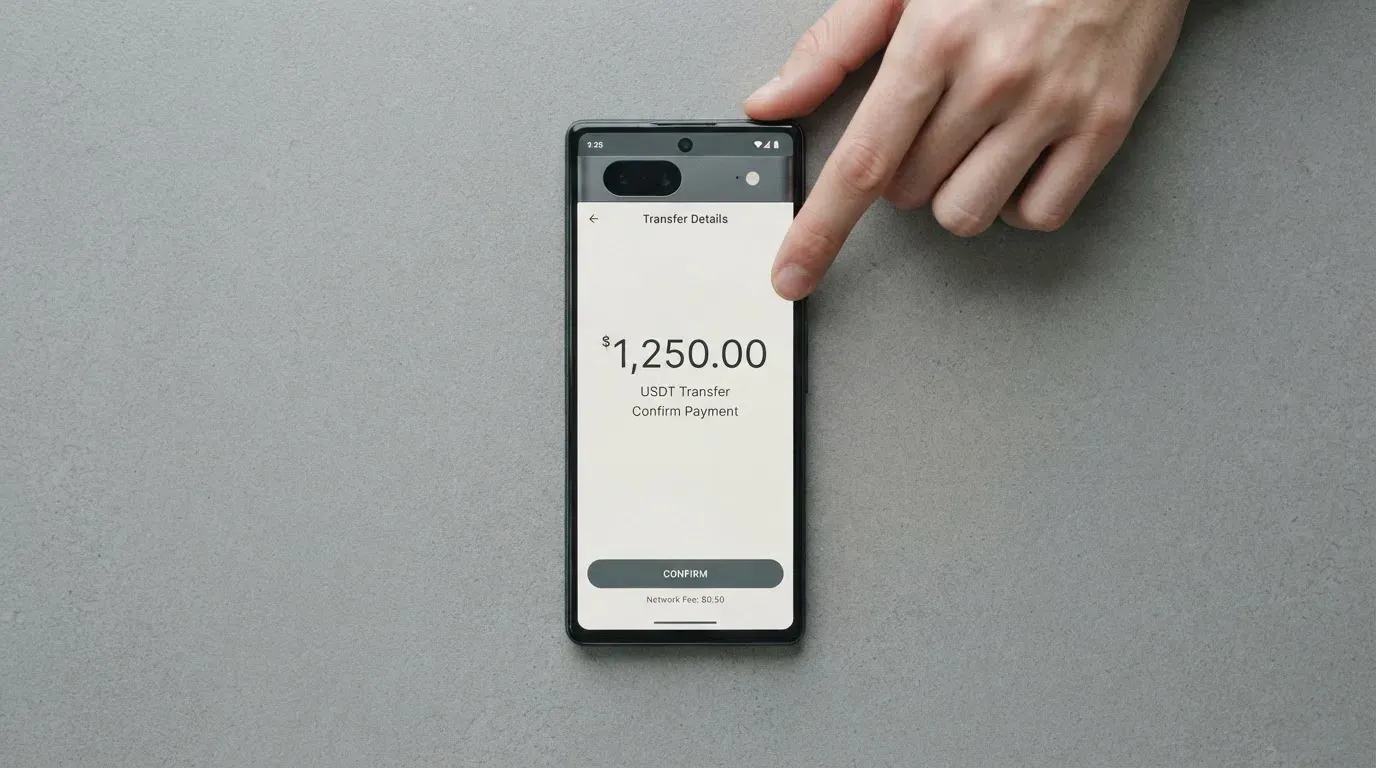
The background explains why networks matter so much. Blockchain transfers are typically irreversible, and a deposit sent on a network the provider does not support, or to an address belonging to a different network, can be lost or need manual support recovery with no guarantee. Fees on the way in are also the network’s, not the card’s: on-chain gas on Ethereum is paid only in ETH, so a wallet holding USDT and no ETH cannot send at all, and Tron prices transfers through bandwidth and energy that often burn TRX. So the two things I would check before your first deposit: which networks the app shows for this specific transfer, and that you hold a small amount of the native asset for whatever chain you are using. If a deposit does not arrive, the card’s stated route is support, with the transaction ID — send it and include the TXID.
There is also a payments side to this that is worth knowing before you look for it. Withdrawals may sit pending for compliance reasons, for the Travel Rule, for network congestion, or for a large-amount review. And a category of balance that surprises people: promotional credits, referral rewards, cashback and bonus funds are non-withdrawable. That includes the up-to-10% back, so treat it as spending money rather than money.
Paying with it every day
The daily mechanics are simple in the way that matters. You add the card to Apple Pay or Google Wallet, which is the practical route given that the physical card sits behind a waitlist. Apple Pay replaces the card number with a device-specific number held in the Secure Element rather than on Apple’s servers, and each payment carries a one-time code, so the tokenised route is the safer of the two to lean on. Whether any spending categories are blocked is not stated.
The rewards are the headline feature and the biggest place where expectations need setting. Up to 10% back on eligible transactions, paid in USDT to the PayitFast wallet, “immediately”. Two words in that sentence do the work: up to, and eligible. What counts as an eligible transaction is undefined, and the rate depends on which eligible asset you spend. So 10% is a ceiling on a category the card does not describe, not a rate you should budget around. And as noted, the cashback cannot be withdrawn — it spends on eligible card transactions only.
There is a category of everyday friction that belongs here because crypto cards run into it constantly, even the well-built ones. A merchant category code is a four-digit number classifying a business, and codes such as MCC 7995 for gambling are blocked by many issuers as policy rather than by law, with the list differing from issuer to issuer. Address verification compares the numeric parts of the billing address a buyer typed against the issuer’s records; it is mainly a US, Canada and UK service and is generally unavailable for foreign-issued cards, which causes declines. Some shops simply refuse prepaid or foreign-issued cards once the issuer’s country shows up in the lookup. None of this is PayitFast-specific — it is the category’s terrain, and it is the reason people ask “where can I use it” and get an answer that is really “anywhere that accepts Visa, minus the places that do not accept foreign BINs”.
Two further frictions are worth budgeting for. A declined authorisation can leave a hold on funds that stays for several days, typically up to 7. And how a disputed transaction is handled — the chargeback process, the reason codes, whether you can dispute at all — is not stated on the pages I read.
What can go wrong
Let me separate the card’s own warnings from the structural ones.
The card’s own warnings. The pages say plainly that cards can be restricted for repeated declines, for unusual activity, or for compliance reviews. That is the honest part, and you should read it as a real risk rather than boilerplate: a restricted card means your funds are still your funds, but your access to them through the card is gone until the review ends. Combined with the waitlist for physical cards and the unstated country list, this is the shape of the card’s operational risk — mostly about access, not about loss.
The structural risk: self-custody cuts both ways. With a self-custody-linked card, the money stays in your wallet until the moment of payment, which is the good half. The other half is that you bear sole responsibility for key loss, for phishing, and for clipboard-hijacking malware that silently swaps a copied address. A seed phrase is typically 12 to 24 words and is an unencrypted form of the private key — anyone who gets it can restore the wallet and spend the funds — and crypto transfers have no built-in recovery, because the network cannot freeze or return them. Nobody at PayitFast can undo a mistake you make in your own wallet. That is the price of the model, and it is the same price everyone in the self-custody category charges.
What sits behind the card. The company is Silverleaf E-Money Services Ltd., trading as PayitFast, incorporated in British Columbia, Canada, with FINTRAC MSB registration M23026009 and supervision by the Bank of Canada under the RPAA. So it is a regulated money-services business in Canada, not a bank — and the card’s pages do not state the issuing bank officially. An unofficial figure names Third National Bank as the Visa issuer, which I did not see the card confirm. On the technical side, two-factor authentication and a card freeze are not stated; the only security arrangement described is the linked self-custody wallet and its collateral model.
Complaints. I found no user complaints, and no Trustpilot page for PayitFast. I want to be careful how you read that. No complaints is a weak signal, not a clean bill of health — a young product with few users generates few complaints, and the absence of a review page can mean the product is new rather than well-liked. It tells you the card is not currently notorious. It does not tell you it is trouble-free.
The category’s history, because it is relevant to your timing. Crypto card programmes do get wound down. Visa terminated its global agreements with FTX on 13 November 2022 and the FTX US debit card was wound down by its issuer. Visa suspended WaveCrest in Europe in 2018, closing all WaveCrest-issued Visa programmes. The pattern in a closure is a notice period, then spending and loading stop, then users are asked to withdraw what is left — so a card dying is not usually a loss event, but it is always a hassle, and it is another reason not to sit on a large unspent balance.
Finally, features you may see advertised and find missing: Local QR Payments, Send Money and Business are all marked “Soon”. And in the EU, a card of this kind tends to rest on two licences rather than one — MiCA covers the crypto side while the card itself is a payment service under e-money and payments law — so a provider can be sound on one side and unfinished on the other.
What to take instead
I compared PayitFast against three alternatives that publish their prices and their country rules outright. That is the deciding factor for me: PayitFast’s problem is not that it is worse, it is that it is undocumented, and these three let you do arithmetic today.
| PayitFast | TokenPocket | MetaMask | KAST | |
|---|---|---|---|---|
| Score here | 6.9 / 10 | 5.8 / 10 | 7.1 / 10 | 6.1 / 10 |
| Card | Visa, virtual; physical by waitlist | Mastercard/Visa debit, on Arbitrum; virtual | Mastercard, virtual instantly, Metal by pre-order | Virtual and physical, up to 10 per user |
| Annual cost | not stated; unofficial 3% | NFT creation fee partly covered, user pays “a small portion”; no other fees | Virtual free; Metal $199/year | Standard 0 USD; Premium 1,000 USD/year; Private 10,000 USD/year |
| Per-payment fees | unofficial 2.2% non-USD; 0.75% conversion on an earlier check | 1% on crypto deposits, refunded later via rewards; FX not stated; inter-institution settlement costs possible | “Minimal fee” per transaction, amount not stated; no FX fee, Mastercard rate used | USD spend 0%, stablecoin top-up 0%; non-USD FX 0.5%–1.75%; declined payment 0.50 USD |
| Where you can sign up | varies by jurisdiction; unofficial 189 countries | European list for Visa (Germany, France, Spain, Switzerland); Mastercard for Australia, Canada, Hong Kong, Japan, Taiwan, New Zealand, Singapore, South Korea, UK; Americas planned | 45 listed countries/territories; other regions on a waitlist; US and UK sign-ups temporarily closed | Residence-based list shown at KYC; country list not published |
| Rewards | up to 10% back in USDT, non-withdrawable | no cashback; the 1% deposit fee returned via rewards | 1% (Virtual) / 3% capped at first $10,000 then 1% (Metal), in mUSD; plus $FLY bonus | 1.5% / 2% / 3% by tier on monthly caps, paid in USD |
MetaMask is the closest competitor and the one I would look at first. It scores 7.1, it publishes an annual price ($199/year for the Metal card, free for the virtual one), it names 45 sign-up countries, and it states there is no foreign transaction fee. Its catch is the tightest list of the three — US and UK sign-ups are temporarily closed — and its “minimal fee” per transaction is still not a number. One detail worth knowing: it spends directly from your connected wallet on Linea, Base, Monad and Solana, and Solana-only wallets cannot withdraw credit.
KAST is the one with the most complete fee table I saw, and it is the only one that tells you what a declined payment costs (0.50 USD) and what a sub-25 USD non-USD transaction costs (0.10 USD). Against that, its entry tiers are expensive — 1,000 USD/year for Premium, 10,000 USD/year for Private — and its country rules are residency-based with the list unpublished, though it does spell out the ID wrinkle clearly: living in a supported country while holding an ID from a restricted region can still fail KYC, and VPN does not bypass it. Its rewards are real USD cashback at 1.5% to 3% by tier on monthly caps.
TokenPocket scores lowest at 5.8 and is the one I would rule out first. Its 1% crypto deposit fee is refunded later through rewards and reduced transaction fees rather than returned as money, it names no coins or networks for depositing, and its Americas availability is described as planned rather than live.
My own ranking, for the reader this page is written for: if you want prices you can plan around, KAST and MetaMask both beat this card on transparency; if you want to stay with a wallet-first model and earn USDT back, PayitFast remains reasonable — you simply have to accept that you are buying on third-party numbers.
Who I would recommend it to
I would recommend this card to three kinds of person, and be cautious with everyone else.
To someone already self-custodying who loads deliberately, in decent amounts, and spends from that balance — this card is built for exactly that, and the range of funding sources is its best feature. To someone who wants the physical card eventually and is willing to wait; the virtual card and the mobile wallets carry you in the meantime. To someone who earns in crypto and wants up to 10% back in USDT without leaving their wallet, provided they treat that back as a spending discount rather than income.
I would hold off if any of these are true. If your country’s presence on the verification list is uncertain, find out before you commit. If you need a physical card now. If you are spending in a currency other than your own most weeks — the unofficial 2.2% on non-USD transactions is the figure that would decide it, and you would be deciding on a third party’s number. If you are putting meaningful balances on it and want to know what the ATM, the conversion, and the daily ceiling will cost you, because the card will not tell you. And if you need to withdraw, since promotional and reward balances, cashback included, are non-withdrawable.
One last thought on timing and rules, offered as background rather than advice. In the EU, MiCA took legal effect in June 2023, its stablecoin rules applied from 30 June 2024 and the remaining service-provider provisions from 30 December 2024, and providers operating under national law have a transitional window running to 1 July 2026 or until they are authorised or refused, whichever comes first — so a European card of this kind sits on two sets of rules, one for the crypto side and one for the payment side. Anyone reading this in the US should know that digital assets are treated as property, so spending them is a disposal measured in local currency at the value on the date of the transaction. What any of that means for your own position is a question for a qualified professional in your country, not for me.
Frequently asked questions
What is PayitFast card?
It is a Visa payment card that spends from a crypto balance you hold yourself, rather than from a bank account opened for you by a platform. You load it from your own self-custody wallet — MetaMask, Trust Wallet, Binance Wallet or another — using stablecoins, USDT, Bitcoin or Ethereum. The company behind it is Silverleaf E-Money Services Ltd., trading as PayitFast, a Canadian money-services business registered with FINTRAC as MSB M23026009.
Is PayitFast a bank?
No — it is not a bank, and you should not think of it as one. Silverleaf E-Money Services Ltd. is registered as a money services business with FINTRAC and is supervised by the Bank of Canada under the RPAA, which is oversight of an e-money business, not a deposit-taking bank. The card’s own pages do not name the issuing bank; an unofficial source names Third National Bank as the Visa issuer. Deposits are not bank deposits and carry no deposit-guarantee protection.
How do I apply, and will I pass KYC?
You apply and verify your identity inside the app, and yes, it requires KYC. The card lists its rejection reasons precisely: a document that is expired, damaged or unclear, details that do not match, or an unsupported country. Support cannot manually approve or override a rejection. What the pages do not state is which documents count, whether proof of address is needed, or the age threshold — so do not assume you know the rules until the app shows you.
Is PayitFast card free?
Nobody can tell you from the card’s own pages — the cost is not stated there. Unofficial figures from a third-party site put it at a 3% annual fee plus 2.2% on non-USD transactions, with a 0.75% crypto conversion fee per transaction recorded on an earlier check. That same third-party site notes the pricing page differs from the card agreement. Ask support directly and get the answer in writing before you load money.
Can I use it in my country?
That depends on a list the card does not publish. Availability “varies by jurisdiction and is subject to regulatory approval”, some countries may be temporarily unavailable, and if your country is missing from the verification list inside onboarding, it is not available there. An unofficial figure puts coverage at 189 countries. The fastest check is to look for your country in that in-app list, or ask the Telegram support bot.
How do I top up the card, and which network do I use?
You send from your own self-custody wallet, and the card names MetaMask, Trust Wallet, Binance Wallet or any other, with stablecoins, USDT, Bitcoin and Ethereum accepted. It does not state which networks to use — so read them off the app for that specific transfer. Blockchain sends are irreversible, so a wrong network can mean a lost deposit and a support ticket with the transaction ID. Keep a little of the chain’s native asset for the fee.
How do I add it to Apple Pay or Google Wallet?
Straightforwardly: add the card to Apple Pay or Google Wallet from the app, and pay by phone from then on. Apple Pay substitutes a device-specific number held in the Secure Element rather than on Apple’s servers, with a one-time code per payment. This matters here because the physical card is waitlist only, so the mobile wallet is likely your main route. Whether any spending categories are blocked is not stated on the card’s pages.
Is PayitFast card safe?
The regulated parts look sound — Canadian MSB registration and Bank of Canada oversight under the RPAA, no complaints found. But “safe” has two halves. Operationally, cards can be restricted for repeated declines, unusual activity or compliance reviews, and two-factor authentication and a card freeze are not stated. On self-custody, you alone carry the risk of key loss, phishing and address-swapping malware, and no one can reverse a blockchain transfer. Load only what you can afford to have temporarily unreachable.
How do I withdraw money, and can I cash back my rewards?
Withdrawals go back out through the card and may sit pending for compliance, the Travel Rule, network congestion or a large-amount review; fees are not stated. Rewards are the catch: promotional credits, referral rewards, cashback and bonus funds are all non-withdrawable, including the up-to-10% back paid in USDT. That cashback can only be spent on eligible card transactions, so treat it as a discount on future spending, never as money you can move.
Is it worth it, compared to MetaMask or KAST?
For someone already self-custodying, yes, the funding options and the USDT back are genuine strengths. But MetaMask publishes an annual price and names 45 sign-up countries, and KAST publishes the most complete fee table I saw, including a 0.50 USD charge on a declined payment. PayitFast’s 3% and 2.2% figures are unofficial and its pricing page reportedly contradicts its own agreement. If you want to plan your spending costs, one of the alternatives lets you do that today.
Wallet card reviews – cryptocardcheck
Content created by the «cryptocardcheck» team