
Blonix card review: the Visa you spend from a stablecoin balance, and the questions the company doesn't answer
 Available in US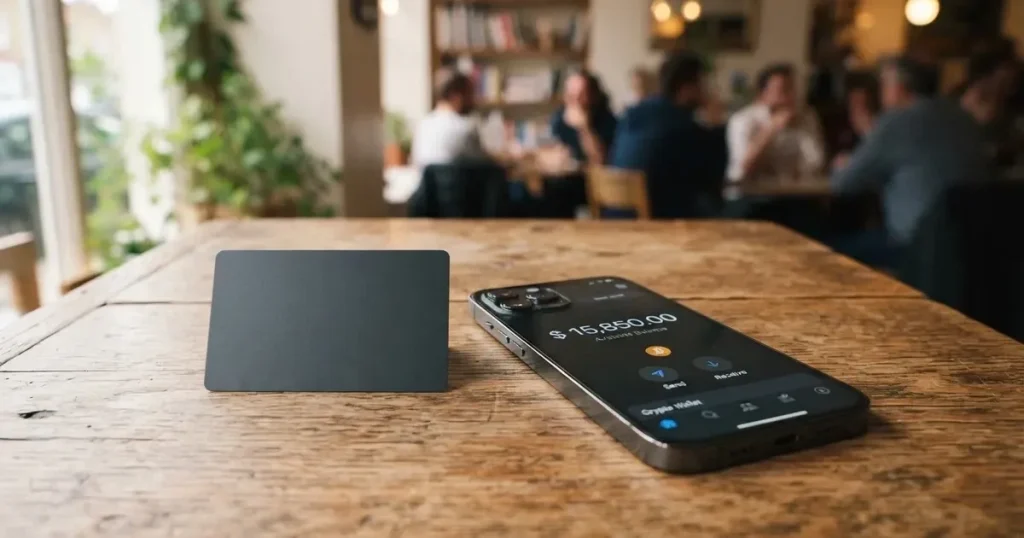
Blonix is a payment card product aimed at people who hold crypto and want to spend it through an ordinary Visa, including at the till and in Apple Pay or Google Pay. The idea is straightforward: top up a balance with stablecoins, the card converts the balance at the moment of payment, and the merchant sees a normal Visa transaction. If that is what you need, Blonix is one of a small set of products that try to make the experience feel like any other debit card. Whether it deserves your money is a more complicated question, because the company leaves large parts of its offer – the issuer, the licence, the fees, the daily limits, the delivery times – unstated on the pages I could read.
Conditions are current as of October 28, 2026.
Verdict
I went into this review expecting a routine walkthrough of features, and came out thinking the most useful thing I can do is tell you what is missing. Blonix’s score is 5.7 out of 10, and the reason it does not sit higher is not that anything it does is bad; it is that the product’s public material does not tell a prospective user enough to use it confidently. If you already hold stablecoins and you want a Visa with mobile wallet support, it is worth a closer look. If you are deciding on a primary card or you need clear answers about fees, country eligibility, or who is responsible if something goes wrong, the gaps matter.
| Criterion | Mark | Why I scored it this way |
|---|---|---|
| Who can get it | 6 / 10 | Accounts are opened worldwide, but card availability depends on jurisdiction and no public list exists; eligibility is not re-verified. |
| Cost | 5 / 10 | Issuance fees, monthly fees, conversion fees and ATM fees are not disclosed on the pages I read. |
| Top-up options | 6 / 10 | Stablecoins or local currency are accepted, but the starting list of supported coins (USDT, USDC, BTC, ETH, SOL) does not match the developer’s reply, which says only USDT on BNB Smart Chain and TRON. |
| Reliability and complaints | 4 / 10 | Operated by Blonix Technologies Limited; the issuer and its licences are not named. One App Store review reports a loss of funds. Custody is by Fireblocks. |
| Everyday use | 8 / 10 | Visa card, ATM access worldwide, Apple Pay and Google Pay, and both virtual and physical card formats. |
| Total | 5.7 / 10 | A workable product for a stablecoin holder who already accepts custodial risk, undermined by missing disclosure. |
The audience I would nudge this card towards is the person who already keeps funds in USDT or USDC, wants to spend them at a point of sale, and is comfortable that the company behind the card does not name its issuer, regulator, or fees. If that description is not you, the alternatives later in this review will likely fit better.
Who will they give you the card
The first thing to settle is whether you can actually be issued a Blonix card, and the honest answer is that the public material does not let you settle it in advance.
Blonix says accounts are opened worldwide, and that whether the card itself is available depends on your jurisdiction. The company does not publish a country list and does not say which countries are excluded. That is not unusual for crypto cards – many providers wait to confirm eligibility only after you start the sign-up flow – but it does mean you cannot tell, before downloading the app, whether the product is for you.
Two further gaps are worth flagging. The first is residency versus citizenship. The card’s signup flow will need to verify your identity, and the rules that decide whether you can hold the card are usually applied to the country on your identity documents, not just where you live today. If you have moved countries, or if you hold a passport from somewhere the issuer treats as higher risk, the outcome may differ from the experience of someone applying locally. The second is that no re-verification of the country list has been done for this review: the page simply states the rule as Blonix states it.
There is no statement on the maximum age or on whether minors can hold the card. Industry-wide, prepaid and debit cards are normally restricted to adults (18+), with some issuers setting a higher age. Treat 18 as the working assumption until the app tells you otherwise.
How to get it
Sign-up is built around the iOS app, with an Android presence but no public star rating at the time of reading.
Identity verification is run through Jumio and Sumsub, both well-known KYC vendors. Blonix says the check usually takes under five minutes, and the App Store listing also lists identity verification at sign-up. In practice that means you will need a government-issued photo ID and, depending on your country, a proof of address; the precise list of accepted documents is shown inside the flow rather than on the website.
The card is a Visa and is offered in two formats: virtual and physical. The currency the card balance is denominated in is not stated publicly; what is stated is that the balance is converted at the moment of payment – for example, USDC to USD – so the card behaves like a pre-loaded balance rather than a true debit card. The card is associated with the Blonix app on iOS or Android; the iOS app at the time of reading is “Blonix: Crypto Card” version 1.0.16 (24), updated 2026-10-17, with a single rating on the store. The Google Play listing under “BLONIX” shows 10K+ downloads, with no star rating displayed.
There is no public statement on delivery time for the physical card. The virtual card is the faster path if you want to start using Apple Pay or Google Pay immediately, since the token you add to the wallet is generated from the virtual card details.
What it really costs
This is the section where Blonix’s public material is thinnest, and that matters because the cost of a payment card is the difference between a tool that helps you and a tool that quietly eats small amounts every time you use it.
Here is what is stated and what is not:
| Fee or limit | What Blonix says |
|---|---|
| Issuance fee | not stated |
| Monthly fee | not stated |
| Conversion fee (crypto to fiat at payment) | not stated |
| Foreign-exchange fee | not stated |
| ATM fee and allowance | ATM access worldwide; fees and allowance not stated |
| Daily and monthly spending limits | not stated |
| Tiers and upgrades | not stated |
| Card currency | not stated (balance converted at payment, e.g. USDC to USD) |
Because the fee structure is not disclosed, I cannot tell you what a typical coffee, a monthly subscription, or a holiday spending spree will cost you in concrete terms. What I can do is walk you through the situations where fees show up on cards of this type, so you know what to look for when you reach the pricing screen inside the app.
The first is the conversion spread. Most crypto cards do not publish a percentage conversion fee, and instead build their margin into the rate at which they sell you the local currency. On a card like this, where the balance is converted at the moment of payment, that is the fee you should focus on: how many basis points above the mid-market rate does Blonix charge when it converts, say, USDT into euros at a Paris café.
The second is the foreign-exchange fee. If the merchant settles in a currency that is not the card’s base currency, there is usually an additional cross-border fee on comparable cards. Blonix does not state a figure.
The third is ATM withdrawals. The card is accepted at ATMs worldwide, but the fee and the monthly free allowance are not disclosed, and the per-transaction cap is not disclosed. Treat any ATM use as a potentially expensive convenience until the app tells you otherwise.
Finally, on-chain deposit fees. When you top up with crypto, you pay the network’s gas or bandwidth fees, charged by the blockchain, not by Blonix. Sending USDT on TRON, for example, is usually a few cents or less; sending it on Ethereum can be several dollars during busy periods.
The everyday use case where the missing disclosure hurts the most is small, frequent purchases. If you buy lunch with the card every day, a conversion spread is invisible on a small purchase; over a year it adds up to real money. Until Blonix publishes the numbers, you have to assume the worst, and check inside the app at the moment of first use.
How to top it up
Top-up is the part of the offer that the public material contradicts itself on, and that is the part I would look at most carefully before sending anything.
Blonix’s starting data describes a wallet that can be topped up with stablecoins or with local currency, and lists the supported coins as USDT, USDC, BTC, ETH and SOL. That is the message the marketing copy sends. The reply from the developer on the App Store – posted to a user review and visible without logging in – says something narrower: deposits are currently limited to USDT on BNB Smart Chain (BEP-20) and TRON (TRC-20), and Bitcoin is not supported. Two of the five starting assets (BTC and ETH) and the second stablecoin (USDC) are not in the developer’s list, and the two networks the developer names (BNB Smart Chain and TRON) are not necessarily the ones the starting list implied.
In practice, the only safe read of the situation is the developer reply, because it is the most recent and most concrete statement. If you decide to try the card, the only network and token combination you can assume will work without manual recovery is USDT on BEP-20 or USDT on TRC-20. Anything else – including USDC, which the starting data lists – risks being lost or stranded, and crypto transfers are typically irreversible, so the network you choose and the address you send it to have to be exactly right.
A few general points worth keeping in mind before your first top-up:
- Network fees for the deposit are paid by you and are charged by the blockchain, not by Blonix. USDT on TRON is usually cheap; USDT on Ethereum is not.
- Sending a token on a network the card provider does not support is one of the most common ways people permanently lose funds, because the network cannot reverse the transfer. Match the network shown inside the app, character by character, before you send.
- Some networks require a small balance of the native token (for example, a small amount of TRX to pay bandwidth on Tron, or ETH to pay gas on Ethereum) before the wallet will let you send a stablecoin. If the receiving wallet has zero of the native token, the transfer can simply fail.
- Circle, the issuer of USDC, stopped supporting USDC on the Tron network in February 2024. If you intend to send USDC, check the current network list from Circle before you do, and assume the Blonix app’s network list is the one that matters.
- Local-currency top-up is mentioned as an option, but the specific rails – bank transfer, card, open banking – are not stated. The minimum, the maximum, and the time to clear are not stated either.
There is no public information on withdrawals, so treat the card as a one-way product: funds go in from crypto, and the only way out is to spend. If that is not what you want, ask support before you load a large amount.
Paying with it every day
Where Blonix looks most like a normal card is at the till and in the mobile wallet.
The card is a Visa, which is accepted at tens of millions of merchants worldwide and at ATMs across the same footprint. It is tokenised into Apple Pay and Google Pay, so you can add the virtual card to your phone and pay contactless without the physical card being present. Spending is funded from a balance that the app converts at the moment of payment – for example, USDC to USD – so what the merchant sees is a Visa authorisation in fiat, not a crypto transaction.
Because it is a Visa, you benefit from Visa Secure (the network’s 3-D Secure implementation) on online checkouts, with one-time codes or biometric challenges when the issuer flags the transaction as higher risk. Tokenisation also means the real card number is not stored on Apple or Google’s servers, and a one-time dynamic security code is used for each contactless payment; the issuer can restrict the token so that, for instance, it cannot be used on a website even if it is in your wallet.
Three things to watch in daily use:
- Merchants can look up the card’s BIN (the first six or eight digits) to see which institution and which country issued the card. If the issuer country differs from the billing country, the merchant may treat the transaction as foreign and apply extra checks, and some merchants decline prepaid or foreign-issued BINs outright. The issuer country for Blonix is not publicly named, so this is something you may discover at the till.
- Address Verification Service, which compares the numeric parts of the billing address with the issuer’s records, is mostly available in the US, Canada and the UK. Foreign-issued cards often do not get an AVS match, which can cause online declines even when the card is good. If a checkout refuses your card for “address mismatch”, this is the most common reason.
- A declined authorisation can leave a hold on the funds for several days, typically up to seven. If a payment fails, do not assume the money is gone; check the balance again a few days later.
Blocked merchant categories are not stated. Some issuers block gambling (MCC 7995) and similar categories by policy rather than by law; the list varies by issuer, and there is no public list for Blonix, so the only way to find out is to try.
Rewards and cashback are not stated. If you are choosing between cards partly on the basis of a sign-up bonus or ongoing cashback, do not assume Blonix offers one until the app confirms it.
Dispute and chargeback rights are not stated. As a Visa, the card should support standard chargeback processes, but the specific policy – who files, in what time window, with what evidence – is something to confirm in the app or with support before relying on it.
What can go wrong
Three categories of risk are worth taking seriously: company and licensing, complaint history, and security.
On the company side, the operator named in the App Store is Blonix Technologies Limited. The App Store text also says services are “provided in partnership with regulated financial institutions”, but it does not name the issuer, the regulator, or the country of the licence. That is a meaningful gap. A card on the Visa network is, in practice, a card issued by a bank or an e-money institution licensed to use the Visa mark; the crypto brand is typically the front-end. Without knowing who that licensed partner is, you cannot look up the licence, you cannot tell which deposit-guarantee or e-money safeguarding regime applies to your balance, and you cannot easily judge whether the issuer is in a jurisdiction you are comfortable with.
On complaints, the only public signal at the time of reading is a single one-star review on the App Store, which is also the only rating. The reviewer reports a loss of funds. The developer’s reply, also public, says the company could not verify the report and asks the user to contact support. A single review is not, on its own, evidence of a systemic problem; it is also not reassurance, and the absence of other channels – a Trustpilot page was not found at the time of research – means there is not much to balance it against.
On security, custody is by Fireblocks using multi-party computation (MPC), which is a credible institutional custody setup. The App Store text also mentions spending controls, real-time transaction monitoring, and fraud protection. That is the standard set of safeguards, and it is reassuring – but it does not change the underlying custodial model. Your crypto is held by a custodian, not by you. Custodial platforms have a track record of high-profile failures: Mt. Gox (around US$350 million reported stolen between 2011 and 2014), Coincheck (around US$400 million in 2018), Ronin Network (US$625 million in 2022). The whole category carries counterparty and hack risk, and a custody arrangement, however reputable, does not remove that risk; it only changes who you are trusting with it.
A few other points worth knowing:
- Card programmes can be wound down. Visa terminated its global agreements with FTX on 13 November 2022, and the FTX US debit card was wound down by its issuer. WaveCrest, a Visa issuer that supplied several crypto brands, was suspended by Visa in Europe in 2018, closing all WaveCrest-issued programmes. Programmes that close typically announce a notice period, then stop spending and loading, then ask users to withdraw remaining balances; if that happens, the time to act is short.
- Stablecoins are not, despite the name, necessarily stable. Tether’s USDT and Circle’s USDC are the two largest US-dollar stablecoins, with roughly 90% of stablecoin market capitalisation between them at mid-2025. Both have strong claims about their reserves; both have also had moments of stress (USDC briefly lost its peg in March 2023 during the US banking crisis), and a stablecoin that the card only accepts on a single network inherits that network’s risk too.
- Sanctions screening applies to crypto, not just to bank transfers. Tether says it disables tokens in wallets on the OFAC sanctions list and has frozen funds tied to illicit activity. A stablecoin balance is not censorship-proof.
- The app is English only. Support hours and channels are not stated. The developer’s standard reply asks users to contact the support team with their registered email. If you need a help desk that picks up the phone, this is not it.
What to take instead
If the gaps in Blonix’s disclosure are deal-breakers, the cards below are the closest alternatives in the same general category, scored on the same scale.
| Card | Score | Who it is for | What stands out |
|---|---|---|---|
| Cardex | 5.6 / 10 | Users in Nigeria and the 200+ countries the site claims to cover, with no public list. | Debit crypto card on Verve, Visa, Mastercard and UnionPay, in virtual and physical form, with an “AI-powered” conversion rate at payment. |
| CardFlow | 4.9 / 10 | Users in Nigeria, with a stated aim to serve “Nigerians and global users”. | Virtual USD Mastercard, free to create, funded with Bitcoin, USDT, ETH or Naira bank transfer. |
| HyperCard | 4.7 / 10 | Users in any of the 176+ countries where the card is accepted, where eligibility rules are not published. | Prepaid card in USD or EUR, funded by depositing USDT, BTC or ETH in the app. |
Cardex sits closest in spirit to Blonix: a multi-network debit crypto card, virtual and physical, with a marketing pitch built around the conversion rate at payment. The site talks up an “AI-Powered Conversion Rate” that scans global exchange rates and picks the best one when you spend. No fee percentage is stated on the page I read, and the App Store listing is Naira-focused, so the everyday experience is likely to vary by region.
CardFlow is a leaner product: a virtual USD Mastercard, free to create, funded by Bitcoin, USDT, ETH or a Naira bank transfer. It is aimed at Nigeria, with a stated ambition to serve Nigerians abroad as well. The site does not list monthly fees, conversion fees, or country exclusions.
HyperCard is a prepaid product in USD or EUR, funded by depositing crypto such as USDT, BTC or ETH inside the app. The App Store page mentions acceptance in more than 176 countries, but acceptance is not the same as eligibility. The network is not stated on the App Store page, and fees are not stated on the pages I could read.
None of these alternatives is a clear upgrade on disclosure – fees are similarly opaque across the set – but Cardex has the broadest network footprint, CardFlow is the simplest to try, and HyperCard is the one with the most familiar card-currency model.
Who I would recommend it to
I would recommend Blonix to someone who already holds stablecoins, is comfortable with a custodial product, and wants a Visa with Apple Pay and Google Pay more than they want published fees and a named issuer. If that is you – a USDT-heavy user who would otherwise use an exchange card, who is willing to check the conversion rate inside the app before each large payment, and who is not loading more than they can afford to leave there if the programme were wound down – then Blonix is a reasonable tool for the job.
I would not recommend it as a primary card, as a long-term store of value, or to anyone who needs a published fee schedule before they sign up. The two specific cases where I would push back hardest are: anyone who needs to send USDC and is relying on the starting data rather than the developer’s reply (USDC is not in the developer’s list of supported deposits at the time of writing), and anyone who needs a clear, named issuer and regulator before they are willing to load funds. The card’s everyday mechanics are fine; the company’s disclosure is not, and that is the trade-off you are being asked to make.
Frequently asked questions
What is the Blonix card?
The Blonix card is a Visa payment card issued through the Blonix app, available in virtual and physical form. The card balance is funded with stablecoins (or local currency) and is converted into fiat at the moment of payment, so what the merchant sees is an ordinary Visa transaction. The card supports Apple Pay and Google Pay.
How does the Blonix card work?
You top up the Blonix wallet with stablecoins such as USDT, or with local currency, and the app converts the balance into fiat at the moment you pay. The card then behaves like a pre-loaded Visa: virtual or physical, accepted worldwide, tokenised into Apple Pay and Google Pay. Custody of the crypto is by Fireblocks.
Is Blonix a bank?
Blonix is not a bank. The App Store seller is Blonix Technologies Limited, and the App Store text says services are “provided in partnership with regulated financial institutions”, but the issuer, the regulator, and the country of the licence are not named on the public pages I could read. Treat the company as a programme manager or front-end rather than as the licensed issuer.
Who owns Blonix?
The App Store seller is Blonix Technologies Limited. The names of the company’s directors, its parent company, and its funding are not stated in the public material I read. If ownership matters to you – for example, because of jurisdictional or sanctions reasons – ask the company directly before loading funds.
Is the Blonix card available in my country?
Blonix says accounts are opened worldwide and that card availability depends on your jurisdiction, but does not publish a country list or a list of excluded countries. The most reliable way to find out is to start the sign-up flow inside the app; if your country is excluded, the app will tell you before asking for documents.
How do I get the Blonix card?
Download the iOS or Android app, complete the KYC check (Blonix uses Jumio and Sumsub, and says the check usually takes under five minutes), and order the virtual or physical card. You will need a government-issued photo ID and, depending on your country, a proof of address.
Does the Blonix card require KYC?
Yes. KYC is run through Jumio and Sumsub, and the App Store listing also lists identity verification at sign-up. Expect to provide a government-issued photo ID and possibly a proof of address; the precise list of accepted documents is shown inside the flow rather than on the website.
How do I top up the Blonix card?
You top up the Blonix wallet with stablecoins or with local currency. The starting list of supported assets is USDT, USDC, BTC, ETH and SOL, but the developer’s reply on the App Store narrows current deposits to USDT on BNB Smart Chain (BEP-20) and TRON (TRC-20). Match the network shown inside the app exactly before you send, because blockchain transfers are typically irreversible.
Is the Blonix card safe?
Custody is by Fireblocks using MPC, and the app advertises spending controls, real-time transaction monitoring, and fraud protection. Those are the standard safeguards, but the underlying model is custodial: you are trusting the company and its partners with your funds, and the issuer and its licence are not named on the public pages. Stablecoin balances are not deposit-guaranteed, and stablecoins are not, despite the name, guaranteed to hold their peg.
Is the Blonix card free?
The fees – issuance, monthly, conversion, foreign-exchange, ATM – are not stated on the public pages I could read. The card is accepted at ATMs worldwide, but the ATM fee and any monthly free allowance are not stated either. The only safe assumption is that the card is not free, and that the actual numbers are shown inside the app.
Virtual card reviews – cryptocardcheck
Content created by the «cryptocardcheck» team