
A Telegram-first Visa paid from USDT, scored out of 10
 Available in US
Ape Wallet is a crypto card built inside Telegram. You talk to a bot, register an account, and the bot issues a virtual Visa that you can either use for online payments or push into Apple Pay or Google Pay. The card draws on a USDT balance held in the wallet, and most everyday actions — registering, topping up, sending to another user by Telegram username — are framed as free. That is the appeal and, in many ways, also the problem. There is no published list of countries, no named legal entity, no named card issuer and no published fee schedule. The card is fast, but the paperwork is thin, and a few important questions are not answered anywhere on the official pages.
This page walks through who the card is for, what it really costs, how to top it up, and what can go wrong. The conditions described are current as of October 28, 2026.
Verdict
Ape Wallet scores 5.5 out of 10 in this review. The score reflects a card that is genuinely quick to set up and works well for a narrow use case, weighed against a company that publishes very little about itself and a fee structure that has to be read off a third-party page rather than the issuer’s own site.

| Criterion | Mark | Why it lands there |
|---|---|---|
| Who can get it | 7 / 10 | No country list is published; the card works “wherever Visa is accepted”; the KYC flow is built around a Russian passport, so the card is popular in Russia, but the rules are not written down |
| Cost | 7 / 10 | No official fee amounts; the app shows the fee and total before you confirm, and Telegram-username transfers are free; a third-party page lists all fees as free, but the structure is opaque |
| Top-up options | 4 / 10 | The balance is held in USDT, and the card is paid from that balance; unofficial coverage says the only supported network is zkSync Era, which is a meaningful restriction |
| Reliability and complaints | 3 / 10 | Only the brand “Ape Wallet” is named; no legal entity, no registration, no card issuer; custodial, with a “Poor” 3.7/10 rating on a third-party site citing opaque fees and freeze risk |
| Everyday use | 5 / 10 | Virtual Visa only — a “service card” for subscriptions and online, and an Apple Pay / Google Pay card; issuance takes about a minute; no ATM access |
The short version: Ape Wallet fits a Telegram user who is already holding USDT and wants to pay online or via phone wallet from that balance, with as little friction as possible. If you want a card from a named, regulated issuer, with a published fee table and a clear country list, this is not that card.
Who it suits
You are a user with a Telegram account and a USDT balance. You want a virtual Visa for online subscriptions, marketplaces or in-app purchases, and you would rather tie it to a phone wallet than to a physical card. You are comfortable with the fact that the issuing entity is not named on the public pages, and you do not need an ATM.
Who it does not suit
You need a physical card, an ATM, a clear list of supported countries, a named and licensed issuer, or a fee table you can read before you sign up. You live in a country that sanctions or restricts cards issued from Russia, or you want to send and receive other cryptocurrencies from the same place that issues the card. You also want a published dispute process, written complaint procedure or a regulated status you can verify on an EU or UK register.
Will they give you the card
Ape Wallet does not publish a list of supported or excluded countries. The marketing line is that the card works “wherever Visa is accepted”, which describes the card network rather than the eligibility rules. The official pages do not say who can sign up, who cannot, or how residence and citizenship are treated separately. What the pages do show is a Russian-language interface, a Telegram bot, an SBP (Russian fast payment system) withdrawal option and a KYC flow that takes a Russian passport. So the card is positioned for users familiar with these tools, but the rule book for everyone else is silent.
This matters because eligibility is the first thing any payment card has to settle. With most crypto cards you can read the supported country list on the homepage, and you know before you start whether your passport and address will be accepted. With Ape Wallet the answer is something you find out by trying, and the public pages do not warn you about the failure modes. The card is positioned for users who do not need a written promise — the Telegram audience that already trusts the bot.
If you are a non-Russian reader, treat the absence of a country list as a real risk, not as a marketing gap. If you are a reader familiar with the Russian-language interface, the obvious fit is there, but the absence of a written rule still means that a change of policy can happen without notice.
How to get it
There is no app in the App Store or Google Play. The whole flow lives inside Telegram, in the bot t.me/apewallet_web_bot. You open the bot, register, and the bot guides you through issuing a card. You do not need to do anything to “start”: top-ups and payments work after registration, before any identity check.
The KYC model has two layers:
- Basic KYC. An email address and a phone number. Enough to register and to use the bot.
- Passport KYC. A scan of a Russian passport and a selfie. This unlocks buying crypto inside the service and lets withdrawals go to a card or SBP account whose details match the passport. Without passport KYC, withdrawals are still possible but the destination is set by phone number, card number, name and bank on each transfer.
Some products inside the bot have their own KYC expectations. The “service card” — a virtual Visa aimed at subscriptions and online stores — can be issued without an email. The Apple Pay and Google Pay card requires an email and a confirmation code. There is no published processing time for passport KYC and no published list of rejection reasons. If your documents do not pass, the bot is the only place you will find out.
A few practical consequences. First, you should not expect a long onboarding path: the card is designed to be issued in roughly a minute. Second, you should expect a Russian passport to be the assumption — there is no indication that other national IDs are accepted. Third, the KYC for buying crypto and for verified withdrawals is optional, but if you intend to move money in or out, you should plan to do it.
What it really costs
Ape Wallet does not publish a fee schedule. There is no table on the official site, no entry for “monthly fee”, “FX fee”, “issuance fee” or “ATM fee” that you can read before you sign up. What the official pages do say is that the fee and the total are shown to you before you confirm any operation, and that transfers to other users by Telegram username carry no fee. The “service card” can be issued at a discount if you already hold an active Apple Pay / Google Pay card, and promo codes change the issuance price — but the base prices are not stated.
A third-party site, cryptocards.so (2026), lists the card’s fees as follows, and the same site flags the structure as opaque. The figures below are unofficial and are not confirmed by Ape Wallet’s own pages.
| Fee or limit | Amount (per cryptocards.so, 2026) |
|---|---|
| Issuance | Free |
| Monthly fee | Free |
| Currency conversion | Free |
| Foreign exchange (FX) | Free |
| Top-up | Free |
| Decline fee | Free |
| ATM fee | Free |
| ATM limit | Unlimited |
| Daily spend | Unlimited |
| Monthly spend | Unlimited |
The official position is more cautious: the app shows the fee before you confirm. The unofficial position is that nothing is charged at the line-item level. Both are credible only if you also know what rate the bot is using to convert USDT into the payment currency. The fee is small, the spread is the part that is not disclosed, and that is the part that determines what you actually pay. A “free” fee with a wide spread is not the same as a transparent fee.
Because there is no fixed fee to illustrate, the everyday scenarios are about the parts the app actually controls: whether a transfer is free, what you see before you confirm, and which lines are the real cost.
A subscription paid in dollars with the service card. The service card is the one to use for online and recurring payments. The fee is shown before you confirm. The conversion from USDT to USD happens at whatever rate the bot is using, and that rate is the part to look at, not a line-item percentage. If you hold USDT in the wallet, the card debits that balance.
A coffee paid via Apple Pay. Adding the card to Apple Pay or Google Pay is the only way to pay in a physical store. The fee is again shown before you confirm. The merchant charges in the local currency, the card network and the bot handle the conversion, and you see the total in USDT-equivalent before you tap. A foreign trip is where the lack of a published FX fee matters: there is no percentage to multiply against the bill in your head.
A transfer to a friend by Telegram username. This is the one fee the official pages state clearly: transfers to other users by Telegram username are free. It is a peer-to-peer transfer inside the wallet, not a card payment, but it is the one cost that is unambiguous.
The honest summary of the cost section is that Ape Wallet is cheap on paper and opaque in practice. The fee is shown before you confirm, the rate is what determines the cost, and the rate is not on a public page.
Top up
The wallet’s balance is in USDT. The card is paid from that balance, and so is the issuance fee. To put money on the card, you first have to put USDT into the wallet, and then the card draws on it.
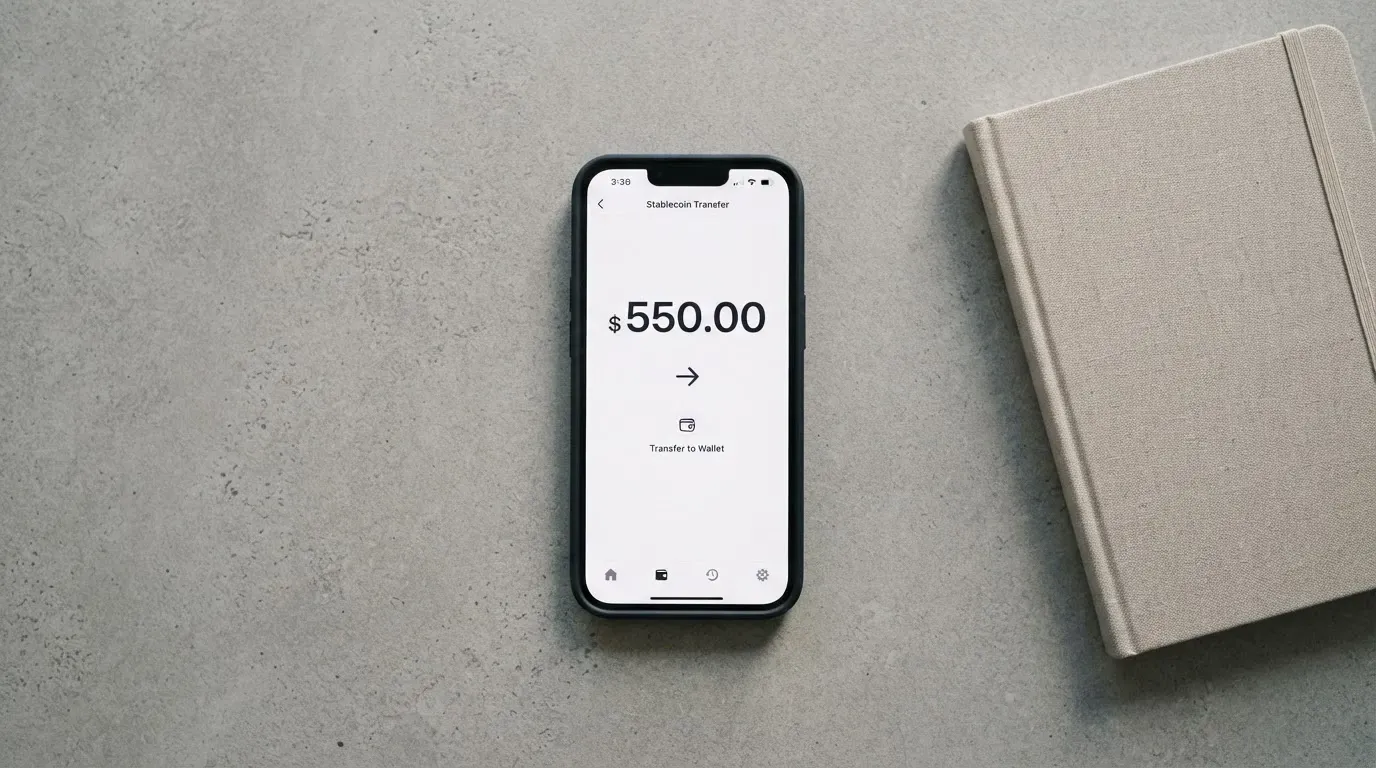
The official pages describe a wallet balance in USDT and the ability to top up from that balance. They do not state which network the USDT arrives on, the deposit fee, the minimum top-up or who pays the network fee (the user or the service). Unofficial coverage from cryptocards.so (2026) says the only supported network is zkSync Era. If that is right, it is a real restriction: you cannot simply send USDT from any exchange or any other chain; you have to use zkSync Era, and sending on the wrong network is, as with any blockchain transfer, irreversible.
Network and minimum details worth checking before your first deposit:
- The exact network Ape Wallet accepts. If the only supported network is zkSync Era, sending USDT on Tron, Ethereum, Arbitrum or BNB Chain will not arrive.
- The minimum top-up. Not stated on the official pages.
- Who pays the network fee. Blockchain fees are charged by the network, not by the card provider, but the question of whether Ape Wallet charges an extra deposit fee on top is not answered.
- Whether the USDT shows up at the contract address that matches Ape Wallet’s stated network. A mismatch here is the most common way to lose a deposit.
Top-ups are not the same as withdrawals. To move money out of the wallet, the official pages describe USDT withdrawals to a bank card or via SBP (rubles credited). The transfer is processed immediately, but the arrival time depends on the bank. With passport KYC the destination must match the passport (card number or SBP account in the same name); without KYC the recipient is set by phone number, card number, name and bank on each transfer. Fees and limits for withdrawal are not stated.
The practical rule is the same one that applies to any crypto card funded from stablecoins: the network, the address and the minimum are the three things to confirm before you send, because a wrong-network transfer cannot be undone.
Paying with it every day
The card is virtual, and it comes in two forms. The “service card” is for online payments and subscriptions. The Apple Pay / Google Pay card is the one to add to a phone wallet, and it is the only way to pay in a physical store. Both are issued in about a minute. Neither is a physical card you can hand to a cashier.
The official pages say Apple Pay and Google Pay are supported via the dedicated card, and do not name any blocked merchant categories. There is no published list of blocked MCCs (the four-digit codes that classify a business), and there is no way to know from outside whether, for example, gambling or cryptocurrency exchanges are blocked. With most regulated cards you can read the policy; here you have to try.
There is no cashback programme and no stated reward for spending. There is a two-level referral programme that pays a share of the card purchases of invited users, with no published percentage. If you are looking for a card that pays you back for spending, this is not it.
A point that matters in practice: the card is custodial, meaning the provider holds the credentials. The third-party page that rates the card treats it as custodial. Custodial means the user does not hold the private key to the wallet balance, and that has consequences for everyday use — for example, in a dispute, you are relying on the operator’s process rather than your own control of the funds.
Disputes and chargebacks are not described on the official pages. There is no published process for contesting a transaction, and no mention of which network rules (Visa chargeback reason codes, for example) apply. If something goes wrong, the route is the Telegram support account.
What can go wrong
Ape Wallet’s official pages do not publish incident reports or user reviews, and there is no Trustpilot page for the brand. The risk picture is built from what is not said as much as from what is.
The company is not named. Only the brand “Ape Wallet” is given. There is no legal entity, no jurisdiction of registration, no card issuer and no banking partner visible on the public pages. With a regulated card you can usually find the issuer’s name and licence number; with Ape Wallet you cannot. That makes the card hard to evaluate against any specific regulatory regime.
The card is custodial. Unofficial coverage from cryptocards.so (2026) describes the wallet as custodial. Custodial platforms have a history of failure (Mt. Gox, Coincheck, Ronin Network, to name a few well-known cases), and a custodial wallet means the user does not hold the seed phrase or private key. If the operator fails or freezes the account, the user depends entirely on the operator’s process to recover funds. Crypto transfers are irreversible at the network level; they are not reversible by the user.
The fee structure is opaque. The third-party rating page gives the card 3.7 out of 10 (“Poor”), citing opaque fees and the risk of suspension. The official position is that fees are shown before you confirm, but no line-item fee schedule is published. A “free” fee with a non-published conversion rate is not a transparent cost.
The country list is missing. Without a published list, a change of policy can exclude a user without notice. This is a real risk for non-Russian users in particular.
The dispute path is thin. No published chargeback or complaint procedure. The only support channel named on the official pages is the Telegram handle @apewallet_support; an email placeholder is unfilled on the page. The site is in Russian, which is the language support is offered in; hours are not stated.
The card is virtual only. There is no physical card and no ATM access. The limits cited by the third-party site (daily and monthly spend “unlimited”, ATM “unlimited”) are not on the official pages and are not enforceable promises.
The card network can stop a programme. Visa does not issue crypto cards directly. It licenses issuers, and it can suspend a programme. The clearest recent example is FTX: Visa said in November 2022 that it had terminated its global agreements with FTX, and the FTX US debit card was wound down. A similar event in 2018 was the suspension of WaveCrest, which closed a number of European crypto card programmes overnight. Programme closures typically give a notice period, then stop loading, then ask users to withdraw remaining balances.
Stablecoins are not risk-free. The wallet balance is in USDT, a US-dollar-pegged stablecoin. Stablecoins can depeg: the most-cited case is TerraUSD in May 2022; USDC temporarily lost its peg in March 2023 during the US banking crisis. Tether has also said it disables tokens in wallets on the OFAC sanctions list and has frozen funds tied to illicit activity, so the “censorship-proof” idea does not apply in practice.
The cumulative picture is of a service that is fast and cheap at the line-item level, but offers thin public information about who runs it, what its legal status is, and what happens if something goes wrong. None of these points is a statement that Ape Wallet has failed; they are the questions to answer before trusting the bot with a balance.
What to take instead
Three alternatives come up in this part of the market. They are not the same product, and they are not in the same score band, so the table below is a quick comparison, not a recommendation. Numbers and country lists come from each card’s own pages and from the third-party pages that cover them.
| Card | Score | Card type | Cost to start | Where it works | Funding |
|---|---|---|---|---|---|
| Ape Wallet | 5.5 / 10 | Virtual Visa only | Not stated | No country list published; “wherever Visa is accepted”; Russian focus | USDT (unofficial: zkSync Era only) |
| Azul Card | 5.3 / 10 | Virtual Mastercard (physical may come later) | $20 one-time, refunded after $2,000 spent; $5/month | Worldwide except Russia, Belarus, North Korea, Iran, Syria, Cuba, Sudan, Venezuela, Ukraine and the Crimea, Donetsk, Luhansk, Zaporizhzhia and Kherson regions; restrictions apply regardless of nationality | Crypto sent to the card in Telegram; coins and networks not on the public pages read |
| Telecard | 6.1 / 10 | Virtual Mastercard (no physical, no metal) | $5 standard, $49 + $19/month VIP; $99 minimum deposit to activate (described as “NOT a fee”) | Usable in over 150 countries wherever Mastercard is accepted; KYC “available in most major regions”; terms bar users sanctioned by the US Government including OFAC | USDT on Tron (TRC-20) or Ethereum (ERC-20); USDC on Ethereum (ERC-20); Polygon not supported; bank transfers “coming soon” |
| OnCards | 4.6 / 10 | Virtual only (Mastercard or Visa, network not fixed) | Not stated | No country list; no mention of Russian or Belarusian citizens or residents | USDT BEP20 only; bank transfers not accepted |
A few practical comparisons. Telecard has the most transparent cost structure of the three, with stated plan prices and a 1.5% conversion fee on non-USD payments, plus a 0.5 USDT gas-equivalent per transaction. It also names the networks it supports, which Ape Wallet does not. Azul Card is the most explicit about who cannot use it, with a published list of excluded countries. OnCards is the lightest on disclosure, with no country list and no fees published. None of the three is a perfect substitute; the choice depends on which omission bothers you least.
If the deciding factor for you is a published fee table and a named issuer, Telecard is the closest match in this group. If it is a published list of excluded countries, Azul Card. If it is the lowest score and you are still tempted, Ape Wallet is the option to investigate carefully before you put a balance on it.
Who I would recommend it to
Ape Wallet is a Telegram-native virtual Visa paid from a USDT balance. The card is fast, the transfers inside Telegram are free, and the bot issues a working card in about a minute. The trade-off is the information the official pages do not publish: the fee schedule, the country list, the legal entity, the card issuer, the dispute process and the support hours. For a user already holding USDT, comfortable with the bot, and treating the card as a way to spend small amounts online or through Apple Pay or Google Pay, the product works. For anyone who needs a card they can read the rule book for before they sign up, the rule book is too thin to recommend.
A short version: useful for the audience it was built for, opaque for everyone else, and worth approaching with a small balance until the company behind the brand publishes more about itself.
Frequently asked questions
What is Ape Wallet card?
Ape Wallet is a virtual Visa card issued through a Telegram bot. The card is paid from a USDT balance held in the wallet, and comes in two forms: a “service card” for online and subscription payments, and a card you can add to Apple Pay or Google Pay. There is no physical card and no ATM access. The company behind the brand is not named on the official pages.
How does Ape Wallet card work?
You register inside the Telegram bot, the bot issues a virtual Visa in about a minute, and the card draws on a USDT balance in the wallet. When you pay, USDT is converted to the payment currency at the bot’s rate, the fee and total are shown before you confirm, and the card is debited in USDT-equivalent. Peer-to-peer transfers to other users by Telegram username are stated to be free.
Is Ape Wallet a bank?
No. The official pages do not name a bank or a regulated issuer. Only the brand “Ape Wallet” is given, and there is no legal entity, registration or banking partner visible. Treat the card as a product of an undisclosed operator, not as a product of a named and licensed bank.
Who owns Ape Wallet?
The official pages only give the brand “Ape Wallet”. There is no parent company, no registration number, no jurisdiction and no card issuer named. This is one of the main things to know before trusting the bot with a balance.
Is Ape Wallet card available in my country?
The official pages do not publish a list of supported or excluded countries. The card is marketed as working “wherever Visa is accepted”, and the KYC flow is built around a Russian passport. The only way to confirm availability for a specific country is to try registering in the bot.
How do I get Ape Wallet card?
Open the Telegram bot t.me/apewallet_web_bot, register, and the bot issues a virtual Visa in about a minute. The “service card” can be issued without an email. The Apple Pay / Google Pay card needs an email and a confirmation code. Passport KYC (Russian passport and selfie) is optional at registration and is required for buying crypto and for verified withdrawals.
Does Ape Wallet card require KYC?
Not to start. Top-ups and payments work after registration. Basic KYC (email and phone) is required for some actions. Passport KYC (Russian passport and selfie) is required for buying crypto and for withdrawals to a card or SBP account in the user’s own name. Processing time and rejection reasons are not published.
How do I top up Ape Wallet card?
You top up the wallet in USDT, and the card draws on the wallet balance. Unofficial coverage says the only supported network is zkSync Era. The deposit fee, the minimum top-up and who pays the network fee are not stated on the official pages. Send on the wrong network and the transfer is irreversible.
How do I withdraw money from Ape Wallet?
You can withdraw USDT to a bank card or via SBP (rubles credited). The transfer is processed immediately, but arrival depends on the bank. With passport KYC the destination must match the passport; without KYC the recipient is set by phone number, card number, name and bank on each transfer. Fees and limits are not stated.
Is Ape Wallet card safe?
The official pages do not publish incident reports, dispute procedures or user reviews. The wallet is described as custodial by third-party coverage, which means the operator holds the credentials, not the user. The country list, the fee schedule and the legal entity are not published. None of this is a statement that the service has failed, but it is a thinner public picture than most regulated cards, and a smaller starting balance is the conservative approach.
Virtual card reviews – cryptocardcheck
Content created by the «cryptocardcheck» team